

Spring sale Product Over TOP
Kinguin logo
start typing to searchGuarda tutto
Products

:( Spiacente. Nessun risultato.

Per favore controlla l'ortografia, usa ricerca avanzata o esplora homepage.

      Benvenuto a casa, Giocatore!

      Cliccando su “Continua con il tuo account Google o Facebook” dichiari di accettare il Regolamento di Kinguin e l’Informativa sulla Privacy, così come il Regolamento NFT e l’Informativa sulla Privacy NFT.

      Prima volta su Kinguin?
      Crea un account!
      • FAQ
      5.0
      (1 Recensione)
      Piattaforma
      Steam
      Steam
      Edizione

      DisplayFusion Steam Gift

      Venduto da
      Taylorstore
      93.34% delle valutazioni in 388056 è eccellente!
      2 più offerte disponibili a partire da
      $17.58
      Garantiamo pagamenti sicuri
      Lavoriamo duramente per proteggere la sicurezza dei tuoi pagamenti. Il nostro Ufficio Prevenzione Frodi lavora 24 ore su 24 per proteggere le tue transazioni. Abbiamo implementato un sistema creato su misura per rilevare potenziali truffatori e abbiamo stretto una collaborazione con Ravelin, una delle migliori piattaforme di prevenzione frodi al mondo. Non condividiamo i dati dei tuoi pagamenti con venditori esterni e non vendiamo le tue informazioni personali a terzi.
      Come attivare la Chiave
      Informazioni
      Lingue
      Raccomanda questo gioco e guadagna$0.87o più per ogni copia venduta.Unisciti in 3 minuti
      Si prega di notare che, a causa dell'aggiornamento della politica sui regali di Steam di Valve, i regali di Steam per i giochi coperti dal programma di ban VAC non possono più essere aggiunti all'inventario. Assicuratevi di aver effettuato l'accesso all'account corretto prima di inserire il link, poiché i regali di Steam possono essere solo aggiunti alla vostra libreria o rifiutati.
      Data di rilascio: 29/03/2013

      DisplayFusion Steam Gift

      Piattaforma: Steam
      Data di rilascio:   29 Mar 2013

      Informazioni sul gioco

      DisplayFusion renderà la vostra vita coi multi-monitor molto più facile. Con le caratteristiche potenti come Multi-Monitor Taskbar, TitleBar Buttons e funzioni completamente personalizzabili, DisplayFusion renderà la gestione di più di un monitoro facile. Queste caratteristiche funzionano anche quando AMD Eyefinity o nVidia Surround sono attivati sul vostro sistema!

      Caratteristiche

      Monitor Splitting (works with Surround and Eyefinity!)
      Split your monitors into multiple virtual monitors so that you can have separate Taskbars, Wallpapers, Window Location rules, Functions, and Screen Savers for each split. Applications will maximize to the size of each split, and Functions like "Move to Next Monitor" will treat each split as a separate monitor.
       
      Monitor Configuration and Profiles
      Use DisplayFusion to set your Monitor Configuration. Configure the resolution, colour depth, refresh rate and orientation. You can even save your configurations as Monitor Profiles that you can load later using a key combination or TitleBar Button. Link a Wallpaper Profile with your Monitor Profile to load your desktop wallpaper automatically based on the monitors you have connected.
       
      Multi-Monitor Wallpaper
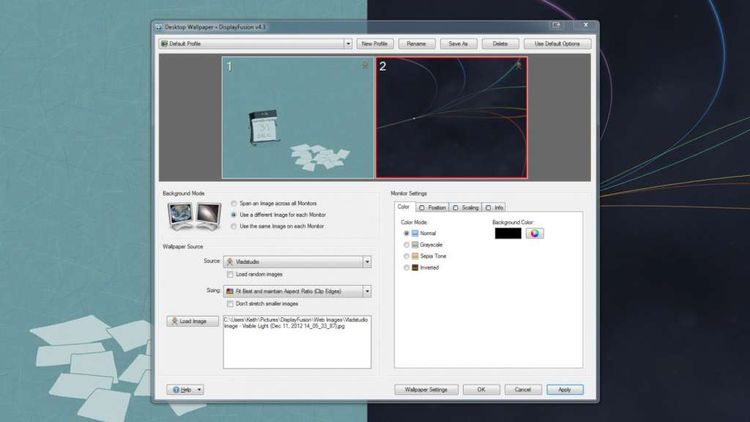
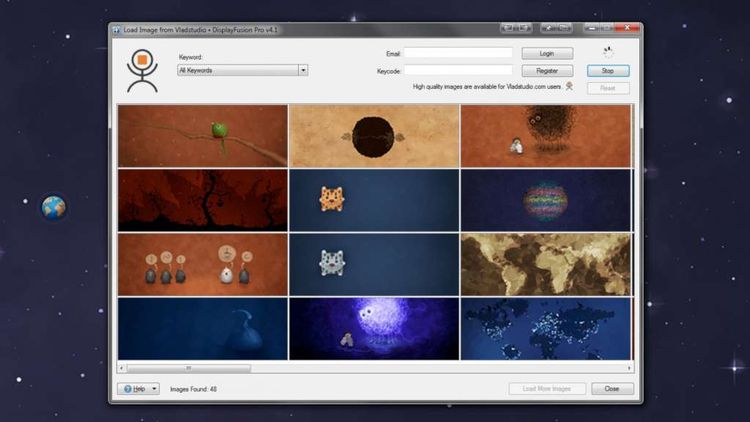
      Customize your desktop with Multi-Monitor Wallpapers from WallpaperFusion, Flickr, InterfaceLIFT, Vladstudio and more. Tile, stretch, scale, crop, position and tint your images exactly how you want.
       
      Multi-Monitor Taskbar
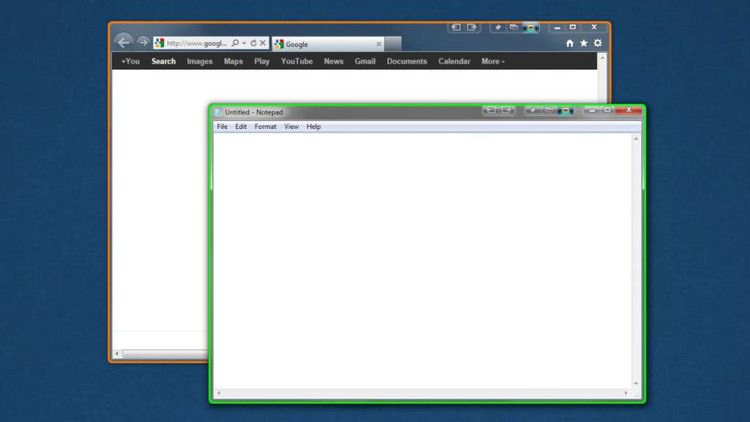
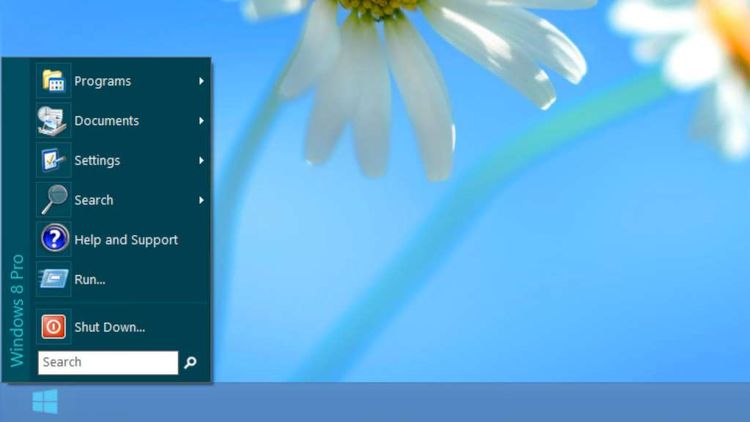
      Keep your windows easily organized by adding a taskbar to each of your monitors. The taskbar on each monitor can be configured to show all windows, or only the windows that are located on that monitor. Use button grouping, auto-hide, window previews, shortcuts (pinned applications) and much more to help you work more easily with your application windows. Each taskbar can have its own custom set of shortcuts. Taskbar elements on the DisplayFusion Taskbars can also be customized to your liking, including the position of the Start button, Taskbar buttons, and clock/system tray.
       
      Customizable Functions and TitleBar Buttons
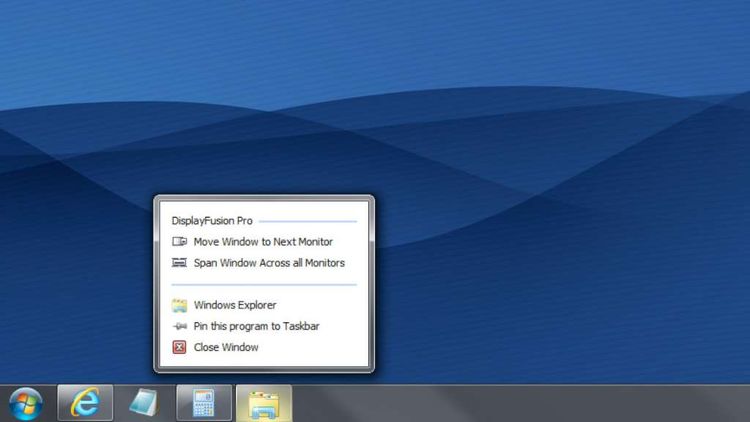
      DisplayFusion comes bundled with over 30 pre-configured Functions, or you can create your own powerful custom Functions. Create Functions to load Wallpaper or Monitor Profiles, move windows around, change window opacity, toggle DisplayFusion features and much more. Any Function, including custom Functions that you've created, can be assigned to a TitleBar Button for easier access with the mouse, or to a keyboard shortcut for keyboard power users. Functions can also be assigned to the Jump List menus on the DisplayFusion Multi-Monitor Taskbars, allowing them to be run even on applications that are minimized.

      Requisiti di sistema

      • OS: Windows XP SP2
      • Processor: 1 GHz single core
      • Memory: 512 Mb
      • Hard disk space: 30 Mb
      Valutazione di prodotto
      5.0
      1
      numero di voti
      Scrivi la recensione di un prodotto e ricevi uno sconto del 5% per il tuo prossimo acquisto!
      First time customer!
      Traduzione automatica
      Il prodotto è valido e consegnato subito dopo il pagamento! A++ Tornerò sicuramente da Xram! Venditore eccellente e veloce!
      0