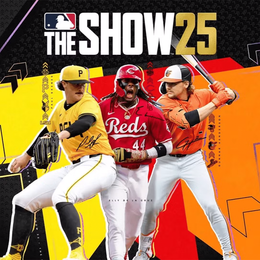

Welcome home, player!
By clicking Continue with Google or Facebook, you agree to Kinguin's Terms & Conditions and Privacy Policy, also to NFT Terms & Conditions and NFT Privacy Policy.
New to Kinguin?
Sign up now!MinecraftFortniteRobloxValorantValheimLeague of LegendsMonster Hunter WildsAssasin's CreedHogwarts LegacyPalwordValheimStar WarsWorld of WarcraftDiablo IVPath of Exile IICall of DutyCounter-Strike 2 ValorantRustElden RingLies of PDark SoulsEA SPORTS Madden NFL 26NBAF1Football ManagerSteamEpic GamesBattle.netUbisoftgog.comMS Store Rockstar GamesEA AppPlaystation 5Playstation 4Xbox Series S|XXbox OneNintendoMeta QuestAndroidiOSFPSActionAdventure GamesRPG VR GamesStrategy GamesRacingOpen WorldHorrorSimulationSportSurvivalVisual NovelMMOLife SimulatorCasualPlatformerTPSHidden ObjectsAnimeCooperationFightingHack & SlashMusic / SoundtrackPoint & ClickPuzzleStory RichBest-selling Mystery Keys Special EditionsTry to getHidden Robux PackMystery Fortnite SkinsLEGO Mystery KeysMystery Games – by GenreMystery Multi-Key BundleVR Mystery KeysUnder 5 EURUnder 10 EURUnder 50 EURUnder 100 EUROver 100 EUR and moreIngame CurrenciesIngame ItemsGame Top-UpsBoosted AccountsGame BoostingGame top-upsApp & Subscription top-upRoblox ItemsFortnite V-Bucks & AccountsMinecraft CoinsPokemon PokecoinsLeague of Legends RPGTA 5 Cash & AccountsElden Ring RunesClash of Clans GemsMonopoly GO! Dice & StickersArc Raiders Coins & ItemsDelta Force CoinsValorant PointsApex Legends CoinsPUBG UCArena Breakout: Infinite BondsMarvel Rivals LatticesTom Clancy's Rainbow Six SiegeBorderlands 4 MoneyWorld of Warcraft GoldPath of Exile 2 OrbsDiablo IV Gold & ItemsWarframe PlatinumAlbion Online SilverRuneScape - OSRS GoldWhiteout Survival Frost StarsFallout 76 Caps & ItemsAion 2 KinahGenshin Impact CrystalsHonkai: Star Rail Oneiric ShardZenless Zone Zero MonochromeWuthering Waves LuniteArknights: Endfield OrigeometryHonor of Kings TokensMapleStory MesosSolo Leveling: Arise Diamonds7DS: Origin Star MemoryStar Citizen aUECGrowtopia LocksOnce Human Energy LinkWhere Winds Meet Echo BeadsNeverness to Everness RiftcrystalFC 26 Coins & PointsForza Horizon 5 CreditsMadden NFL 26 CoinsMLB The Show 26 StubsSteamXbox Game PassPlaystation PlusWorld of WarcraftEA PlayNintendo Onlinechess.comTwitchCrunchyrollAmazon Prime VideoNetflixTikTokYouTubeSpotifyTidalDeezerXbox LivePlaystation StoreSteam Nintendo eShopValorantRobloxLeague of LegendsWorld of WarcraftRazer GoldLieferandoAmazonAirbnbZalandoIKEAAppleiTunesDiscordTinderNetflixBinanceAztecoPersonal DevelopmentStay safe onlineLevel Up to Windows 11Best Productivity ToolsCreative toolsGaming ToolsIObit Driver Booster ProCCleaner Advanced SystemCare ProNoPingExpress VPNHMA! Pro VPNNordVPNParallels DesktopCrossOverESET Internet SecurityBitdefender Total SecurityAVASTNorton 360 for GamersWindows HomeWindows ProfessionalWindows Enterprise Windows ServerMore WindowsWindows BundleParallels DesktopVMwareCrossOverEsetBitdefender KasperskyNortonAvastTrend MicroMcAfeeAdGuardF-SecureExpress VPNNordVPNHMA! Pro VPNSurfsharkAdGuard CyberGhost VPNMS Office HomeMS Office ProfessionalMS Office 365 MS Project MS OutlookMS VisioOffice BundleAdobe AcrobatNitro PDFPDFZilla Adobe Creative Cloud Adobe PhotoshopAdobe Substance 3D More AdobeVEGAS Pro CorelDrawWondershare Filmora Affinity SoftwareAbleton LiveNeroVoicemod PROCCleaner IObit Laplink PCmover EaseUS NoPing3DMarkWinZipAOMEIMiniToolAshampooRevo Uninstaller ProNeroGame AccountsGame Top-UpsCrypto CurrenciesMobile RechargesRoblox Game Items

MLB The Show 26 Stubs
Build your ultimate Diamond Dynasty squad by securing the cheapest MLB The Show 26 Stubs on the market. Our secure Marketplace delivery method ensures you can snap up elite Diamond players and rare equipment to dominate the Ranked Seasons instantly.


Why Choose Kinguin?
How to buy a MLB The Show 25 Stubs on Kinguin?

FAQ
How long does the Stubs delivery take?
Most MLB The Show 26 orders are completed within 10–60 minutes. Once you provide the listing details, our sellers act quickly to purchase your card from the Marketplace.
Is buying MLB The Show 26 Stubs safe?
Yes. We use the Community Marketplace delivery method, which mimics organic trading patterns. Kinguin only works with verified sellers who use legitimately earned Stubs to ensure your account remains secure.
Which platforms are supported?
Since MLB The Show 26 features full Cross-Play and Cross-Progression, your Stubs are generally available across PlayStation 5, Xbox Series X/S, and Nintendo Switch as long as your accounts are linked to a single MLB The Show account.
Who pays the 10% MLB Marketplace tax?
Similar to the actual game economy, the 10% transaction fee imposed by the Community Marketplace is deducted from the final sale. Please check individual seller notes to see if they offer "Tax Covered" bonuses. Unless specified by the seller, the buyer usually covers this tax.
What are in-game goods?
In-game goods are virtual products used inside video games, including currencies, items, accounts, top-ups, and boosting services. These goods help players progress faster, unlock exclusive content, customize gameplay, or save time in their favorite games.
What types of in-game goods can I buy on Kinguin?
On Kinguin, you can buy a wide range of in-game goods, such as:
- In-game currencies (gold, coins, credits, points and more)
- In-game items (skins, weapons, pets, cosmetics and more)
- Game accounts (Fresh, Smurfs and unique and boosted accounts)
- Game top-ups (Crystals, Gems, Points and more)
- Boosting services (Leveling, Ranking, Coaching, Crafting, Farming, Builds, Dungeons, Raids and more)
All products are listed per game, with clear delivery details on each product page.
What information do I need to provide for delivery?
The required information depends on the product type and game. You may be asked to provide:
- Player ID or UID
- Username or Character name
- Server or region
All required information is clearly shown on the product page before purchase.
What payment methods are available?
We support major payment methods like PayPal, credit cards, Paysafecard, Crypto, online banking as well as supporting local payment method for most of countries and currencies globally. We ensure the safety of the customer’s money so we have all payments locally covered as well.
Is it safe to buy on Kinguin?
Yes, it is safe to buy on Kinguin. We secure all transactions with advanced encryption and fraud detection systems. Additionally, every seller on our platform is thoroughly vetted to ensure reliability and customer satisfaction.
What should I do if there's a problem with my purchase?
If you encounter a problem with a purchased item and/or key activation, you can report it via the Resolution Center using the following link: Resolution Center. Other issues: If you have a query not related to an issue with a specific product, please use the following link to open a new ticket: Customer Support
Are there any additional fees to be aware of?
Certain transactions on Kinguin may include additional fees. We remain dedicated to spending such towards improving the service. This translates to lower waiting times, an expanded product catalogue, or possibly new functions, and more. Fees will be clearly displayed at checkout before you confirm your purchase.
Can I cancel my purchase or get a refund?
Yes, purchases on Kinguin can be canceled, and you can request a refund if the key has not been redeemed or the item has not been delivered. To request a cancellation or refund, contact our customer support immediately with your order details. Please note that some digital goods may have specific refund conditions which will be detailed on the product page.