

Welcome home, player!
By clicking Continue with Google or Facebook, you agree to Kinguin's Terms & Conditions and Privacy Policy, also to NFT Terms & Conditions and NFT Privacy Policy.

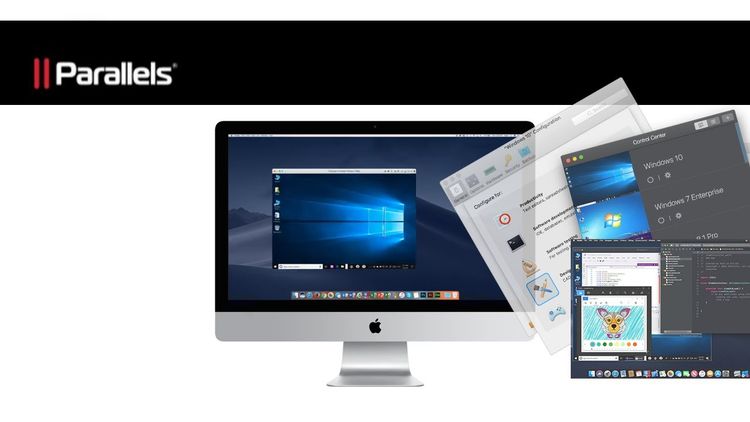
Parallels Desktop 14 for Mac Activation Key
Parallels desktop 14 for Mac is the fastest, easiest, and most powerful application for running Windows on Mac-without rebooting. Get up and running in minutes. Easily switch between Mac and Windows applications. Keep the look and feel of Mac OS or use the familiar Windows desktop. Powerful performance lets you run the most demanding graphical applications without compromise. Quickly switch between a wide array of operating systems, including Windows and most Linux distributions. Includes 30+ utilities to simplify everyday tasks on Mac and Windows: clean your drive, secure private files, take screenshots, or download a video, all with a single click.
Seamless
Use Windows side by side with macOS (no restarting required) on your MacBook, MacBook Pro, iMac, iMac Pro, Mac mini, or Mac Pro. Share files and folders, copy and paste images and text and drag and drop files between Mac and Windows applications.
Easy Setup
Parallels Desktop automatically detects what you need to get started so you're up and going within minutes. If you need Windows, you’ll be prompted to download and install Windows 10 or choose your existing Windows, Linux, Ubuntu, or Boot Camp installation.
Lightning Fast
Graphic and resource-hungry Windows applications run effortlessly without slowing down your Mac. Run the most demanding applications such as Adobe Photoshop, Visual Studio, or SketchUp.
Choose Your View
Make Windows invisible while still using its applications in Coherence mode. If you’re new to Mac, you can set Windows to occupy your entire screen, so it looks just like it would if you were using a Windows PC.
More Tools Than Ever Before
Parallels Toolbox is a whole suite of tools for a fraction of the cost of individual apps, packaged in one simple interface and included with Parallels Desktop 14.
- Keep your focus with Presentation Mode. Instantly disable those embarrassing pop-ups or bouncing icons.
- Clean Drive keeps your computer’s storage optimized and free of unimportant data.
- Find Duplicates to free up extra space on your computer.
- Grab videos from the Internet and watch offline using Download Video.
- Take Screenshots or Record a Video with a single click for quick cut-and-paste jobs.