

Spring sale Product Over TOP
Kinguin logo

Welcome home, player!

By clicking Continue with Google or Facebook, you agree to Kinguin's Terms & Conditions and Privacy Policy, also to NFT Terms & Conditions and NFT Privacy Policy.

New to Kinguin?
Sign up now!
  • FAQ
4.8
(149 Reviews)
Platform
Other

MS Office 2010 Professional Plus ISO Key

Promoted offer
The offer displayed at the top of the product page is a promoted offer of a seller who paid for promotion. Other offers are sorted based on the price (from low to high).
Sold by
KEYG TRADE
97.76% of 283740 ratings are superb!
3 more offers available starting from
$9.26
Your transaction is secure
We're working hard to protect the security of your payments. We have a dedicated Fraud Prevention and Response Department working 24/7 to ensure safe transactions. We have implemented custom systems to screen out potential scammers and we have partnered with Ravelin, one of the world's best fraud prevention platforms. We don't share your payment details with third-party sellers and we don't sell your information with others.
Key activation
notes
Languages
Recommend this game and earn$0.46or more per sold copy.Join in 3 minutes
The 2010 version of Office is no longer supported - support and security updates for Office 2010 have ended.
This key can be used only one per PC/motherboard.
Seller assumes all responsibility for this listing.

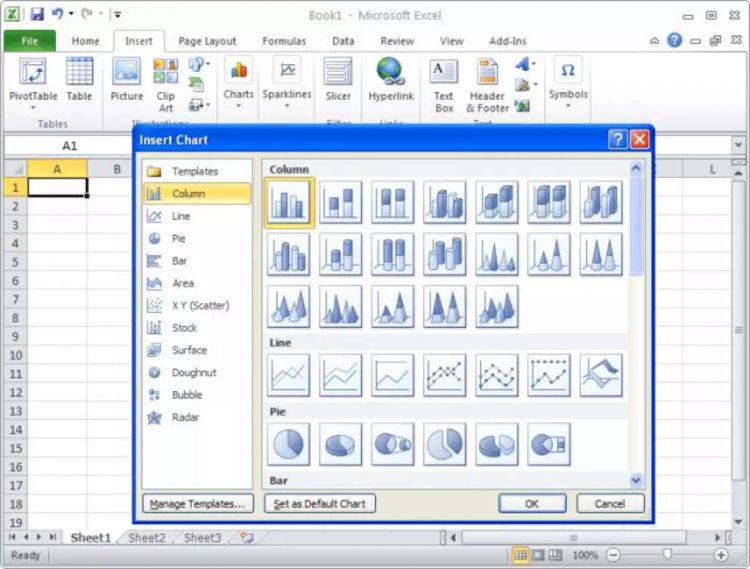
Office 2010 introduces some new features including completely new interface and toolbars:  

Ribbon Interface

The Ribbon is formed as a panel that houses certain command buttons and icons and basically fully replaces/consolidates former menus, toolbars and task panes into one area.

It organizes commands as a set of tabs, each grouping relevant commands. Each application has a different set of tabs which house the options for that specific application. Within each tab, various related options may be grouped together.

As Microsoft states, the ribbon is "the modern way to help users find, understand, and use commands efficiently and directly—with a minimum number of clicks, with less need to resort to trial-and-error, and without having to refer to Help”.

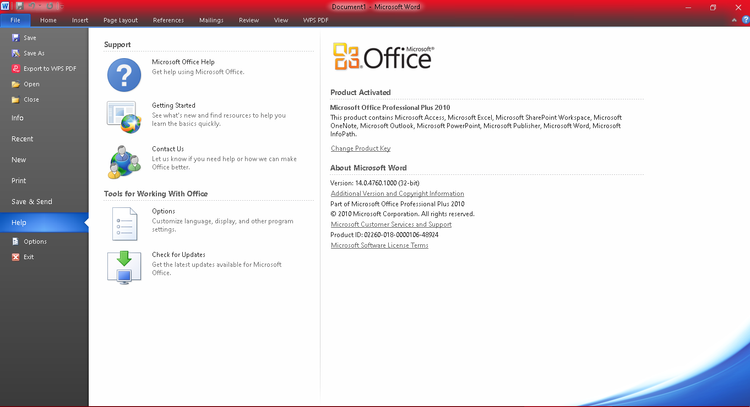
Backstage View

Former Office (drop-down) menus have now been replaced with a new page that covers the whole application when opened. This is the Office Backstage.

This new view allows you to get work done faster than you could before with the menu: previous menus couldn’t show all the available commands and sometimes hunting deep down in the menu was required to find the right option.

Office Backstage changes that by putting the document in focus when the view is selected, by clicking the Office button on the top left of any Office application.

Background Removal Tool

Letter Styling

Common Equation Editor (replacing Microsoft Equation Editor 3.0)

Shared Proofing Tools (MS Office 2010 Language Preferences)

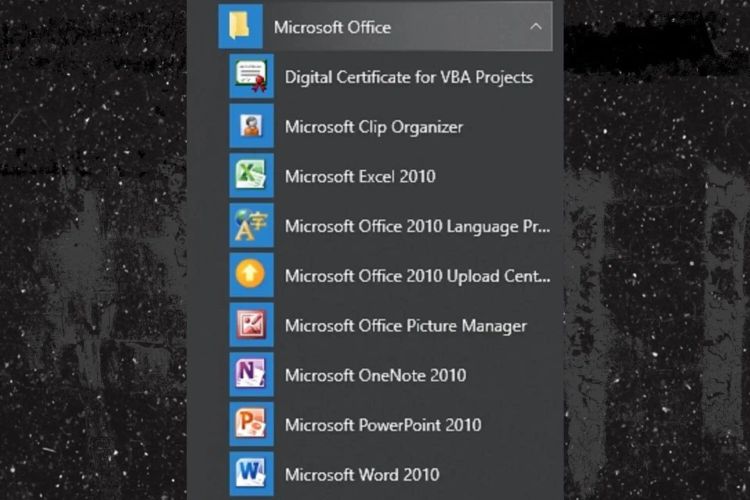
Proofing Tools are now dealt with by a shared tool called MS Office 2010 Language Preferences (available under Start > All Programs > Microsoft Office > Microsoft Office 2010 Tools or directly whithin each Office application).

This is used to define proofing tools and languages which will then be available in all Office applications.

New SmartArt Templates

New Text and Image Editing Effects

Screen Capturing and Clipping Tools

New Animations and Transitions in PowerPoint 2010

View Side by Side/Synchronous Scrolling in Word 2010

Tutorials and Guides

Micorsoft offers interactive tutorials which focus on the new ribbon technology and show how to find commands on the new toolbar.

These guides are installed as well on all new computers and can be found under Start > All Programs > Support MS Office 2010.

Product Rating
4.8
149
votes
Write a product review and claim a 5% discount for your next purchase!
0zma
Automatic translation
Perfect product! The key works and i was able to use the suit perfectly! Office take a bit to understand the changes but then works Thank you
-1
Kristoph
Automatic translation
Delivery of Product Key and Download link was fast following purchase. Registration takes a bit of time because you have to sign into Microsoft Account and activate using the Product Key and then call a hotline to trigger a text that links to the final activation process. It's not too complicated, just be patient when you're entering the Verification ID for the installation and the confirmation ID. Overall , happy with my purchase because the product Key successfully activated my Office 2021 and it's priced attractively.
2
david
Automatic translation
Had some difficulty to installl but once i located where to download office 2021 it could be activated via microsoft automated phone support. So yes it works well
-3
ik2
Automatic translation
I'm very satisfied. The delivery was prompt via email. Very satisfied! Activation by phone worked immediately. Clearly recommend.
-4
Joel
Automatic translation
The code redeemed without a problem, but had some difficulty locating the install/download as I was only seeing MS365 on the Account Page. After some digging, found it in the Microsoft Store App Library which takes you to the download link after clicking "Manage".
5