

Kinguin logo

Welcome home, player!

By clicking Continue with Google or Facebook, you agree to Kinguin's Terms & Conditions and Privacy Policy, also to NFT Terms & Conditions and NFT Privacy Policy.

New to Kinguin?
Sign up now!
  • FAQ
(0 Reviews)
Platform
Other

Anthemion: HelpBlocks PC CD Key

Sold by
Game Haven
95.28% of 69242 ratings are superb!
2 more offers available starting from
$0.23
Your transaction is secure
We're working hard to protect the security of your payments. We have a dedicated Fraud Prevention and Response Department working 24/7 to ensure safe transactions. We have implemented custom systems to screen out potential scammers and we have partnered with Ravelin, one of the world's best fraud prevention platforms. We don't share your payment details with third-party sellers and we don't sell your information with others.
Key activation
Languages

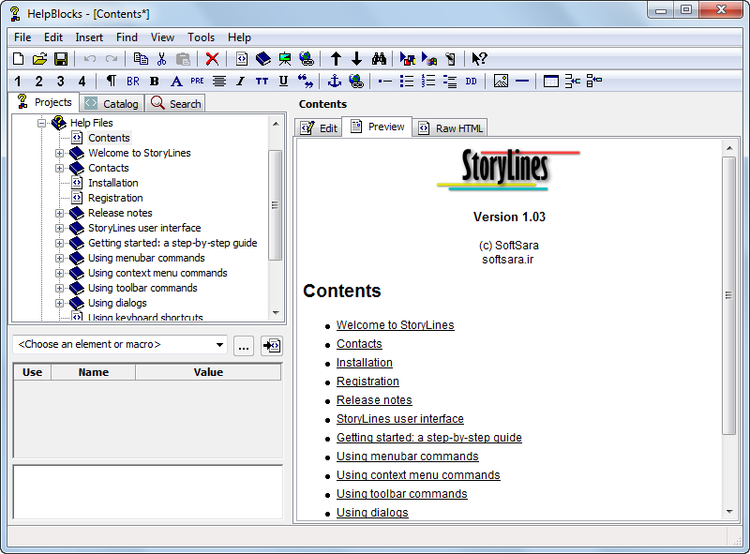
Anthemion HelpBlocks is an HTML authoring tool specifically designed for writing cross-platform application help, generating Microsoft HTML Help and wxWidgets HTML Help files.

Features

  • Syntax-highlighting HTML editor
    Edit your HTML pages quickly using the syntax highlighting editor, inserting elements with shortcuts, menu commands and toolbar commands.
  • Page preview
    Preview your pages and navigate around the manual like a normal help file
  • Preprocessing power
    The built-in preprocessor allows you to create macros to simplify your HTML. Include other files such as page headers with navigation controls, and use conditionals to tailor the help for different platforms or application versions.
  • HTML element catalog
    Browse the catalog for the required HTML element, edit its attributes, and insert it into your page. You can even edit the catalog and choose your own keyboard shortcuts.
  • Auto-complete
    Type the desired HTML element, then Alt-Enter, to show the element in the catalog. Then type Alt-Enter again to insert the element into the page.
  • User-defined resources
    Add images, HTML fragments, URL descriptions and text notes to the resource section of your project for later reference.
  • Index editor
    Create and edit your index (HHK file) - if you wish, automatically generate the whole index from the titles in your project.
  • Import existing HHP projects
    Import an existing MS HTML Help project using the New Project wizard. Your HHC, HHK and HTML files will be preserved, and the images imported into the Resources section.
  • Find and replace
    There are two different methods of searching, plus find and replace that works across all the files in your project.
  • Templates
    Create and use page and project templates to cut editing time still further.\
  • Drag and drop project structuring
    Rearrange your project hierarchy by dragging items in the project view.
  • Specialised dialogs
    Insert images, page references and colors using specialised dialogs, either in the attribute editor or directly from the Insert menu.
  • Predefined symbols
    Use predefined symbols such as _HELP_TITLE, _HELP_FILE, _HELP_NEXT_FILE to automate aspects of page formatting.
  • Docking page windows
    Each document can be undocked into its own window by dragging on the title or using the Dock menu command.
Product Rating