

Welcome home, player!
By clicking Continue with Google or Facebook, you agree to Kinguin's Terms & Conditions and Privacy Policy, also to NFT Terms & Conditions and NFT Privacy Policy.

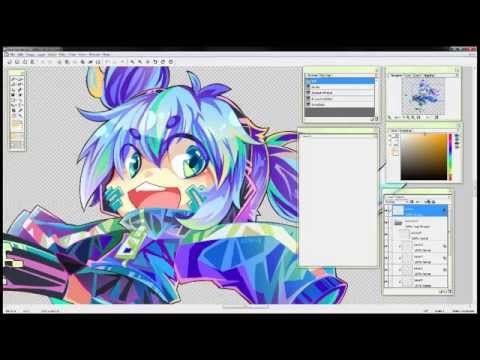
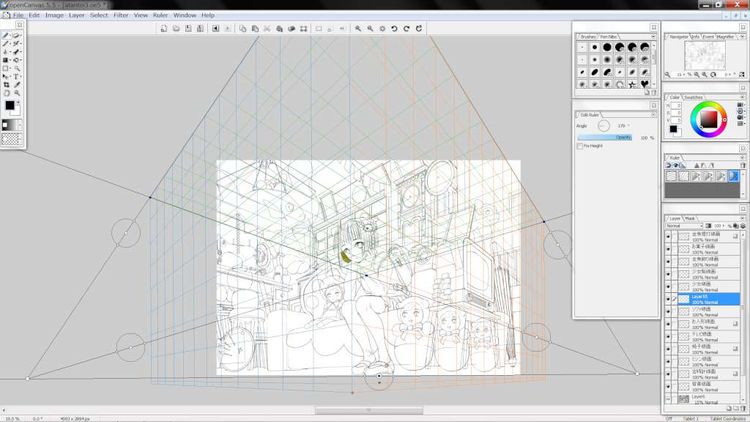


openCanvas 5.5 Steam Gift
openCanvas 5.5 Steam Gift
| Platform: | Steam |
| Release Date: | 22/01/2014 |
Product Description
openCanvas is a paint/drawing software that enables you to record/replay your drawing procedure.
If you use the "Event" function (to replay the drawing process), it is quite easy to find out how an illustration was created!
openCanvas has a simple interface, nice and realistic brush stroke, and various filters/layers/tones.
openCanvas will be suitable for beginners to advanced users.
Features
"Pen" and "Brush": enables you to create various expressions.
There are various strokes, such as a fountain pen, watercolor, and many more.
You can easily edit your own "Pen" and "Brush" strokes. Also you can apply a saved Bitmap image to "Pen", that will expand your creativity even more.
Filter
Levels, Hue / Saturation, Blur, Emboss, Clouds etc
Layers
Multiply, Screen, Overlay etc
Tone
You can easily create your own Tone with our exclusive interface.
Intelligible Interface
openCanvas uses GUI "Graphical User Interface", therefore it is easy to handle.
Tool Palette
The Tool Palettes has an automatic adjustment, docking, and folding functions, that will enable you to use workspace effectively.
Color Picker
4 types 18 varieties
Preset Editor
You can easily create your own Pen, Brush, Tone, and Gradient.
Hand Tool
When you use the Hand Control, the cursor becomes "Hand" shape. Then you can control the "Pan," "Rotate," and "Zoom" function at the same time.
"Event Tool" that records and replays an illustration procedure
The "event tool" is the openCanvas’ unique function that enables you to record and to replay an illustration procedure. If you open an event file in openCanvas, you can learn how to draw an illustration as if someone is drawing in front of you.
System Requirements
- OS: Windows XP Later
- Processor: x86 compatible processor capable to SSE2
- Graphics: XGA(1024x768) / True Color (24bpp) display
- Hard Drive: 10 MB available space
- Additional Notes: Wacom Tablet recommended