

Kinguin logo

Welcome home, player!

By clicking Continue with Google or Facebook, you agree to Kinguin's Terms & Conditions and Privacy Policy, also to NFT Terms & Conditions and NFT Privacy Policy.

New to Kinguin?
Sign up now!
  • FAQ
(0 Reviews)
Platform

Paintstorm Studio Key

Sold by
Mr. Robot
99.30% of 8923 ratings are superb!
Recommend this game and earn$3.38or more per sold copy.Join in 3 minutes
Make sure to check the activation details!

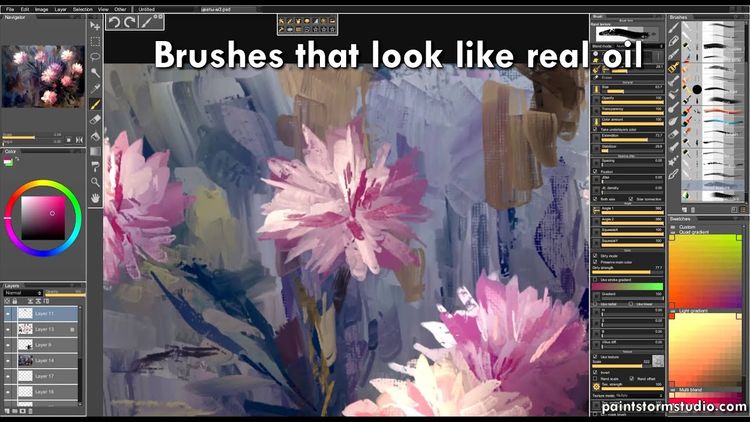
Paintstorm Studio is an indispensable tool for artists, created for works of any complexity, genre and technique. Our goal was to create an intuitive, simple-to-use but at the same time functionally powerful tool that brings the process of digital painting to a new level, making it as comfortable as possible.

Suitable for any style

  • Traditional style
    • Bristle brushes of any form and kind
    • Double brushes
    • Smart "Dirty mode"
    • Takes underlayer's color while blending
    • Real palette with mixing
  • Comic & Manga
    • Closing gaps
    • Nice stroke stabilizer
    • Stroke post correction
    • Rulers, 2,3-points perspective
  • Concept art
    • Large library of grunge and textured brushes
    • Parameters binding to perspective
    • Fast GPU Engine
    • Full controled mask brush
  • Your own style
    • Different gradient strokes
    • Colored brush shapes
    • Full control of all brush options gives you unlimited abilities to create your own style

Powerful Symmetry and Kaleidoscope

  • Symmetry up to 100 rays, with 5 duplications
  • Super fast GPU Kaleidoscope with integrated pattern repeater
Usability
  • Dynamic interface
  • Custom panels
  • Free transformation and «warp» for several layers at the same time, including for the selected fragment
  • Ability to auto-hide the selection when switching to the brush
  • Fast layer selection with interactive highlighting
  • Colored structure of layers and layer-focus
  • Individual hotkeys for any brushes and sliders
  • Smooth zoom and brush resize
Powerful guides and rulers
  • Parameters binding to the perspective guides
  • 2 and 3 Point perspective guides
  • History of ruler states
  • Guides customization
  • Snapping to guides

Smart Color Correction and editing tools

  • Control color of multiple layers
  • Apply free transform and Warp of selected area to multiple layers
  • Define canvas texture and fill selected area by seamless patterns
Product Rating