

Kinguin logo

Welcome home, player!

By clicking Continue with Google or Facebook, you agree to Kinguin's Terms & Conditions and Privacy Policy, also to NFT Terms & Conditions and NFT Privacy Policy.

New to Kinguin?
Sign up now!
  • FAQ
(0 Reviews)
Platform
Other

Anthemion: DialogBlocks 5 PC CD Key

Sold by
GetitCheap.pro
98.32% of 65216 ratings are superb!
Your transaction is secure
We're working hard to protect the security of your payments. We have a dedicated Fraud Prevention and Response Department working 24/7 to ensure safe transactions. We have implemented custom systems to screen out potential scammers and we have partnered with Ravelin, one of the world's best fraud prevention platforms. We don't share your payment details with third-party sellers and we don't sell your information with others.
Key activation
Languages

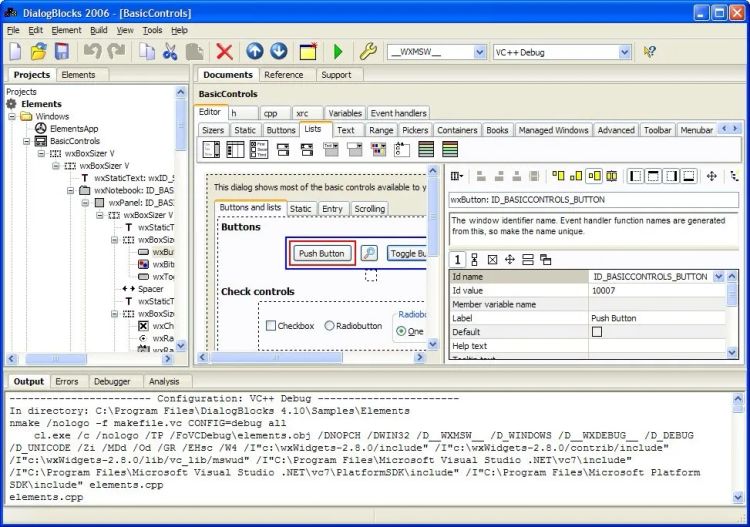
Anthemion DialogBlocks is a sizer-based resource editor that quickly gets you creating professional-looking dialogs, wizards, and frames for deployment on Windows, Linux, Mac or any other supported wxWidgets platform.

Features

  • wxAuiToolBar support
    DialogBlocks supports wxAuiToolBar, an enhanced toolbar for use with or without wxAUI. wxAuiToolBar supports drop-down buttons, control labels and overflow items.
  • Analysis tool
    DialogBlocks now has an analysis tool for highlighting common problems in your projects, including empty sizers, obsolete styles, and identifier value clashes.
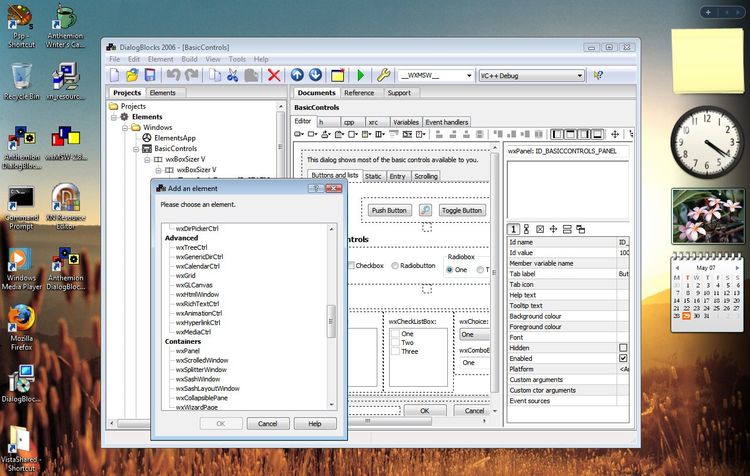
  • Tabbed palette
    We've added a tabbed palette, with elements grouped by category. This visual tool makes it much easier to choose appropriate controls and sizers.
  • wxAUI support
    DialogBlocks supports wxAUI - any dialog, frame or panel can be a wxAUI manager, handling sizing and positioning of its child windows.
  • wxGridBagSizer support
    DialogBlocks handles wxGridBagSizer, with drag and drop positioning of controls in a grid.
  • wxPropertySheetDialog, for settings dialogs
    DialogBlocks directly supports wxPropertySheetDialog, for easy editing of your application's settings pages.
  • Conditional user interfaces
    DialogBlocks supports the ability to adapt the user interface to the UI guidelines of different platform. Just mark elements as for one platform (or several), and preview the look for any given platform.
  • IDE-like facilities
    DialogBlocks supports compilation with most popular compilers, building both your projects and matching wxWidgets libraries. DialogBlocks can create makefiles for BC++, VC++, GCC, MinGW, Cygwin, Digital Mars C++, and Watcom C++. It can create project files for VC++ 6, 7, 7.1, 8, and 9. DialogBlocks automatically reloads files that are edited by an external application.
  • wxFrame, wxMenuBar, wxToolBar and wxStatusBar editing
    DialogBlocks handles frames, complete with wxMenuBar, wxToolBar and wxStatusBar.
  • Validators
    DialogBlocks supports validators and custom variables. Just add a variable, select the variable and a validator, and the data transfer between variable and control is done for you.
  • wxWizard editing
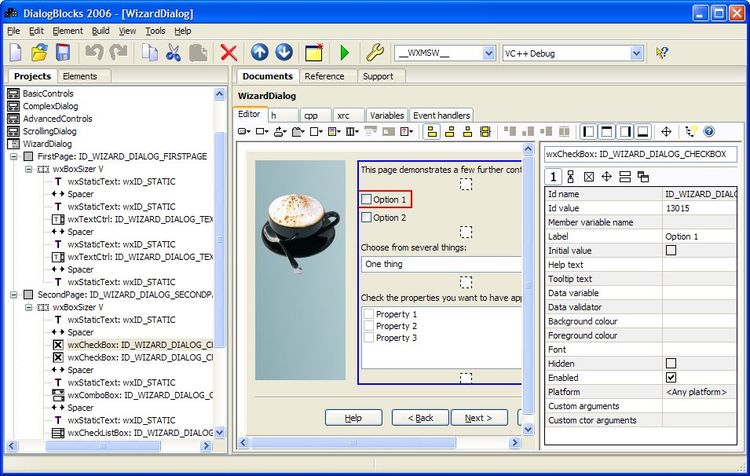
    DialogBlocks is the only wxWidgets dialog editor to support in-situ wxWizard editing. You add pages and change the wizard bitmap while viewing the wizard as it will appear to the user. Just add data transfer, validation and page route logic to the generated C++ code.
  • C++ and XRC output
    DialogBlocks exports C++ and XRC (the wxWidgets resource format). You can optionally generate the C++ to reflect the use of an XRC file; or you can leave it to generate explicit control creation calls. The generated C++ needs very few additional changes to get it compiling with your project.
  • XRC import
    Import your existing XRC sizer-based dialogs.
  • Property editor
    View window or sizer properties at a glance with the property editor, and make changes directly or using specialised editors such as the multiline text editor and the image chooser. Some commonly-used sizer properties have equivalent toolbar buttons, for example to change alignment or turn borders on and off.

To make editing even faster, you can double-click on some elements to pop up the editor for the default property. For example with wxStaticText, you will edit the label when double-clicking.

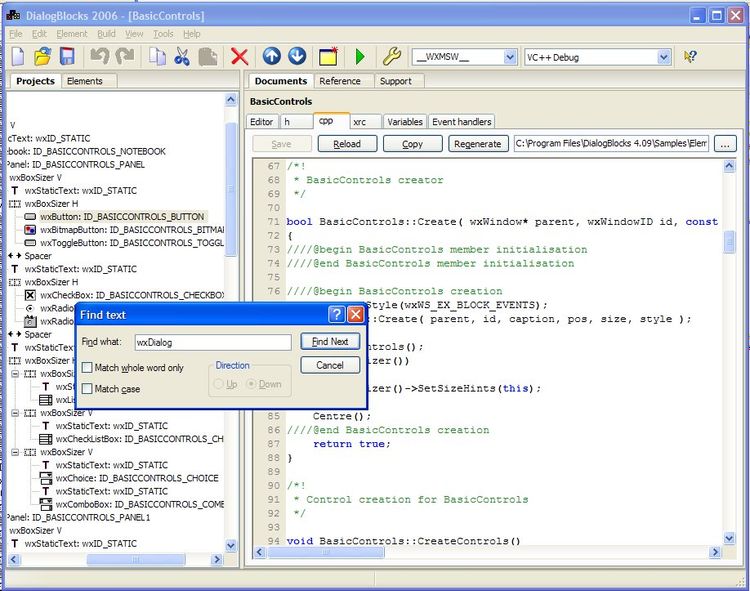
  • Syntax-highlighting C++ editor
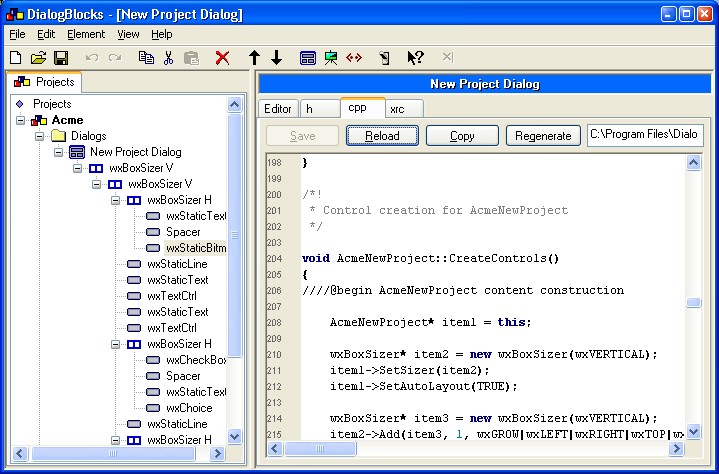
    Make changes to the generated C++ code quickly using the syntax highlighting editor. The XRC output can also be viewed instantaneously whenever you've made a change to the dialog, just by clicking on the XRC tab or pressing Alt+4.
  • Help text and tooltip support
    When generating C++ code, DialogBlocks can write code to associate help text and/or tooltips to your controls.
  • Event table and handler generation
    DialogBlocks generates the event tables and empty handlers (including UI update handlers) so you can immediately concentrate on writing code to make the dialog come to life. Now includes a choice of event types for each window, with function name editing.
  • Code insertion
    When DialogBlocks generates your class header and implementation files, it uses special comments to denote those parts that it can regenerate. You can edit the rest of the file, and regenerate your dialog in the future without your own changes being overwritten.
  • Image support
    Import images into your project from a variety of formats and associate them with your static bitmap and bitmap button controls. You can specify whether the bitmaps will converted into XPM format (the standard format for small bitmaps in wxWidgets) and whether the XPM image will be inserted as inline C++ code, or loaded from a file.
  • English descriptions
    DialogBlocks can show a brief description of each element, to help you get used to sizers and also to make it easier to see at a glance the important aspects of your dialog element.
  • wxNotebook support
    Create a wxNotebook control, add pages, and if any of the pages are complex panels, separate classes will be generated. Click on the notebook tabs in the editor to edit those pages.

Pages that are complex panels will have their own C++ class, but you can edit them in situ.

  • Easy access to window pointers
    Give each window a variable name, and DialogBlocks will add the name to the class declaration, and initialise it to the appropriate window in the implementation. In XRC mode, DialogBlocks generates the code to find the window and assign it to the pointer variable.
Product Rating