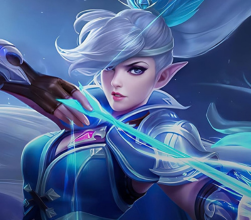
MOBILE LEGENDS: BANG BANG DIAMONDS
TOP UP. TEAM UP. BATTLE ON.
Keep the action going with Mobile Legends: Bang Bang Diamonds. Top up your account and use your Diamonds for eligible in-game content, so you’re always ready for your next match.

By clicking Continue with Google or Facebook, you agree to Kinguin's Terms & Conditions and Privacy Policy, also to NFT Terms & Conditions and NFT Privacy Policy.

Keep playing without missing a beat. Explore featured top-ups for your favorite games—from Diamonds and Points to Zeny and other in-game currencies—and get ready for whatever you want to unlock next.
TOP UP. TEAM UP. BATTLE ON.
Keep the action going with Mobile Legends: Bang Bang Diamonds. Top up your account and use your Diamonds for eligible in-game content, so you’re always ready for your next match.

MORE ZENY. MORE ADVENTURES.
Stock up on Ragnarok Zero Zeny and keep your adventure moving. Gear up, trade, and prepare for whatever comes next in the world of Ragnarok.

MORE POINTS. MORE STYLE.
Top up your VALORANT Points and make your loadout your own. Unlock eligible weapon skins, bundles, and other in-game content, then head back into the match looking ready for the clutch.

Discover the most popular digital products in the Philippines, including PC games, subscriptions, game servers, and gift cards. These top-selling deals are based on real purchase trends from Filipino users, offering instant delivery, competitive prices, and secure checkout with local payment methods like GCash and Maya.








Make every purchase feel more rewarding with KING’s Pass, Kinguin’s membership for players who want more value from the marketplace. Members can unlock up to 25% off eligible products, access exclusive member deals and weekly Hot Drops, claim a KING’s Gift every billing period, and get priority support and preorder access.
More deals. More perks. More reasons to keep playing.


Thank YOU, Kings ❤️20 million registered users!It's a number we're incredibly proud of, but behind that number is something much more important: YOU.Whether you've been with us for years or just joined the KINGdom yesterday, thank you for being part of this journey.Thank you for every purchase, every recommendation, every message, every review and every piece of feedback you've shared with us along the way. Your ideas, opinions and support have helped shape Kinguin into what it is today.Gaming has always been about bringing people together and we're grateful that millions of you chose Kinguin as part of your gaming story. As we celebrate this milestone, we're not just looking back at how far we've come - we're excited about everything that's still ahead. New adventures, new features, new games and new ways to make your experience even better.From everyone at Kinguin: Thank you for your trust. Thank you for your support. Thank you for being part of our Kingdom.Here's to the next chapter and to many more years of gaming together 🧡YOUR Kinguin Team
Read more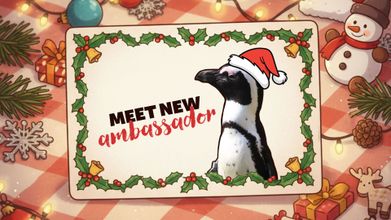
Some announcements are important.Some are exciting.And then there is this one.Kinguin has officially adopted a penguin at the Warsaw Zoo.And not just any penguin.From today, Kowalski the penguin is our new ambassador. 👑 Ambassador reveal: KowalskiKowalski is a full Kinguin ambassador.He doesn’t stream (yet). He doesn’t tweet (for now).But:🐟 he loves fish (like every penguin with self-respect)🌊 he spends time with other penguins - because penguins are super social🖤🤍 he looks great in his tuxedo 24/7😎 he stays cool in every situation This adoption is not just symbolic. Kinguin supports Kowalski’s care and daily needs at the Warsaw Zoo. He is under the professional care of experienced keepers and together we make sure he has proper food (yes, lots of fish 🐟), a safe and comfortable place to live, and good conditions every single day.Who is the African (Cape) penguin?Kowalski is an African penguin (Spheniscus demersus).🌍 Penguins from AfricaYes, really.African penguins live near the coast of South Africa and Namibia.Not all penguins live in ice and snow.🔊 They are very loudAfrican penguins make sounds that are similar to a donkey.That’s why people sometimes call them “jackass penguins”.They use sound to talk, find each other, and stay together.🖤 Every penguin is uniqueThe black dots on a penguin’s belly are different for each one.It’s like a fingerprint. Kowalski has his own unique pattern.🐟 Fish is serious businessThey eat mostly fish, like sardines and anchovies.For penguins, fish time = best time.🏊 Water prosIn water, penguins are fast and smooth swimmers.On land… they walk funny. And that’s part of the charm.👥 Community firstAfrican penguins are very social animals.They live in groups, recognize each other, and stay close.We feel that. 🐧 A day in the life of KowalskiWhat does our ambassador do all day?swimschillshangs out with other penguinswaits for fishgets fishwaits for more fishSimple life. Good life. 💙 King's CareKinguin is more than games and digital products. We believe in community, responsibility and doing good things beyond the screen.By adopting Kowalski, we support animal care and help protect an endangered species - in a way that feels true to who we are. Welcome to the team, Kowalski!It’s official now.Kowalski the African penguin is the new Kinguin ambassador.Welcome to the family 💙
Read more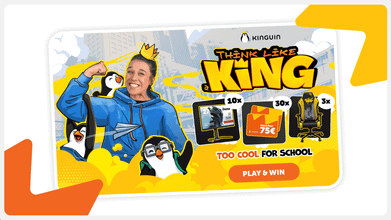
Summer break is over, but that doesn’t mean the fun has to stop. At Kinguin, we’re starting the school year with big discounts on the hottest games and must-have software. Whether you want to relax after classes with your favorite titles or need tools to get work done, we’ve got your back.Top games on sale - now cheaperHere are some of the biggest hits and hidden gems you can grab with Back to School savings:EA Sports FC 25 – up to 35% offMinecraft: Java & Bedrock Edition – about 20% offHogwarts Legacy – almost 40% offRed Dead Redemption 2 – over 60% offThe Witcher 3: Wild Hunt GOTY – more than 80% offBaldur’s Gate 3 – around 20% offGTA V: Premium Edition – up to 75% offElden Ring – about 30% offCyberpunk 2077: Ultimate Edition – around 35% off Must-Have Software DealsNot only games - start the school year with software for less:Microsoft Office 2021 Pro Plus – over 80% offWindows 11 Pro – up to 85% offESET Internet Security – almost 90% offBitdefender Total Security – around 85% offCorelDRAW Graphics Suite – up to 60% offVegas Pro 21 Edit – up to 70% offPerfect for school projects, editing, design, or just keeping your laptop safe. Contest: Too Cool For SchoolJoin our “Too Cool For School” contest and get the chance to win: 🎮 3x Cooler Master gaming chairs🖥️ 10x iiyama monitors💳 30x Kinguin vouchers worth €75 eachJust play and join - it’s that simple. Cashback is KingAnd here’s another way to save more: with our Cashback is King promo, you can get up to €10 cashback for your next shopping. The more you play and buy, the more you save. Don’t miss this chance to stack deals and come back for even cheaper games. Free Minecraft ServerHere’s something extra for the community: every player can grab a free Minecraft server to play with friends. Build your own world, install mods, and enjoy smooth gameplay for free. Find out more here. This September, make your Back to School season legendary. Save up to 90% on games and software, join our contest, claim cashback for even more savings, and don’t forget to start your free Minecraft server with friends. Only at Kinguin.
Read more
Welcome to the Kinguin Summer Fun Arcade - your ultimate digital amusement park! We've opened the gates, fired up the pixel-powered popcorn machines, and rolled out a rollercoaster of sweet summer deals. Forget the heatwaves and mosquito bites. This summer, the only thing you’ll be sweating over is what game to play next 💦 Let’s explore the most exciting attractions in the park - your summer starts now! The Sims 4 – Poolside Splash Kit DLCReady to throw the ultimate backyard bash? This DLC is a mini-expansion for The Sims 4 that adds stylish swimsuits, colorful floaties, and even a flamingo sprinkler. Perfect if you love to micromanage fictional humans and their pool parties.Paradise Beach SimulatorA peaceful beach, relaxing waves, and zero responsibilities. Build your own resort, design chill zones, and pretend you’re the world's best beach manager. Think Sims meets island chill vibes.PowerWash SimulatorThere’s dirt. There’s grime. And then, there’s you - the power-washing savior with a hose and a dream. From grimy playgrounds to haunted houses (yes, there are themed DLCs), this game turns cleaning into pure joy.Dave the DiverHalf deep-sea diver, half sushi restaurant manager, Dave the Diver is like Stardew Valley got lost in the ocean and brought back a tuna. Funny, quirky, and packed with unexpected twists, you’ll never look at sea cucumbers the same.DorfromantikThis is your zen zone. Build forests, lakes, and cute towns by placing relaxing tiles. No pressure. No enemies. Just peaceful puzzle-building with expansions like The Game Mode Update and Seasons DLC for extra vibes.Pool Cleaning SimulatorFrom gross to glossy, this sim lets you scrub, vacuum, and purify fancy pools and backyard messes. Oddly satisfying and way less sweaty than doing it IRL.Forza Horizon 5Take on open-world Mexico in this gorgeous, high-speed racer. With events from volcano races to beach drag strips and DLCs like Hot Wheels and Rally Adventure, this game is summer freedom in a sports car.ISLANDERSSimple. Beautiful. Addictive. Build peaceful little cities on colorful islands and watch the points stack up. ISLANDERS is low-pressure strategy that rewards your creativity - perfect for lazy summer evenings.ABZÛFrom the art director of Journey and Flower, ABZÛ is an underwater exploration game that feels like a playable dream. Swim with whales, explore ruins, and discover a mysterious world without a single weapon in sight.Planet CoasterMake the coaster of your dreams… or nightmares. Build entire theme parks, bankrupt yourself with bad food pricing, and watch guests puke on your cursed loop-de-loop. DLCs? Tons - including Ghostbusters, Spooky, Vintage, and more. 🎟️ Explore the Full Kinguin Summer Sale!The Kinguin Summer Sale is way bigger than just one arcade. We’ve built a whole theme park of deals, and you’ve got an all-access wristband:HypeRide Zone: High-speed action, top AAA titles, adrenaline maxedArcade of Classics: Retro hits, pixel power, golden-age nostalgiaSun & Fun Arcade: Summer-themed sims and easygoing gamesThe Co-Op Coaster: Multiplayer fun with friendsThe Haunted House: Scary-good horror & mystery discountsWith up to -92% off, the only thing scarier than missing this is your gaming backlog!👉 Explore all rides & deals here Bonus Round: Get up to 5€ Cashback with Picodi!Yes, you heard it right - on top of sizzling discounts, you can also earn money back. With Picodi Cashback, you’ll get up to 5€ back on your Kinguin purchases. 👉 Learn more & start earning cashback HERE.
Read more
Gamescom 2024 has just finished, and wow, what a show! This year’s event was bursting with big reveals, exciting trailers, and plenty of surprises. Whether you’re into epic RPGs, intense shooters, or quirky indie games, there was something for everyone. Let’s dive into the biggest announcements and the most buzzworthy moments from this year’s Gamescom. 🐟🐟🐟 Don’t forget to check out Kinguin’s Market with fresh deals & news from the Gamescom 2024. 🐟🐟🐟 Major Game RevealsCivilization VII: One of the big showstoppers at Gamescom was Civilization VII. The teaser was brief but got strategy fans excited, teasing deeper gameplay and bigger worlds to explore. The game is set for release on February 11, 2025, and it's already shaping up to be a must-play for fans of the series.Check out Civilization series here. Call of Duty: Black Ops 6: If you’re a fan of shooters, then you were probably thrilled to see more of Call of Duty: Black Ops 6. Set during the Cold War era, the game promises a return to a full campaign mode, which fans have been eagerly awaiting. The release date is October 25, 2024, so get ready to gear up. Indiana Jones and the Great Circle: Microsoft gave us a new look at Indiana Jones and the Great Circle. The short trailer was enough to remind everyone why they’re excited about this game, which is set to launch in December 2024. Get ready for another adventure with everyone's favorite archaeologist! Mafia: The Old Country: The Mafia series is making a comeback with Mafia: The Old Country. Set in the early 1900s, this prequel takes us back to the origins of the mafia. The announcement didn’t give much away, but it’s clear that this game is going to be a deep dive into the gritty world of organized crime. Starfield - Shattered Space Expansion: Bethesda didn’t disappoint, revealing the first major expansion for Starfield, titled "Shattered Space." Set to launch on September 30, 2024, this expansion will introduce new storylines and locations, expanding the already massive universe of Starfield. Marvel Rivals: Marvel Rivals was another big reveal. This free-to-play multiplayer shooter features iconic characters like Captain America and Dr. Doom. The game is set to launch on December 6, 2024, and promises to be a hit with Marvel fans. Dune: Awakening: Fans of the Dune series got a treat with a new trailer for Dune: Awakening. The game’s survival elements and harsh desert environment were front and center, showing just how challenging life on Arrakis will be. Expect to see this game in early 2025. Batman: Arkham Shadow VR: For Batman fans, the announcement of Batman: Arkham Shadow VR was a highlight. This Meta Quest 3-exclusive VR game lets players step into the boots of Batman in a whole new way, with the demo receiving positive feedback at the event. Kingdom Come: Deliverance 2: Kingdom Come: Deliverance 2 made waves with its first gameplay trailer, showing off the medieval world and complex story that made the original game a hit. The game is set to launch on February 11, 2025, promising more of the same challenging, realistic gameplay.Check out Kingdom Come: Deliverance here.Surprise Announcements and Fun Moments Dying Light: The Beast: Techland unveiled Dying Light: The Beast, a new standalone game in the Dying Light universe. The game stars Kyle Crane, who now wields zombie powers in a bleak, post-apocalyptic world. No release date yet, but the first look has already intrigued fans. Goat Simulator Remastered: Yep, you read that right. The original Goat Simulator is getting a remaster. Expect upgraded visuals, bug fixes, and all the original DLC in one chaotic package, set to release later this year. Borderlands 4: The event kicked off with a bang thanks to the reveal of Borderlands 4. The game is set to launch in 2025, and while details are still under wraps, the trailer alone has fans counting down the days. Masters of Albion: Peter Molyneux, the creator of Fable, surprised everyone with the announcement of Masters of Albion. This new god game has players eager to see if it can live up to Molyneux’s previous successes. Secret Level Anthology: Amazon MGM Studios and Blur Studio are teaming up for a new animated anthology called Secret Level, which dives into the world of video games. This was one of the more unexpected but exciting announcements of the event. Gamescom 2024 was packed with exciting reveals, from long-awaited sequels to surprising new titles. Whether you’re into strategy, shooters, or horror, there’s something coming your way that’s sure to grab your attention. With so many big games on the horizon, the next few years in gaming are looking pretty epic. Keep your eyes peeled for more updates as these games get closer to release!
Read more
Jenna Ortega is back on the set of Wednesday! The Netflix hit series will return for its second season in 2025, but the cast and crew have already heard: sound, camera, action somewhere on location in Ireland.Wednesday 2 CastCatherine Zeta-Jones and Luis Guzmán reprise their roles as Morticia and Gomez Addams, Fred Armisen will have more appearances as Uncle Fester and to complete the Addams Family we shall see Victor Dorobantu as Thing… Well, at least the “handy” part of him. Emma Myers (Enid Sinclair), Joy Sunday (Bianca Barclay) and Moosa Mostafa (Eugene) are back on the set as well and they will be joined by some new – yet well known – faces like: Thandiwe Newton, Joanna Lumley, Christopher Lloyd, Steve Buscemi, Haley Joel Osment, Billie Piper, Heather Matarazzo and Evie Templeton (whom you may know from Return to Silent Hill).Wednesday: Season 2 | Cast Reveal | NetflixThe Legend Is Back To Direct AgainLegendary director Tim Burton continues his journey with Wednesday in the series’ second season, which we believe is a guarantee that our expectations can be very high. Burton is responsible for 1989’s Batman with Michael Keaton, Jack Nicholson and Kim Basinger, Batman Returns (1992), Beetlejuice (1988), Edward Scissorhands (1990), Sleepy Hollow (1999) and Alice In Wonderland (2010), among others.Wednesday’s JamAs for now it is not known what musical surprises are going to make us move our hands, feet and the rest of our bodies in Wednesday season 2, but before we find out, let’s relive that famous dancing scene from the first season, which made The Cramps hip again all over platforms such as Spotify, Tidal, Deezer, YouTube, and Apple Music.Wednesday Addams | Dance Scene | NetflixCheck out all the awesome series and movies Netflix has to offer with the best online Netflix deals only on Kinguin!
Read more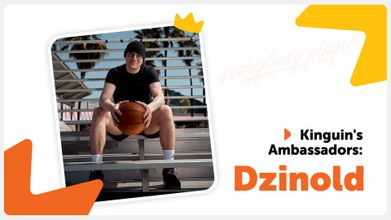
First and foremost he is a computer games enthusiast and streamer. Dawid Rzeźnik, better known as Dzinold, is one of Kinguin's Ambassadors and, as he describes himself, a Renaissance man. Outside virtual reality, he is a big fan of the NBA and anything connected with basketball. Of course he plays basketball himself and he even is a friend of a famous Polish player Marcin Gortat. Apart from that, Dzinold has also experience as a Fame MMA fighter.MrDzinold @ TwitchDawid was born in 1997 in the city of Tarnobrzeg in Poland. In 2020 he launched his channel on Twitch.TV and within the next two years attracted nearly 200K followers, becoming one of the most popular streamers on the platform. Two years later @MrDzinold is followed by 573K viewers, who appreciate his unique sense of humor and down-to-earth approach. His favourite games include: CS:GO, GTA 5, Fortnite, Fall Guys and FIFA – and as he plays during his Twitch streams, he is usually watched by around five thousand people at once. On Twitch.TV Dzinold is also a member of a YFL team, which features Young Multi, Merghani, Mork and Bandura.BungeeTogether with his Twitch pal Bandura, Dzinold created a YouTube channel called Bungee (@bungee5125), where they entertain their viewers with unusual and funny tasks they assign to themselves. Over 1,15 million followers seem to confirm their success also on this platform. In addition to that Dzinold has his solo YT project – @dzinishoty4934 with 83,3 thousand followers. You can also check him on Instagram (@mrdzinold), where he gives over 741 thousand fans more access to his private life.Fame MMAAs Dzinold conquered Twitch in 2022, he also made his debut on the Polish edition of Fame MMA and won the very first fight against Szymon Bessser. In May 2023 he repeated this success by defeating Robert Pasut, and thus became a rising star in Fame MMA with a promising undefeated record of 2-0.KinguinMuch as we appreciate Dzinold's achievements on Twitch, YouTube and in Fame MMA, it's his personality, sense of humor and most of all positive energy that made him and Kinguin a perfect match! And let's not forget about his love of Counter Strike, which – and that's no secret – is also close to our hearts. We are very happy he accepted our invitation to represent Kinguin as an official Ambassador and to spread positive vibes both him and us want to share with you! Find out more about Dzinold:https://anarchia.gg/https://www.tiktok.com/@anarchia_x_bungeehttps://www.facebook.com/profile.php?id=100087467033102
Read more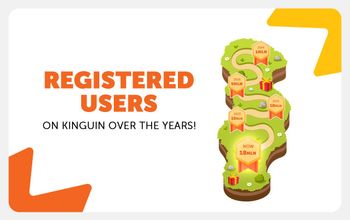
Last year we celebrated our first decade with you, and what a decade it was! Now we have another wonderful reason to celebrate – this time it is the newest milestone in our history, namely the number of Kingun's registered users reaching 18 million. And when we say OUR we mean both YOU and us. Quoting U2 and Janet Jackson: it's all because of you and it's all for you!Dear UsersFirst and foremost, we want to thank you for choosing us and staying with Kinguin's community. Your presence motivates us to work harder in order to provide you with the best offer you can find surfing the Internet ocean. Your trust means the world to us and so, we want to give back to you even more!Safe And Sound At KinguinWe are perfectly aware that the Internet is not always safe and friendly, that is why we make sure that Kinguin is your online safe haven, where you can get what you need not only at the best prices but also without worrying about the safety of the transaction. It remains one of our highest priorities, so you can simply focus on what to choose from Kinguin's 100 thousand available products and 250 thousand offers.We Are The WorldAppealing to the global community of gamers and general software users makes us very proud. 70% of you come from Europe, with Germany constituting 16% of the user base on the Old Continent. 18% of you live in the USA and Canada and 5% in South America.More StatisticsWe work our best to assure a varied offer for all age groups, and it strikes a chord mostly with users below 24 years old, who constitute 44% of Kinguin's community. Respectively, 27% of you are between 25 and 34 while the remaining 29% belong to the 35+ category. Language-wise 36% of you prefer English, 16% – German and 12% – Polish. We are also very happy and proud that the percentage of our female users is constantly growing, and girls currently constitute more than 20% of our community.So Far, So GoodOver the course of the last 11 years we have been engaged in numerous exciting projects like: esport Team Kinguin, Esports Performance Center, Kinguin Esports Lounge, Kinguin Cares, NFT marketplace in cooperation with Immutable X, Kinguin Legends tournament just to name a few. These endeavors were mostly our expression of gratitude, aimed at giving back to our community.It is good to look back and appreciate what has been accomplished, however, we are most excited about what is ahead of us! The next project that has a very special place in our hearts is called Sneak Out and it is Kinguin's first original game that we are going to release in June 2024. There is much more, so let's continue this fascinating journey to explore even more games as well as software and discover what Kinguin is going to surprise you with in the future. Cheers!
Read more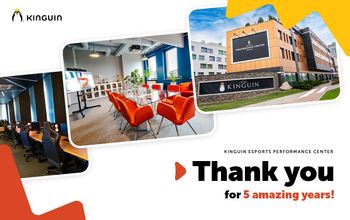
Warsaw, Poland – 04.04.2024 - Kinguin, a leading name in the esports industry, announces the closure of activities at the Kinguin Esports Performance Center (EPC) located in Warsaw. Effective May 2024, operations at the EPC will come to a halt due to the conclusion of the lease agreement with our current partner and the relocation of Kinguin's Warsaw office.Since its grand opening in 2019, the Kinguin Esports Performance Center has established itself as a leading facility in the esports community. Hosting over 300 bootcamps since inception, including 115 in 2023 alone, the center has consistently provided invaluable training opportunities to teams from across the globe.Join our CEO and Kinguin founder in a heartfelt video on YouTube: Welcoming the EliteThe EPC has proudly welcomed some of the biggest names in esports, including Natus Vincere, Imperial, FaZe Clan, Fnatic, MIBR, TSM, Complexity, MOUZ, Team Secret, Tundra Esports, OG, beastcoast, Monte, 9INE, Nigma Galaxy, B8, Betclic Apogee, NOM Esports, Acend, Falcons, Grayhound, FURIA, M80, Bad News Eagles, Nouns, Team 500, Passion UA, Into The Breach, and the Polish eFUTBOL team under the Polish Football Association.Supporting Ukrainian TalentAdditionally, it's worth noting that the Kinguin Esports Performance Center has been open free of charge for any Ukrainian pro-players and their families. In 2022, we hosted over 30 people from Ukraine, providing them with access to top-notch facilities and resources to enhance their skills and opportunities in the esports realm.A Commitment to the Future“While we are halting activities at the Warsaw center, we are committed to supporting esports not only in our region but globally. Our dedication to the growth and development of esports remains unwavering, and we are actively seeking new opportunities to continue this mission. We extend our heartfelt gratitude to all the players, partners, and supporters who have contributed to the success of the Kinguin Esports Performance Center in Warsaw. We appreciate your understanding and encourage you to stay connected with us for future updates.” said Viktor Romaniuk, founder of Kinguin Esports Performance Center. For further inquiries or information, please contact epc@kinguin.net.Let's stay in touch.
Read more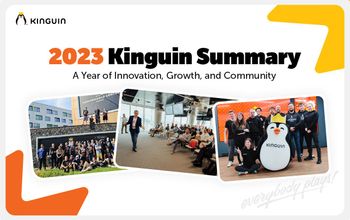
As we look back on 2023, we are filled with pride and excitement for the milestones we have achieved. This year marked our 10th anniversary, and we celebrated this momentous occasion by introducing a host of innovative features and expanding our reach to millions of gamers around the world.Business GrowthKinguin's remarkable growth in 2023 was evident across all key metrics. We experienced a substantial 23% increase in total orders compared to 2022, demonstrating the heightened demand for our services and the expanding reach of our platform. Our revenue soared by an impressive 35%, reflecting the growing value we provide to gamers worldwide. Additionally, our Gross profit surged by 21%, highlighting our efficient operations and ability to generate sustainable profitability. 17 Million Registered AccountsOur commitment to providing gamers with the best possible digital goods has resulted in a remarkable growth in our user base. We reached a staggering 17 million registered accounts in 2023, solidifying our position as a leading digital marketplace for gamers. Open Banking PaymentsWe made a significant step towards a more secure and convenient payment experience by introducing Open Banking payments, with the inclusion of over 500 banks through our checkout process. This innovative technology allows users to securely share their financial information, like banking transactions and account details, with other authorised organisations through digital channels.Kinguin EPC BootcampsWe empowered aspiring esports professionals by hosting 115 bootcamps and 8 big events at our Kinguin Esports Performance Center (EPC). These intensive training sessions provided aspiring gamers with the skills and knowledge they need to excel in the competitive esports landscape.Google Based Digital Transformation EventTogether with our partner, Google, we organized a technological event called Kinguin&Friends: Google Based Digital Transformation, showcasing our dedication to adopting cutting-edge technologies that enhance our operations and provide a superior user experience. Kinguin at GamescomWe made our presence felt at Gamescom, the world's largest gaming event, connecting with partners and exploring new business areas. This allowed us to deepen our connections within the gaming industry and pave the way for innovative collaborations.Kinguin Vouchers in Kolporter and CarrefourWe expanded our reach by partnering with Kolporter (Poland) and Carrefour (Romania) to offer Kinguin vouchers. This strategic move enabled us to introduce our products to a wider audience and provide gamers with more convenient ways to purchase digital goods.Sneak Out Demo and Playtest ResultsSneak Out, the first game developed by Kinguin Studios, generated immense excitement among gamers. The demo and playtest garnered very positive community feedback and Steam sessions, exceeding our expectations. With the upcoming release in 2024 we cannot wait to share this remarkable experience with the global gaming community.Guest CheckoutWe enhanced the user experience by introducing Guest Checkout, allowing users to make purchases without creating an account. This feature has streamlined the checkout process and made it more convenient for gamers to access our vast array of digital goods. Record-Breaking Year in Kinguin Esports LoungeOur Kinguin Esports Lounge experienced a record-breaking year, with a surge in attendance and number of events. The lounge has become a hub for gaming enthusiasts, providing them with a unique space to connect, compete, and experience the thrill of gaming firsthand. We concluded the year with the 10th anniversary event held in Kinguin Esports Lounge. Looking Ahead to 2024As we embark on 2024, Kinguin remains steadfast in our commitment to innovation and growth, fueled by our unwavering passion for serving gamers worldwide. We are excited to unveil a series of groundbreaking features that will transform the digital entertainment landscape and solidify our position as the most open and accessible destination for gamers globally.Our vision extends beyond mere transactions; we aspire to create an unparalleled digital entertainment playground where gamers can seamlessly access a vast array of products and services, all while prioritizing security, transparency, and inclusivity. We envision a world where gamers are empowered to express themselves freely, collaborate seamlessly, and experience the thrill of gaming in its purest form.In 2024, we will continue to push the boundaries of innovation, exploring cutting-edge technologies and forging strategic partnerships that will revolutionize the gaming experience for our passionate community. Stay tuned as we unveil new and exciting features that will redefine the possibilities of digital entertainment.
Read more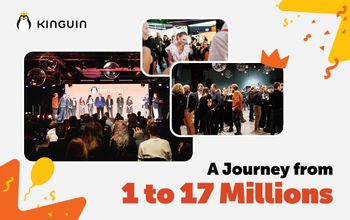
A decade ago, in 2013, the gaming community witnessed the birth of an online marketplace that would revolutionise the way gamers buy and sell their favourite titles. Today, as Kinguin reaches its 10th anniversary milestone, it's time to reflect on the incredible journey that has brought us to this point. From humble beginnings to becoming a global gaming destination, Kinguin has truly etched its mark in the gaming industry. Let's take a trip down memory lane, highlighting key milestones that have shaped Kinguin's success. Along this path, we not only attained the significant milestones but also secured a multitude of smaller yet equally pivotal victories. These smaller triumphs, often overshadowed by grander events, are nonetheless crucial threads woven into the rich tapestry of our growth story. As the years unfold, our achievements persist as vital chapters in the ongoing narrative of our evolution:2013:Launch of Kinguin.netKinguin processed the first 100,000 transactions2014:Kinguin steps into esports with sponsorships of TSM and FnaticKinguin reaches 1,000,000 registered accounts The first Kinguin for charity event2015Team Kinguin (esports team) is createdKinguin introduces Dogecoin as a first crypto payment option2016Kinguin reaches 5,000,000 registered accounts5,000,000th transaction2018Kinguin reaches 7,000,000 registered accounts2019Kinguin Esports Performance Center is opened2020Kinguin Esports Lounge Gdansk is opened2021Kinguin reaches over 10,000,000 registered accountsKinguin launches Kinguin Cares - a charity project for orphanages2022Kinguin launches NFT marketplace in cooperation with Immutable XFirst Kinguin Legends esports tournament202310th anniversary of Kinguin.netKinguin introduces Open Banking paymentsKinguin reaches over 17,000,000 registered accounts Our heartfelt gratitude extends to everyone who has been an integral part of our extraordinary journey, making the celebration of our 10th anniversary a testament to collective efforts and shared achievements from both the present and bygone years. The success of this event resonates harmoniously with its intended purpose, aligning seamlessly with the objectives set forth.As we raise a collective cheer to commemorate the incredible path we've traversed together, we embrace not just the accomplishments behind us but also eagerly anticipate the next chapter that awaits. Here's to the unwritten pages of our future, where we are poised to embrace new challenges, set ambitious goals, and embark on journeys that will undoubtedly unveil many more milestones on the horizon.
Read more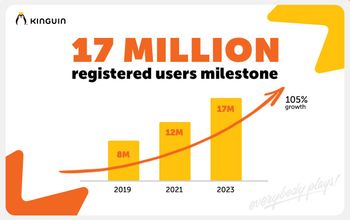
Kinguin, the leading digital marketplace for gamers, proudly announces a colossal milestone: 17 million registered users on the platform! This achievement is not only a testament to our thriving community but also marks a decade of redefining the gaming experience. Kinguin is celebrating its impressive 10-year anniversary!Since the beginning of 2023, Kinguin has experienced substantial growth, with over 70% of our users hailing from the diverse gaming communities of Europe. Germany leads the way, contributing a significant 16% to our ever-expanding user base. Following closely is the entirety of North America, accounting for 18%, with the United States claiming a commendable 14%. South America secures its spot as the third continent in terms of user distribution, with 5% of all Kinguin users."In the past five years, Kinguin has experienced phenomenal growth, boasting an astonishing 105% increase in registered users. I remember when back in 2019, we were celebrating 8 million users, and now reaching 17 million is something truly amazing! Our journey has been fueled by the unwavering trust and dedication of our incredible community. Thank you for being a part of this incredible ride," says Viktor Romaniuk, Founder and CEO at Kinguin.Age Breakdown:Diversity remains at the core of the Kinguin community, as evidenced by our age breakdown. Users below 24 years old constitute a whopping 44% of our platform, showcasing our broad appeal across generations. The age group of 25-34 comprises 27%, while 35-44 and 45+ make up 14% and 15%, respectively. This varied age distribution underscores Kinguin's commitment to catering to gamers of all ages and preferences.Language Preferences:Our users embody a diverse linguistic palette, and language selection on Kinguin mirrors this global diversity. English stands out as the most widely chosen language, with 36% of users opting for it. German secures the second spot with 16%, closely followed by Polish, chosen by 12% of our community. This linguistic variety enhances the accessibility and inclusivity of Kinguin for users worldwide.Gender Representation:Breaking stereotypes in the gaming world, Kinguin is pleased to note a significant increase in female users. Since the beginning of the year, 22% of our users are female, highlighting the expanding and inclusive nature of our platform. We are committed to fostering a gaming environment that welcomes and celebrates all gamers, regardless of gender.As if that's not exciting enough, this year marks the 10th anniversary of Kinguin! A decade of growth, innovation, and, most importantly, incredible gaming experiences shared with you, our dedicated community. The journey to 17 million users is a testament to the trust and support you've placed in us over the years. We're not just celebrating numbers; we're celebrating a decade of shaping the gaming landscape.Here's to a decade of gaming excellence and many more adventures to come!
Read more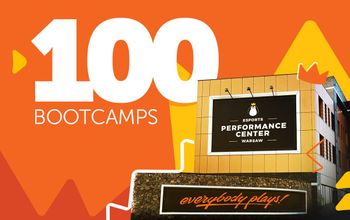
In a remarkable milestone, the Kinguin Esports Performance Center in Warsaw marked a historic achievement in 2023 by successfully hosting 100 bootcamps, organized by domestic and foreign teams for games such as CS:GO, FIFA, Dota 2 and VALORANT. This marks a unique milestone in Kinguin EPC's history, contributing significantly to our nation's integration into the global esports community.The year 2023 has undeniably become a pivotal moment in Kinguin EPC's four-year history, emerging as Europe's largest training center for esports players. Esteemed teams from around the globe now gather on this iconic venue to hone their skills in preparation for major tournaments, including the prestigious World Championships. The undeniable charm of the center's unique character and atmosphere has earned it a reputation as one of Europe's premier destinations for organizing bootcamps.Example of a post from one of the teams:https://twitter.com/NeiL_Mcs/status/1710365450951913746 Teams such as Natus Vincere Javelins, Imperial, Complexity, MOUZ, Team Secret, Tundra Esports, OG, beastcoast, Monte, 9INE, Nigma Galaxy, B8, Betclic Apogee, Anonymo, NOM Esports, Acend, Falcons, Grayhound, FURIA, M80, Bad News Eagles, Nouns, Team 500, Passion UA, Into The Breach, and the Polish eFUTBOL team under the Polish Football Association banner were among the notable visitors in 2023.The year witnessed an extensive range of bootcamps, with a primary focus on CS:GO (58 bootcamps), FIFA (14), Dota 2 (7), VALORANT (6), and League of Legends (5). Moreover, the Kinguin EPC hosted teams from lesser-known esports titles, including Rocket League, Rainbow Six Siege, Overwatch, and APEX Legends. Notably, women's esports teams in CS:GO, VALORANT, and FIFA also benefited from the center's state-of-the-art facilities.Another example, this time from Poland:https://twitter.com/PolsatGames/status/1710351943623725110 Beyond bootcamps, the Kinguin EPC played host to various events that garnered significant attention within the esports community. Events such as the Polish Halo Community Meeting, Legends Clash: Coca Cola vs. Żabka in League of Legends, and the Polish Splatoon 3 Championships underscored the venue's diverse appeal.Paweł Książek, Head of Kinguin Esports Performance Center, commented on this momentous achievement, stating, "Organizing 100 bootcamps means crossing another boundary in the functioning of Kinguin EPC. More and more teams trust us in the most important moments of their preparations for championship tournaments, coming to Warsaw even several times a year. We are glad that we have become - as the players call it - their second home."Kinguin EPC's legacy continues to thrive in the esports world, building on a rich history and cementing its position as a global esports powerhouse. As it enters its fifth year of operation, the future appears brighter than ever, promising more thrilling developments and collaborations within the ever-evolving esports landscape.
Read more
Kinguin, a leading digital marketplace for video games, has taken a groundbreaking step to invest in the professional development of its employees (Kinguiners). The company has established a partnership with the prestigious Harvard Business School, providing funding for its employees to attend various online courses. This initiative reflects Kinguin's commitment to nurturing leadership, fostering organizational excellence, and promoting innovation within Kinguiners. Led by industry experts, these courses not only enhance the skills and knowledge of Kinguin employees but also provide them with an invaluable opportunity to expand their international network and engage in meaningful discussions with participants from around the world.With over 40 individual courses funded so far, Kinguiers have a unique opportunity to enhance their skills and expand their knowledge through the three core courses offered: Leadership PrinciplesOrganizational Leadership Design Thinking and Innovation Courses are led by two exceptional experts:Joshua D. Margolis, James Dinan and Elizabeth Miller Professor of Business Administration and the Unit Head for the Organizational Behavior unit. He is also Faculty Chair of the Program for Leadership Development. His research and teaching revolve around leadership and ethics. He has taught courses on Leadership and Organizational Behavior, Leadership and Corporate Accountability, Authentic Leadership Development, and Field Immersion Experiences for Leadership Development (FIELD). Anthony Mayo, Thomas S. Murphy Senior Lecturer of Business Administration and C. Roland Christensen Distinguished Management Educator in the Organizational Behavior Unit of Harvard Business School (HBS). He currently teaches Leadership and Organizational Behavior (LEAD) and Authentic Leader Development in the MBA Program. He also serves as the course head for LEAD.Leadership Principles:The Leadership Principles course provides Kinguin leaders with a comprehensive understanding of the core principles that drive effective leadership. Participants explore their motivational drivers, emotional intelligence, and communication methods to establish a personal leadership style that resonates with their teams. The course emphasizes the importance of applying or adapting leadership styles to meet specific challenges, equipping leaders with the flexibility to navigate diverse situations. By understanding and managing the conditions that drive team performance, participants gain the tools to create an environment that fosters productivity and collaboration. Moreover, the course focuses on coaching colleagues and sharing feedback in ways that empower their development and enhance their performance. Leaders are prepared to handle stressful and demanding situations, developing resilience and composure in their decision-making. Lastly, the course emphasizes the importance of taking charge of professional development, supporting leaders as they navigate the transition from individual contributors to effective leaders within the organization. "The Leadership Principles course at Harvard Business School has been a game-changer for me. It enhanced my communication methods, adaptive leadership, and team performance. I'm excited to apply these principles and drive our team's success." - Konrad Wojcinski, Communications Director at Kinguin. Organizational LeadershipThe Organizational Leadership course focuses on equipping Kinguiners with the necessary skills and knowledge to effectively lead teams within a complex organizational structure. This course helps participants identify any misalignments between the dynamics of their organization and external market conditions, ensuring that strategies and actions remain relevant and responsive to the ever-changing business landscape. Through effective communication of purpose and vision, participants learn how to inspire their organization to execute on that vision, aligning their teams and driving collective success. The course also emphasizes the importance of extending influence through other managers, enabling leaders to have a broader impact on the organization. Additionally, participants learn to elevate their leadership style to meet the distinct challenges of leading larger, more dispersed teams. They gain insights into shaping organizational culture and architecture to maximize talent, leverage diversity, and drive overall performance. Furthermore, the course equips Kinguin leaders with strategies for planning and engineering organizational change and innovation initiatives, enabling them to navigate and lead through transformative processes successfully. "The Organizational Leadership course at Harvard Business School has been transformative for me. It provided me with the tools to address market dynamics, inspire our team, shape our culture, and drive performance. I'm really looking forward to using all these invaluable learnings.”- Adam Gruda, Chief Operations Officer at KinguinDesign Thinking and InnovationThe Design Thinking and Innovation course equips Kinguiners with a fresh mindset that integrates creative problem-solving and management. Participants learn to overcome rigid thinking patterns and approach problems with a fresh perspective, fostering innovation within the organization. The course helps develop an innovation toolkit, enabling leaders to determine when and how to apply design thinking frameworks, tools, and exercises to their strategic initiatives. Through practicing empathy and applying human-centered design techniques such as ideation, prototyping, user journey mapping, and analyzing mental models, participants gain practical skills to drive innovation. Additionally, the course emphasizes the assessment of group dynamics to maximize the team's potential in developing and iterating prototypes, as well as managing the implementation of new designs. Leaders also gain an understanding of how to create an optimal environment and foster team dynamics that promote innovation and collaboration. By collaborating with peers from diverse professional backgrounds, participants put design thinking into action and leverage the collective experiences to drive innovative solutions."The Design Thinking and Innovation course at Harvard Business School revolutionized my perspective. It empowered me to break rigid thinking patterns, apply human-centered design, and maximize our team's potential for innovation. With a newfound toolkit, I'm eager to collaborate across diverse backgrounds and put design thinking into action to drive transformative solutions." - Jakub Bieganowski, VP of Products, Data & Analytics at Kinguin.Conclusions:This commitment to professional development is in line with Kinguin's core values of Care, Impact, and Passion. Kinguin ensures that these courses are available to every Kinguiner, regardless of their level or department, emphasizing equal opportunities for growth and skill enhancement. This inclusive approach cultivates a supportive and collaborative work environment, where individuals are encouraged to pursue their career aspirations and contribute their unique perspectives to the overall success of the company. By fostering a culture of continuous learning and growth, our commitment to professional development through these courses ignites passion and makes a true impact on our organizational culture and business outcomes.Kinguin's partnership with Harvard Business School reflects our dedication to investing in our employees' professional development. By funding over 40 individual courses, Kinguin empowers its employees to become effective leaders, drive organizational excellence, and foster innovation. The Leadership Principles, Organizational Leadership, and Design Thinking and Innovation courses provide Kinguiners with the skills and knowledge necessary to thrive in a competitive industry. As Kinguiners seize the opportunity to attend these prestigious courses, the company sets a new standard for employee development within the gaming industry.
Read more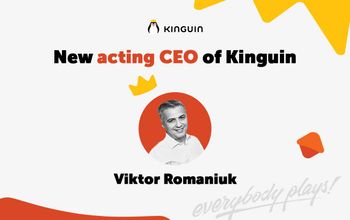
As of August 2nd, 2023, Viktor Romaniuk will become the new Acting CEO of Kinguin, continuing the innovative Rotating CEO concept that has guided Kinguin's success over the past two years. Two years ago at Kinguin, we embarked on an uncharted journey by implementing the concept of a Rotating CEO. A seemingly unconventional idea, this model of leadership was designed to maintain our agility, foster innovation, and drive us towards our ambitious Gross Merchandise Volume (GMV) targets, while helping us to navigate the challenging landscapes that often accompany such growth.Why introduce a 6 months rotating CEO structure? Traditional leadership models, while effective, often put immense pressure on a single individual. CEOs carry the weight of the entire company's success, often leading to long work hours, high-pressure decision making, and a work-life imbalance. With the advent of technology, the expectation for CEOs to be 'always on' further contributes to stress and the risk of burnout.With our Rotating CEO approach at Kinguin, we have:Diversity of Perspective: Each rotating CEO brings unique perspectives to the table, rooted in their distinct experiences and expertise. This diversity enriches our decision-making processes and sparks innovative strategies and solutions.Shared Responsibility: Rotating the role of the CEO helps us to share the immense responsibility and stress, leading to more balanced leadership and a fresh, energized approach.Team Building: Shared leadership fosters unity and collaboration at the executive level, promoting seamless transitions and consistent strategic execution.So, has our unconventional approach been successful? Absolutely. Since the implementation of the Acting CEO model, we have almost tripled our GMV, significantly improving our processes and workflows. This success is testament to the power of perspective diversity and shared responsibility in driving growth and resilience.As we welcome Viktor Romaniuk to his new role as Acting CEO, we pause to acknowledge the tremendous contributions of our former Acting CEO Robert Kalbarczyk, whose leadership has been instrumental in our journey thus far. Viktor's appointment ensures a smooth continuation of our strategy, as we remain committed to our mission of making gaming accessible and inclusive for everyone and to our vision of becoming the world's most open digital entertainment playground.This innovative approach to leadership is one of the many ways we, at Kinguin, strive to challenge the status quo, disrupt traditional business models, and keep our sights set on the future. By openly sharing our journey, we hope to inspire other organizations to explore diverse leadership structures, promoting innovation, growth, and resilience in an ever-changing business landscape.Here’s to continued innovation, unity, and shared success in the face of exciting challenges ahead!
Read more
In the world of digital gaming, Kinguin has established a prominent role for itself. As a leading online marketplace for gamers, we offer a diverse selection of digital offerings. Recently, the platform reached a remarkable milestone by surpassing 16 million registered users, showcasing the soaring demand for digital gaming purchases. Furthermore, this year marks Kinguin's momentous 10th anniversary, adding an extra layer of significance to our accomplishments. This article will delve into the importance of this celebration, highlight the platform's global reach, and explore some fascinating demographic statistics from the past 12 months.With a presence in over 220 countries worldwide, Kinguin has transformed the way gamers purchase and access their favorite titles. Since its inception a decade ago, the platform has grown exponentially, now serving millions of gamers across the globe. This accomplishment signifies the platform's exceptional commitment to providing excellent service and digital gaming products to a diverse and vast user base.Among the multitude of countries where Kinguin is accessible, Germany, USA, and Poland have emerged as the powerhouse trio, contributing significantly to the platform's immense success. Together, these three countries account for an impressive 42% of Kinguin's total registered users. The German gaming community's dedication, the passion of American gamers, and the enthusiasm of Polish players have helped Kinguin establish itself as a global gaming authority.Understanding the User Demographics:Kinguin's 16 million registered users come from various age groups and backgrounds, reflecting the universality of digital gaming. From the data collected in the past 12 months, it is evident that the platform appeals strongly to the younger generation.· A Dominant Youthful Presence: A whopping 43% of Kinguin's users fall within the age group of 18 to 24 years. The enthusiasm and energy of this youthful demographic have greatly contributed to the platform's dynamic growth and vibrant gaming community.· A Significant Age Bracket: The age group of 25 to 34 years constitutes 27% of Kinguin's user base. This group, slightly more experienced in the gaming world, brings a mix of expertise and curiosity, fostering a thriving environment for exchange and exploration.· Diverse Gender Representation: Recognizing the ever-increasing diversity in the gaming industry, Kinguin's user demographics showcase a noteworthy 23% of female gamers. This figure highlights the platform's commitment to inclusivity and creating a welcoming space for all gamers.Kinguin's milestone of 16 million registered users is not only a testament to the platform's global popularity but also a reflection of the exponential growth in digital gaming. With over 200,000 digital offerings available on the marketplace, gamers can explore a vast array of titles, downloadable content (DLC), in-game items, gift cards, software tools, and NFTs making it a one-stop-shop for all digital things.Celebrating a Decade of Success:This year marks Kinguin's 10th anniversary, a significant milestone that highlights a decade of dedication, innovation, and growth. Over the years, the platform has evolved into a leading force in the gaming industry, revolutionizing the way gamers access and enjoy their favorite digital content. With a decade of success behind, Kinguin looks forward to a promising future, continuing to serve its loyal community of gamers, with a mission to become the most open digital entertainment playground.Conclusion:Kinguin's achievement of reaching 16 million registered users and celebrating its 10th anniversary is a remarkable double celebration that reinforces our position as a frontrunner in the digital gaming marketplace. As the demand for digital gaming continues to surge, the platform's global reach, user-friendly interface, and extensive catalog of offerings have secured its place as a go-to destination for gamers worldwide. With the enthusiastic support of users from Germany, USA, Poland, and numerous other countries, Kinguin is poised for even greater accomplishments in the future, solidifying its position as a leader in the ever-evolving gaming industry.
Read more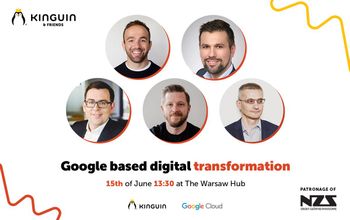
We recently had the pleasure of hosting an extraordinary event, Kinguin&Friends: Google Based Digital Transformation. This event brought together industry leaders, experts, and enthusiasts to explore the exciting world of digital transformation and its collaboration with Google Cloud. In case you missed it, we've got you covered! Read on for a recap of the event and find links to the video recap and insightful interviews with our very own CTO, Marek Fila, and a Google Sales Representative, Maciej Buczkowski. The event took place on June 15, at The Warsaw Hub, which serves as the Warsaw headquarters of Google. It lasted 4 hours, offering attendees an engaging experience. There were numerous participants, including people from Google Cloud, Velo Bank, GG League, Exaco, APN promis, BatMaid, Syntech or some students from the Warsaw School of Economics and Warsaw University of Technology. We had a great opportunity to network and exchange ideas. Throughout the event, we delved into several key areas that are shaping the digital landscape. Agenda:Application Programming Interface (API): We explored the significance of APIs in enabling seamless integration and driving innovation in digital transformations.Transformation to Data Driven Organization: The event focused on the importance of leveraging data-driven strategies to optimize operations, enhance decision-making, and unlock new opportunities.Panel Discussion: A captivating panel discussion engaged participants in thought-provoking conversations on the future of the industry, highlighting the potential of data-driven approaches and API solutions.Speakers:Our esteemed lineup of speakers brought invaluable insights and expertise to the event, providing attendees with unique perspectives on digital transformation:🎤 Maciej Buczkowski - Field Sales Representative - Google Cloud🎤 Kuba Zajączkowski - Data Analyst Sales - Google Cloud🎤 Marek Fila - Chief Technology Officer - Kinguin🎤 Mariusz Jagodziński - Head of Data & Analytics - Kinguin🎤 Maciej Sztyk - Product Owner - KinguinTheir informative presentations and engaging discussions left a lasting impact, igniting enthusiasm and fueling the drive for innovation.Take a look at the insightful discussions and memorable interactions that took place during the event. Watch the video recap here: Event Video Recap Link Additionally, dive deeper into our exclusive interviews with Marek Fila, CTO at Kinguin. Gain valuable insights into our collaboration with Google Cloud, the challenges we overcame together, operational efficiency, user experience, scalability of the platform, data security, compliance, and future initiatives. Watch the interviews here: Marek Fila Interview Link The video interview with Maciej Buczkowski, Field Sales Representative at Google, explores the alignment between Google Cloud's technology and services with Kinguin's business goals and the value derived from the partnership. It also highlights how Google Cloud supports Kinguin, including the most beneficial technologies and features, as well as addressing security, compliance challenges, data privacy, and protection. Additionally, it discusses Google Cloud's plans for introducing new technologies or services that may further benefit Kinguin and other e-commerce companies.Maciej Buczkowski Interview Link Conclusion:The Kinguin&Friends: Google Based Digital Transformation event was a remarkable occasion that united industry experts, thought leaders, and technology enthusiasts. We extend our sincere gratitude to everyone who made this event a tremendous success, including our esteemed speakers, attendees, and our valued partner, Google.Be sure to watch the video recap to immerse yourself in the event's atmosphere and gain deeper insights from our enlightening interviews. Stay tuned for more exciting updates as we continue to drive digital transformation and innovation in the industry.Together with Google, we are embracing the future of technology, making a positive impact, and unlocking new opportunities. Join us on this transformative journey!
Read more
Greetings Indie Game Devs,At Kinguin, we understand the unique challenges you face in creating and marketing your labor of love - your games. Today, we're delighted to announce a major initiative designed to help: The Kinguin Indie Devs Partnership Fund (KIDPF).If you’ve never heard of Kinguin, or if you’ve come across our name a few times before in the past and want to know more, we’re here to outline exactly who we are and what makes us a safe place to purchase game keys from, so you can start using our website and continue enjoying gaming at a lower cost.We're committing $1 million to be disbursed among indie game developers across the globe by the end of 2024. This fund is a tangible symbol of our support and a testament to our belief in your creativity, passion, and the quality of your games.The KIDPF aims to enhance the visibility of your games, connecting them to Kinguin's robust community of 16+ million users. Importantly, your game doesn't need to be listed on Kinguin to benefit from this grant - you can direct the boosted traffic to your game offer on any platform worldwide.Here's what we can share about KIDPF right now:Who can apply? Any indie game developer from around the world. We embrace diversity in gaming and look forward to seeing applications from all corners of the globe.What's the selection process? We'll soon reveal the criteria for selection. Rest assured, it will be a transparent and fair process, designed to maximize the impact of the fund.What's the grant size? We're still finalizing the details, but we're committed to ensuring the fund has a broad reach and makes a significant impact.How to apply? While the official application process opens on July 7th, you can express your interest today. Send an email to our Chief Gaming Officer, Michal Kaczmarek, at indie@kinguin.net, and we'll put you on the priority waiting list. What happens next? In the coming weeks, we'll be revealing more details about the application requirements, the timeline, and the accountability process. Remember, the Kinguin Indie Devs Partnership Fund is about creating partnerships that support indie game developers. We're excited to launch this initiative as part of our commitment to the indie gaming community.Stay tuned for more updates and get ready to make your mark on the gaming world. Together, we can achieve great things.Your friends,The Kinguin Team
Read more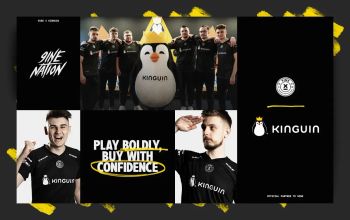
Kinguin is thrilled to announce its exciting new partnership with 9INE, the esports organization and talent management company that has been making waves in the gaming world. This collaboration stems from a shared commitment to empowering gamers and celebrating the esports community in Poland and beyond. As 9INE’s accomplishments continue to grow, including a remarkable #11 position in the ESL world ranking, the partnership with Kinguin is poised to further solidify their status as a competitive force in the world of Counter-Strike. Together, Kinguin and 9INE will create brand exposure, captivating content, and engaging offers that resonate with their passionate audience. Fredrik Belstad, CEO of 9INE, shares his enthusiasm for the partnership, stating, “Kinguin is a great brand that offers fantastic products at discounted prices. This collaboration will allow us to connect with our audience while attracting new fans and followers. Together, we will create captivating entertainment and ensure the future success of Polish Counter-Strike.” Kinguin’s dedication to esports is evident through its decade-long involvement in the industry. Having sponsored numerous successful esports teams, events, and tournaments, Kinguin has been an integral part of the growth and development of the esports community. The company’s Esports Performance Center stands as a testament to their commitment to helping esports athletes reach their full potential. Kinguin also contributes to esports-focused charitable projects, including hosting Ukrainian esports players at the EPC and organizing boot camps and training sessions for children. Viktor Romaniuk, Founder and Chief Experience Officer at Kinguin, expresses his excitement about the partnership, saying, “Teaming up with 9INE is a natural fit for Kinguin as we share the same passion for esports. We’re eager to support 9INE’s esports journey and anticipate a fruitful partnership that will elevate both of our brands to new heights. We wish them the best of luck in the upcoming Major Championship – BLAST Paris Major 2023. We believe that their hard work and dedication will pay off, and we’re thrilled to be part of their journey towards greatness.” Kinguin and 9INE are united in their mission to create a lasting impact on the esports industry and provide exceptional experiences for their fans. This partnership is an exciting step forward in fostering a thriving esports community in Poland and beyond. About 9INE 9INE is a Esports Organization and Talent Management Company that aims to set new standards in the industry by fostering innovation and putting passion at the core of its activities. Both the team and the management have gained valuable experience in years of being active in the industry and working with the biggest brands in Esports. 9INE focus on executional excellence and its responsibility towards players, fans and sponsors has already brought it recognition in Europe. 9INE believes in a better future and is committed to create it through performance, integrity, trust and courage.
Read more
Today marks one year since Russia's armed attack on Ukraine, and it is a somber reminder that the war is not over yet. It is a situation that cannot be forgotten. As a year ago, so today - the support is very much needed. On this occasion, we want to highlight Kinguiners, common people, who stood up and simply started helping. We look up to them and want to encourage all who can to follow their footsteps. Viktor Romaniuk Wanli, the founder of Kinguin, motivated everyone and initiated the process of helping Ukraine by contacting NAVI, an esport organization from Ukraine, inviting them to stay in Poland. He also posted on his LinkedIn and initiated an open-door policy to utilize Kinguin physical locations to help people from Ukraine. He was openly engaged in discussions and openly advocated support for Ukraine, including an interview with Esports Insider.Paweł Książek, Paweł Żukowski, Anna Mączko and the entire EPC crew support the Ukrainian esport community and their families. Kinguin Esports Performance Center in Warsaw is open free of charge for any Ukrainian pro-players and their families. Up to date, we have hosted over 30 people, and some of them are still with us, as long as their situation requires. Paweł Książek was also engaged in interviews about Ukrainian support with The Washington Post, Le Monde, or Onet.Kuba Lang, Michał Kaczmarek, and Antek Rybiński from the OGDM ‘From the Border to the Flat’ foundation are working closely with Kinguin to help Ukrainians. Kinguin offered OGDM headquarters for the foundation as well as 24/7 coordination centers to match the request between drivers and border crossings. The foundation has so far transported over 77,000 Ukrainian people, secured over 3,000 accommodations all over Poland, and linked 12,000 people offering their flats. OGDM together with Kinguin organized charity donations and concerts supporting Ukraine.Anna Palowicz worked with the Foundation for Transplantation by organizing the purchase and transport of medicines for the Ukrainian hospital in Krzywy Rog and the hospital in Lviv. She also supported the city of Przemyśl in contacting brands that delivered necessities, such as water and coffee, to the border with Ukraine. Thanks to Kinguin's support, they were able to help with transport and provide shelter.Mariusz Jagodziński was helping territorial defense forces in Sumy, by organizing medical supplies and elements of winter equipment and clothing. Mariusz was able to obtain over 100 different pieces of specialist equipment.Anna Kalota, Natalia Szepelowska, and Przemysław Padrak were engaged in helping Ukrainian families in Poznań, securing accommodation for them in the Kinguin office for several months.Moreover, the majority of Kinguiners made individual donations to different charities supporting Ukraine. Kinguin employees were also hosting Ukrainian refugees at their homes and have taken to helping them with critical errands like getting a local SIM card and renting a car.Despite all the above-mentioned initiatives, support is still needed for those affected by the ongoing conflict. The war in Ukraine is far from over, and the Ukrainian people still require support. Kinguin wants to highlight some notable organizations that are still supporting Ukrainian people, including: OGDM donation, The Ukrainian Red Cross, World Central Kitchen, Voices of Children and Future for Ukraine.
Read more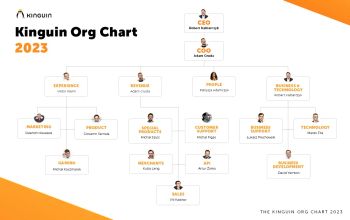
In 2023, companies are undergoing major structural changes as they navigate the new business environment. The pandemic has forced organizations to rethink their traditional hierarchical structures and find more agile and flexible ways of operating. As a result, many companies are flattening their organizational charts and empowering their employees to make decisions and drive innovation. The shift towards remote work has also made it possible for companies to tap into a global talent pool, leading to a more diverse and inclusive workforce. Additionally, companies are increasingly recognizing the importance of cross-functional collaboration, leading to the creation of more cross-functional teams and breaking down departmental silos. These structural changes are aimed at improving efficiency, promoting innovation, and better serving the needs of customers.The start of 2023 has been no different for Kinguin with the arrival of numerous new team members and important changes to departmental operations. For an organization like Kinguin, having nearly 300 employees, such changes occur every few years. We spoke to Viktor, our Founder about this new structure and overall direction of the company in 2023. Viktor Romaniuk Wanli, Founder of Kinguin said:I am thrilled to announce that Robert Kalbarczyk will continue to serve as our CEO until the end of July 2023 and I am also proud to welcome Adam Gruda as our new Chief Operations Officer (COO). This marks a new chapter in our company’s growth, and we are confident that our renewed leadership will drive us towards continued success.At Kinguin, our mission has always been to make gaming accessible and inclusive for everyone. Our vision is to become the world's most open digital entertainment playground, and we are proud to be leading the charge in making that vision a reality. Our values of impact, care, and passion are at the heart of everything we do, and I am proud to say that our team embodies these values every day.With Robert and Adam at the helm, I am confident that we will continue to execute our mission with passion, care and impact. Their dedication to our company and our customers is unparalleled, and I have no doubt that their leadership will be instrumental in our continued success.Starting February 1st, we are also introducing a new company structure, as outlined in the attached chart. This new structure will allow us to more effectively execute our mission and continue to grow as a company.In closing, I want to express my deep gratitude for all of our Kinguiners and for the tremendous impact you have had on our company. I am confident that, together, we will continue to make gaming accessible and inclusive for everyone, and I look forward to what the future holds for Kinguin.Best regards,Viktor Romaniuk Wanli, Founder of Kinguin
Read more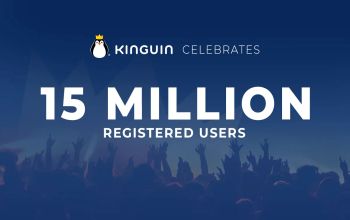
Kinguin now offers over 150,000 products from games, in-game content, gift cards, software, to NFTsElden Ring, FIFA 23 and God of War tops the list of games sold in 2022Over the last 12 months, there have been 9.2m transactions on Kinguin’s marketplace, a 168% increase in the last 2 years69.4% of registered accounts belong to 18-34-year-oldsKinguin, the world’s first digital marketplace has today revealed its latest milestone of serving 15 million registered users on the platform worldwide, an increase of 50% since the end of 2020. The milestone is a reflection of the demand for players to purchase digitally and is signified by growth to over 150,000 digital offerings on the Kinguin digital and NFT marketplace.To celebrate the announcement of 15 million registered users, Kinguin has revealed insights into user preferences including:The top selling games of 2022 on the platform in order, led by; Elden Ring, FIFA 23, God of War, Ready or Not and Total War Warhammer III Location of users include 21.5% in Germany and 15.9% from USA with over 60% of total users from EuropeThe largest age group on the platform are 18-24 with registered users in this category equalling 42.4%, 27.0% between 25-34, 14.9% between 35-44 and 15.7% 45 and over.Data analytics from Newzoo via GI.biz for 2022 has revealed that total market revenues of digital games hit 94.2% compared to physical boxed products at 5.8% highlighting the importance of digital marketplaces in the gaming industry.Kinguin continues its exponential growth having launched its NFT marketplace in May 2022 and launched the first ever esports tournament bringing back legendary pro-players, Kinguin Legends. Kinguin also launched Kinguin Cares to support esports players and their families affected by the war in Ukraine, offering accommodation to Ukrainians and their families free of charge at the Kinguin Esports Performance Center (EPC) in Warsaw. To date, it has hosted almost 30 people, and its doors are still open to Ukrainian people in need of support.Robert Kalbarczyk, Chief Executive Officer at Kinguin said: “I would like to thank all our users around the world for their constant trust in Kinguin. 15 million milestone is amazing, especially with the 50% increase in users globally since 2021. That proves that our business is going in the right direction. Our vision is to be the world’s most open digital entertainment playground where everybody plays, and we truly mean it."For more information, please visit www.kinguin.net
Read more
In 2022, 66 bootcamps and 20 special events were held at the Kinguin Esports Performance Center in Warsaw - the state-of-the-art esports training center for players and teams in Europe. Kinguin EPC is where the best teams in the world train to prepare for tournaments across key esports titles including Counter-Strike: Global Offensive, League of Legends, Dota 2, FIFA, Rocket League, Fortnite, VALORANT and Rainbow Six: Siege. 2022 in numbers:- Number of bootcamps: 66- Number of events: 20- Longest stays: Misfits Premier - 116 days, X7 - 88 days- The largest bootcamp: Seven Goats - 25 people- Guests who visited EPC the most: Anonymo (6 bootcamps), Imperial (5), NAVI Javelins (4)2022 was a thrilling year at the Kinguin Esports Performance Center being used by leading teams including;;Tundra Esports players, who in the following months won The Dota 2 International and FaZe Clan - winners of Intel Extreme Masters Katowice 2022. The center was also visited by teams such as Imperial, Renegades, Team Falcons, MOUZ, AGO, OG, TYLOO, MIBR, NAVI, SKADE, Acend, Wisła Kraków, Anonymo, Excel, Exeed, TSM and Pasha Gaming Camp.Head of Kinguin Esports Performance Center, Paweł Książek stated: “The Kinguin Esports Performance Center was created with the best teams in the world in mind and last year showed the importance of the EPC to esports players and teams. It is an honor to host some of the biggest esports teams and legends including the winners of the most prestigious tournaments.”Since the start of the war in Ukraine, Kinguin has been actively helping people affected by the conflict. The Kinguin Esports Performance Center is open to all Ukrainian esports players and their families free of charge. To date, it has hosted almost 30 people, and its doors are still open to Ukrainian people in need of support.Kinguin EPC hosted 20 industry events in 2022 including;. SkillFactor, a talent show where young esports players competed against each other in CS:GO, Deluxe Ski Jump 2 tournament powered by Rockstar Energy Drinks, Esports Skills Camp, modern gaming colonies and practical classes in esports for the University of Physical Culture and Tourism in Pruszków. Other key events include; Intel Overclocking Masters, journalistic competitions in spinning processors, as well as broadcasts from Kinguin Legends, the world's first tournament featuring the biggest stars in the history of the CS:GO scene.
Read more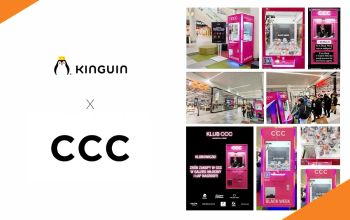
During Black Friday Weekend we had an in-store activation with our partner CCC – a fashion company from Poland. There was a Black Friday ‘Week’ Booth in front of some CCC stores, which allowed customers to win special prizes. Kinguin provided vouchers and mascots for the winners. The activation was also supported by a dozen local influencers and was published by the local fashion media. Kinguin hit 100.000 transactions completed during Black Friday Weekend. The number, although wildly successful, brought a few challenges to our Customer Support and IT departments, due to high traffic on the platform. The teams managed it smoothly to ensure a top-notch customer experience with our brand. This is not the first time Kinguin has partnered with CCC. During the summer holidays Kinguin was supporting a gaming initiative from CCC. As part of the Game Garage Playoffs campaign, CCC invited all Club Members to meetings with well-known influencers. Gaming meetings took place in the 8 largest cities of Poland, attended by their brand ambassadors: rapper Smolasty, Kinga Sawczuk, Kaluch and gaming influencers such as: Junajted, Makito, Jcob, Izaak, Aquel, Nervarien or Lach. The activation was concluded with a Back-to-School event organized on the 9th of November. There were several gaming tournaments and a special concert by Smolasty.
Read more
Kinguin Prime Time Wrestling will for the first time ever introduce women, with stars including Xia Brookside, Myla Grace and Diana StrongKinguin Prime Time Wrestling ‘Legends’ will feature global wrestling stars including; Santino Marella, Joe Hendry, Matt Sydal and Trent SevenThe event will be broadcasted on DAZN, FITE, Wp.pl, Twitch, YouTube, and moreWarsaw, Poland, 24th November - Kinguin Prime Time Wrestling has today revealed details of its third show - Kinguin Prime Time Wrestling #3 ‘Legends’ which will take place in the Polish capital, Warsaw. Wrestling fans, who tune into the event, will be treated to thrilling fights from wrestling stars all over the world, including Xia Brookside, Myla Grace, Diana Strong, Santino Marella, Joe Hendry, Matt Sydal, Samuray Del Sol and Trent Seven. Fans can also attend live with ticket prices starting at 70 PLN (~ €13), and available to purchase online.The last Kinguin Prime Time Wrestling event, ‘ Ryucon’ was held in Krakow, Poland in July bringing widespread attention from the global wrestling community and continues forward to Poland’s capital city, Warsaw. You can expect more electrifying fights with three female superstars; Xia Brookside, Myla Grace and Diana Strong joining Kinguin Prime Time Wrestling ‘Legends’ for the first time in its history!Kinguin Prime Time Wrestling ‘Legends’ promises to be enthralling and offers viewers a tantalising event full of exciting fights with a No DQ Match featuring Axel Fox vs. Justin Joy, a Last Man Standing Match with “Starboy” Nano Lopez vs. Sinister and the main event of Samuray Del Sol vs Matt Sydal. To build up hype ahead of the event, on Friday, Kinguin Prime Time Wrestling ‘Legends’ contract signing ceremony takes place, during which the players will meet for the first time, sign the contract and start the face off which will be livestreamed to build up tension before the big day! You can find an exciting sneak peak of the gala with the upcoming trailer here.The event will also feature commentary in both Polish and English, with Arek Paterek, Lukasz Balinski and Piotr Malecki with guest commentators Pawel Borkowski and Polish wrestler and silver Olympic medalist of 1980, Andrew Supron. English commentators include legend Santino Marella, who was both the fighter and commentator in previous Kinguin Prime Time Wrestling editions, and Lewis Costello, a popular stand-up comedian and commentator.Arkadiusz Pan Pawłowski, Founder of Prime Time Wrestling said: “Kinguin Prime Time Wrestling is a dream come true for the performers, but most importantly the audience that loves sports entertainment in its purest form. Being a Kinguin Prime Time Wrestling fan doesn't mean just watching the show unfold but getting fully involved and becoming part of the experience!.Robert Kalbarczyk, Chief Executive Officer at Kinguin said: “We’re delighted to co-organise Kinguin Prime Time Wrestling ‘Legends’ for the third time in its impressive history. Wrestling was perceived as a niche sport in recent years, but with such events we hope to bring it to life here in Europe. We can’t wait to give the audience and fans a rousing event!The event will be live on Saturday, November 26 at 19:00 CET in Warsaw. Tickets can be bought here. The event will also be live streamed on DAZN, FITE, Wp.pl, YouTube, Twitch and more. You can find the full fight card below:Pure Gold vs. PAKA - Tag Team MatchPrimate vs. Marty ScurllMyla Grace vs. Xia Brookside vs. Diana Strong - Triple Threat MatchJustin Joy vs. Axel Fox - NO DQ MatchDawid "Puncher" Senko vs. Robert StarTrent Seven vs. Joe Hendry - Impact Digital Media Championship MatchNano Lopez vs. Sinister - Last Man Standing MatchMatt Sydal vs. Samuray Del SolYou learn more about Prime Time Wrestling on their Facebook, Instagram or YouTube. About Prime Time WrestlingPro wrestling is a wildly exciting discipline on the borderline of sports and entertainment, a show that involves the audience in fights of unique, distinctive, and charismatic characters who fight each other to the delight of fans. Kinguin Prime Time Wrestling is an approach to create a working wrestling show model that will be full of crazy stunts, powerful throws, unpredictable twists, and the plethora of stars known not only from the Polish arenas, but also the best promotions in the world.
Read moreThank YOU, Kings ❤️20 million registered users!It's a number we're incredibly proud of, but behind that number is something much more important: YOU.Whether you've been with us for years or just joined the KINGdom yesterday, thank you for being part of this journey.Thank you for every purchase, every recommendation, every message, every review and every piece of feedback you've shared with us along the way. Your ideas, opinions and support have helped shape Kinguin into what it is today.Gaming has always been about bringing people together and we're grateful that millions of you chose Kinguin as part of your gaming story. As we celebrate this milestone, we're not just looking back at how far we've come - we're excited about everything that's still ahead. New adventures, new features, new games and new ways to make your experience even better.From everyone at Kinguin: Thank you for your trust. Thank you for your support. Thank you for being part of our Kingdom.Here's to the next chapter and to many more years of gaming together 🧡YOUR Kinguin Team
Read moreSome announcements are important.Some are exciting.And then there is this one.Kinguin has officially adopted a penguin at the Warsaw Zoo.And not just any penguin.From today, Kowalski the penguin is our new ambassador. 👑 Ambassador reveal: KowalskiKowalski is a full Kinguin ambassador.He doesn’t stream (yet). He doesn’t tweet (for now).But:🐟 he loves fish (like every penguin with self-respect)🌊 he spends time with other penguins - because penguins are super social🖤🤍 he looks great in his tuxedo 24/7😎 he stays cool in every situation This adoption is not just symbolic. Kinguin supports Kowalski’s care and daily needs at the Warsaw Zoo. He is under the professional care of experienced keepers and together we make sure he has proper food (yes, lots of fish 🐟), a safe and comfortable place to live, and good conditions every single day.Who is the African (Cape) penguin?Kowalski is an African penguin (Spheniscus demersus).🌍 Penguins from AfricaYes, really.African penguins live near the coast of South Africa and Namibia.Not all penguins live in ice and snow.🔊 They are very loudAfrican penguins make sounds that are similar to a donkey.That’s why people sometimes call them “jackass penguins”.They use sound to talk, find each other, and stay together.🖤 Every penguin is uniqueThe black dots on a penguin’s belly are different for each one.It’s like a fingerprint. Kowalski has his own unique pattern.🐟 Fish is serious businessThey eat mostly fish, like sardines and anchovies.For penguins, fish time = best time.🏊 Water prosIn water, penguins are fast and smooth swimmers.On land… they walk funny. And that’s part of the charm.👥 Community firstAfrican penguins are very social animals.They live in groups, recognize each other, and stay close.We feel that. 🐧 A day in the life of KowalskiWhat does our ambassador do all day?swimschillshangs out with other penguinswaits for fishgets fishwaits for more fishSimple life. Good life. 💙 King's CareKinguin is more than games and digital products. We believe in community, responsibility and doing good things beyond the screen.By adopting Kowalski, we support animal care and help protect an endangered species - in a way that feels true to who we are. Welcome to the team, Kowalski!It’s official now.Kowalski the African penguin is the new Kinguin ambassador.Welcome to the family 💙
Read moreSummer break is over, but that doesn’t mean the fun has to stop. At Kinguin, we’re starting the school year with big discounts on the hottest games and must-have software. Whether you want to relax after classes with your favorite titles or need tools to get work done, we’ve got your back.Top games on sale - now cheaperHere are some of the biggest hits and hidden gems you can grab with Back to School savings:EA Sports FC 25 – up to 35% offMinecraft: Java & Bedrock Edition – about 20% offHogwarts Legacy – almost 40% offRed Dead Redemption 2 – over 60% offThe Witcher 3: Wild Hunt GOTY – more than 80% offBaldur’s Gate 3 – around 20% offGTA V: Premium Edition – up to 75% offElden Ring – about 30% offCyberpunk 2077: Ultimate Edition – around 35% off Must-Have Software DealsNot only games - start the school year with software for less:Microsoft Office 2021 Pro Plus – over 80% offWindows 11 Pro – up to 85% offESET Internet Security – almost 90% offBitdefender Total Security – around 85% offCorelDRAW Graphics Suite – up to 60% offVegas Pro 21 Edit – up to 70% offPerfect for school projects, editing, design, or just keeping your laptop safe. Contest: Too Cool For SchoolJoin our “Too Cool For School” contest and get the chance to win: 🎮 3x Cooler Master gaming chairs🖥️ 10x iiyama monitors💳 30x Kinguin vouchers worth €75 eachJust play and join - it’s that simple. Cashback is KingAnd here’s another way to save more: with our Cashback is King promo, you can get up to €10 cashback for your next shopping. The more you play and buy, the more you save. Don’t miss this chance to stack deals and come back for even cheaper games. Free Minecraft ServerHere’s something extra for the community: every player can grab a free Minecraft server to play with friends. Build your own world, install mods, and enjoy smooth gameplay for free. Find out more here. This September, make your Back to School season legendary. Save up to 90% on games and software, join our contest, claim cashback for even more savings, and don’t forget to start your free Minecraft server with friends. Only at Kinguin.
Read more Welcome to the Kinguin Summer Fun Arcade - your ultimate digital amusement park! We've opened the gates, fired up the pixel-powered popcorn machines, and rolled out a rollercoaster of sweet summer deals. Forget the heatwaves and mosquito bites. This summer, the only thing you’ll be sweating over is what game to play next 💦 Let’s explore the most exciting attractions in the park - your summer starts now! The Sims 4 – Poolside Splash Kit DLCReady to throw the ultimate backyard bash? This DLC is a mini-expansion for The Sims 4 that adds stylish swimsuits, colorful floaties, and even a flamingo sprinkler. Perfect if you love to micromanage fictional humans and their pool parties.Paradise Beach SimulatorA peaceful beach, relaxing waves, and zero responsibilities. Build your own resort, design chill zones, and pretend you’re the world's best beach manager. Think Sims meets island chill vibes.PowerWash SimulatorThere’s dirt. There’s grime. And then, there’s you - the power-washing savior with a hose and a dream. From grimy playgrounds to haunted houses (yes, there are themed DLCs), this game turns cleaning into pure joy.Dave the DiverHalf deep-sea diver, half sushi restaurant manager, Dave the Diver is like Stardew Valley got lost in the ocean and brought back a tuna. Funny, quirky, and packed with unexpected twists, you’ll never look at sea cucumbers the same.DorfromantikThis is your zen zone. Build forests, lakes, and cute towns by placing relaxing tiles. No pressure. No enemies. Just peaceful puzzle-building with expansions like The Game Mode Update and Seasons DLC for extra vibes.Pool Cleaning SimulatorFrom gross to glossy, this sim lets you scrub, vacuum, and purify fancy pools and backyard messes. Oddly satisfying and way less sweaty than doing it IRL.Forza Horizon 5Take on open-world Mexico in this gorgeous, high-speed racer. With events from volcano races to beach drag strips and DLCs like Hot Wheels and Rally Adventure, this game is summer freedom in a sports car.ISLANDERSSimple. Beautiful. Addictive. Build peaceful little cities on colorful islands and watch the points stack up. ISLANDERS is low-pressure strategy that rewards your creativity - perfect for lazy summer evenings.ABZÛFrom the art director of Journey and Flower, ABZÛ is an underwater exploration game that feels like a playable dream. Swim with whales, explore ruins, and discover a mysterious world without a single weapon in sight.Planet CoasterMake the coaster of your dreams… or nightmares. Build entire theme parks, bankrupt yourself with bad food pricing, and watch guests puke on your cursed loop-de-loop. DLCs? Tons - including Ghostbusters, Spooky, Vintage, and more. 🎟️ Explore the Full Kinguin Summer Sale!The Kinguin Summer Sale is way bigger than just one arcade. We’ve built a whole theme park of deals, and you’ve got an all-access wristband:HypeRide Zone: High-speed action, top AAA titles, adrenaline maxedArcade of Classics: Retro hits, pixel power, golden-age nostalgiaSun & Fun Arcade: Summer-themed sims and easygoing gamesThe Co-Op Coaster: Multiplayer fun with friendsThe Haunted House: Scary-good horror & mystery discountsWith up to -92% off, the only thing scarier than missing this is your gaming backlog!👉 Explore all rides & deals here Bonus Round: Get up to 5€ Cashback with Picodi!Yes, you heard it right - on top of sizzling discounts, you can also earn money back. With Picodi Cashback, you’ll get up to 5€ back on your Kinguin purchases. 👉 Learn more & start earning cashback HERE.
Read moreGamescom 2024 has just finished, and wow, what a show! This year’s event was bursting with big reveals, exciting trailers, and plenty of surprises. Whether you’re into epic RPGs, intense shooters, or quirky indie games, there was something for everyone. Let’s dive into the biggest announcements and the most buzzworthy moments from this year’s Gamescom. 🐟🐟🐟 Don’t forget to check out Kinguin’s Market with fresh deals & news from the Gamescom 2024. 🐟🐟🐟 Major Game RevealsCivilization VII: One of the big showstoppers at Gamescom was Civilization VII. The teaser was brief but got strategy fans excited, teasing deeper gameplay and bigger worlds to explore. The game is set for release on February 11, 2025, and it's already shaping up to be a must-play for fans of the series.Check out Civilization series here. Call of Duty: Black Ops 6: If you’re a fan of shooters, then you were probably thrilled to see more of Call of Duty: Black Ops 6. Set during the Cold War era, the game promises a return to a full campaign mode, which fans have been eagerly awaiting. The release date is October 25, 2024, so get ready to gear up. Indiana Jones and the Great Circle: Microsoft gave us a new look at Indiana Jones and the Great Circle. The short trailer was enough to remind everyone why they’re excited about this game, which is set to launch in December 2024. Get ready for another adventure with everyone's favorite archaeologist! Mafia: The Old Country: The Mafia series is making a comeback with Mafia: The Old Country. Set in the early 1900s, this prequel takes us back to the origins of the mafia. The announcement didn’t give much away, but it’s clear that this game is going to be a deep dive into the gritty world of organized crime. Starfield - Shattered Space Expansion: Bethesda didn’t disappoint, revealing the first major expansion for Starfield, titled "Shattered Space." Set to launch on September 30, 2024, this expansion will introduce new storylines and locations, expanding the already massive universe of Starfield. Marvel Rivals: Marvel Rivals was another big reveal. This free-to-play multiplayer shooter features iconic characters like Captain America and Dr. Doom. The game is set to launch on December 6, 2024, and promises to be a hit with Marvel fans. Dune: Awakening: Fans of the Dune series got a treat with a new trailer for Dune: Awakening. The game’s survival elements and harsh desert environment were front and center, showing just how challenging life on Arrakis will be. Expect to see this game in early 2025. Batman: Arkham Shadow VR: For Batman fans, the announcement of Batman: Arkham Shadow VR was a highlight. This Meta Quest 3-exclusive VR game lets players step into the boots of Batman in a whole new way, with the demo receiving positive feedback at the event. Kingdom Come: Deliverance 2: Kingdom Come: Deliverance 2 made waves with its first gameplay trailer, showing off the medieval world and complex story that made the original game a hit. The game is set to launch on February 11, 2025, promising more of the same challenging, realistic gameplay.Check out Kingdom Come: Deliverance here.Surprise Announcements and Fun Moments Dying Light: The Beast: Techland unveiled Dying Light: The Beast, a new standalone game in the Dying Light universe. The game stars Kyle Crane, who now wields zombie powers in a bleak, post-apocalyptic world. No release date yet, but the first look has already intrigued fans. Goat Simulator Remastered: Yep, you read that right. The original Goat Simulator is getting a remaster. Expect upgraded visuals, bug fixes, and all the original DLC in one chaotic package, set to release later this year. Borderlands 4: The event kicked off with a bang thanks to the reveal of Borderlands 4. The game is set to launch in 2025, and while details are still under wraps, the trailer alone has fans counting down the days. Masters of Albion: Peter Molyneux, the creator of Fable, surprised everyone with the announcement of Masters of Albion. This new god game has players eager to see if it can live up to Molyneux’s previous successes. Secret Level Anthology: Amazon MGM Studios and Blur Studio are teaming up for a new animated anthology called Secret Level, which dives into the world of video games. This was one of the more unexpected but exciting announcements of the event. Gamescom 2024 was packed with exciting reveals, from long-awaited sequels to surprising new titles. Whether you’re into strategy, shooters, or horror, there’s something coming your way that’s sure to grab your attention. With so many big games on the horizon, the next few years in gaming are looking pretty epic. Keep your eyes peeled for more updates as these games get closer to release!
Read moreJenna Ortega is back on the set of Wednesday! The Netflix hit series will return for its second season in 2025, but the cast and crew have already heard: sound, camera, action somewhere on location in Ireland.Wednesday 2 CastCatherine Zeta-Jones and Luis Guzmán reprise their roles as Morticia and Gomez Addams, Fred Armisen will have more appearances as Uncle Fester and to complete the Addams Family we shall see Victor Dorobantu as Thing… Well, at least the “handy” part of him. Emma Myers (Enid Sinclair), Joy Sunday (Bianca Barclay) and Moosa Mostafa (Eugene) are back on the set as well and they will be joined by some new – yet well known – faces like: Thandiwe Newton, Joanna Lumley, Christopher Lloyd, Steve Buscemi, Haley Joel Osment, Billie Piper, Heather Matarazzo and Evie Templeton (whom you may know from Return to Silent Hill).Wednesday: Season 2 | Cast Reveal | NetflixThe Legend Is Back To Direct AgainLegendary director Tim Burton continues his journey with Wednesday in the series’ second season, which we believe is a guarantee that our expectations can be very high. Burton is responsible for 1989’s Batman with Michael Keaton, Jack Nicholson and Kim Basinger, Batman Returns (1992), Beetlejuice (1988), Edward Scissorhands (1990), Sleepy Hollow (1999) and Alice In Wonderland (2010), among others.Wednesday’s JamAs for now it is not known what musical surprises are going to make us move our hands, feet and the rest of our bodies in Wednesday season 2, but before we find out, let’s relive that famous dancing scene from the first season, which made The Cramps hip again all over platforms such as Spotify, Tidal, Deezer, YouTube, and Apple Music.Wednesday Addams | Dance Scene | NetflixCheck out all the awesome series and movies Netflix has to offer with the best online Netflix deals only on Kinguin!
Read moreFirst and foremost he is a computer games enthusiast and streamer. Dawid Rzeźnik, better known as Dzinold, is one of Kinguin's Ambassadors and, as he describes himself, a Renaissance man. Outside virtual reality, he is a big fan of the NBA and anything connected with basketball. Of course he plays basketball himself and he even is a friend of a famous Polish player Marcin Gortat. Apart from that, Dzinold has also experience as a Fame MMA fighter.MrDzinold @ TwitchDawid was born in 1997 in the city of Tarnobrzeg in Poland. In 2020 he launched his channel on Twitch.TV and within the next two years attracted nearly 200K followers, becoming one of the most popular streamers on the platform. Two years later @MrDzinold is followed by 573K viewers, who appreciate his unique sense of humor and down-to-earth approach. His favourite games include: CS:GO, GTA 5, Fortnite, Fall Guys and FIFA – and as he plays during his Twitch streams, he is usually watched by around five thousand people at once. On Twitch.TV Dzinold is also a member of a YFL team, which features Young Multi, Merghani, Mork and Bandura.BungeeTogether with his Twitch pal Bandura, Dzinold created a YouTube channel called Bungee (@bungee5125), where they entertain their viewers with unusual and funny tasks they assign to themselves. Over 1,15 million followers seem to confirm their success also on this platform. In addition to that Dzinold has his solo YT project – @dzinishoty4934 with 83,3 thousand followers. You can also check him on Instagram (@mrdzinold), where he gives over 741 thousand fans more access to his private life.Fame MMAAs Dzinold conquered Twitch in 2022, he also made his debut on the Polish edition of Fame MMA and won the very first fight against Szymon Bessser. In May 2023 he repeated this success by defeating Robert Pasut, and thus became a rising star in Fame MMA with a promising undefeated record of 2-0.KinguinMuch as we appreciate Dzinold's achievements on Twitch, YouTube and in Fame MMA, it's his personality, sense of humor and most of all positive energy that made him and Kinguin a perfect match! And let's not forget about his love of Counter Strike, which – and that's no secret – is also close to our hearts. We are very happy he accepted our invitation to represent Kinguin as an official Ambassador and to spread positive vibes both him and us want to share with you! Find out more about Dzinold:https://anarchia.gg/https://www.tiktok.com/@anarchia_x_bungeehttps://www.facebook.com/profile.php?id=100087467033102
Read moreLast year we celebrated our first decade with you, and what a decade it was! Now we have another wonderful reason to celebrate – this time it is the newest milestone in our history, namely the number of Kingun's registered users reaching 18 million. And when we say OUR we mean both YOU and us. Quoting U2 and Janet Jackson: it's all because of you and it's all for you!Dear UsersFirst and foremost, we want to thank you for choosing us and staying with Kinguin's community. Your presence motivates us to work harder in order to provide you with the best offer you can find surfing the Internet ocean. Your trust means the world to us and so, we want to give back to you even more!Safe And Sound At KinguinWe are perfectly aware that the Internet is not always safe and friendly, that is why we make sure that Kinguin is your online safe haven, where you can get what you need not only at the best prices but also without worrying about the safety of the transaction. It remains one of our highest priorities, so you can simply focus on what to choose from Kinguin's 100 thousand available products and 250 thousand offers.We Are The WorldAppealing to the global community of gamers and general software users makes us very proud. 70% of you come from Europe, with Germany constituting 16% of the user base on the Old Continent. 18% of you live in the USA and Canada and 5% in South America.More StatisticsWe work our best to assure a varied offer for all age groups, and it strikes a chord mostly with users below 24 years old, who constitute 44% of Kinguin's community. Respectively, 27% of you are between 25 and 34 while the remaining 29% belong to the 35+ category. Language-wise 36% of you prefer English, 16% – German and 12% – Polish. We are also very happy and proud that the percentage of our female users is constantly growing, and girls currently constitute more than 20% of our community.So Far, So GoodOver the course of the last 11 years we have been engaged in numerous exciting projects like: esport Team Kinguin, Esports Performance Center, Kinguin Esports Lounge, Kinguin Cares, NFT marketplace in cooperation with Immutable X, Kinguin Legends tournament just to name a few. These endeavors were mostly our expression of gratitude, aimed at giving back to our community.It is good to look back and appreciate what has been accomplished, however, we are most excited about what is ahead of us! The next project that has a very special place in our hearts is called Sneak Out and it is Kinguin's first original game that we are going to release in June 2024. There is much more, so let's continue this fascinating journey to explore even more games as well as software and discover what Kinguin is going to surprise you with in the future. Cheers!
Read moreWarsaw, Poland – 04.04.2024 - Kinguin, a leading name in the esports industry, announces the closure of activities at the Kinguin Esports Performance Center (EPC) located in Warsaw. Effective May 2024, operations at the EPC will come to a halt due to the conclusion of the lease agreement with our current partner and the relocation of Kinguin's Warsaw office.Since its grand opening in 2019, the Kinguin Esports Performance Center has established itself as a leading facility in the esports community. Hosting over 300 bootcamps since inception, including 115 in 2023 alone, the center has consistently provided invaluable training opportunities to teams from across the globe.Join our CEO and Kinguin founder in a heartfelt video on YouTube: Welcoming the EliteThe EPC has proudly welcomed some of the biggest names in esports, including Natus Vincere, Imperial, FaZe Clan, Fnatic, MIBR, TSM, Complexity, MOUZ, Team Secret, Tundra Esports, OG, beastcoast, Monte, 9INE, Nigma Galaxy, B8, Betclic Apogee, NOM Esports, Acend, Falcons, Grayhound, FURIA, M80, Bad News Eagles, Nouns, Team 500, Passion UA, Into The Breach, and the Polish eFUTBOL team under the Polish Football Association.Supporting Ukrainian TalentAdditionally, it's worth noting that the Kinguin Esports Performance Center has been open free of charge for any Ukrainian pro-players and their families. In 2022, we hosted over 30 people from Ukraine, providing them with access to top-notch facilities and resources to enhance their skills and opportunities in the esports realm.A Commitment to the Future“While we are halting activities at the Warsaw center, we are committed to supporting esports not only in our region but globally. Our dedication to the growth and development of esports remains unwavering, and we are actively seeking new opportunities to continue this mission. We extend our heartfelt gratitude to all the players, partners, and supporters who have contributed to the success of the Kinguin Esports Performance Center in Warsaw. We appreciate your understanding and encourage you to stay connected with us for future updates.” said Viktor Romaniuk, founder of Kinguin Esports Performance Center. For further inquiries or information, please contact epc@kinguin.net.Let's stay in touch.
Read moreAs we look back on 2023, we are filled with pride and excitement for the milestones we have achieved. This year marked our 10th anniversary, and we celebrated this momentous occasion by introducing a host of innovative features and expanding our reach to millions of gamers around the world.Business GrowthKinguin's remarkable growth in 2023 was evident across all key metrics. We experienced a substantial 23% increase in total orders compared to 2022, demonstrating the heightened demand for our services and the expanding reach of our platform. Our revenue soared by an impressive 35%, reflecting the growing value we provide to gamers worldwide. Additionally, our Gross profit surged by 21%, highlighting our efficient operations and ability to generate sustainable profitability. 17 Million Registered AccountsOur commitment to providing gamers with the best possible digital goods has resulted in a remarkable growth in our user base. We reached a staggering 17 million registered accounts in 2023, solidifying our position as a leading digital marketplace for gamers. Open Banking PaymentsWe made a significant step towards a more secure and convenient payment experience by introducing Open Banking payments, with the inclusion of over 500 banks through our checkout process. This innovative technology allows users to securely share their financial information, like banking transactions and account details, with other authorised organisations through digital channels.Kinguin EPC BootcampsWe empowered aspiring esports professionals by hosting 115 bootcamps and 8 big events at our Kinguin Esports Performance Center (EPC). These intensive training sessions provided aspiring gamers with the skills and knowledge they need to excel in the competitive esports landscape.Google Based Digital Transformation EventTogether with our partner, Google, we organized a technological event called Kinguin&Friends: Google Based Digital Transformation, showcasing our dedication to adopting cutting-edge technologies that enhance our operations and provide a superior user experience. Kinguin at GamescomWe made our presence felt at Gamescom, the world's largest gaming event, connecting with partners and exploring new business areas. This allowed us to deepen our connections within the gaming industry and pave the way for innovative collaborations.Kinguin Vouchers in Kolporter and CarrefourWe expanded our reach by partnering with Kolporter (Poland) and Carrefour (Romania) to offer Kinguin vouchers. This strategic move enabled us to introduce our products to a wider audience and provide gamers with more convenient ways to purchase digital goods.Sneak Out Demo and Playtest ResultsSneak Out, the first game developed by Kinguin Studios, generated immense excitement among gamers. The demo and playtest garnered very positive community feedback and Steam sessions, exceeding our expectations. With the upcoming release in 2024 we cannot wait to share this remarkable experience with the global gaming community.Guest CheckoutWe enhanced the user experience by introducing Guest Checkout, allowing users to make purchases without creating an account. This feature has streamlined the checkout process and made it more convenient for gamers to access our vast array of digital goods. Record-Breaking Year in Kinguin Esports LoungeOur Kinguin Esports Lounge experienced a record-breaking year, with a surge in attendance and number of events. The lounge has become a hub for gaming enthusiasts, providing them with a unique space to connect, compete, and experience the thrill of gaming firsthand. We concluded the year with the 10th anniversary event held in Kinguin Esports Lounge. Looking Ahead to 2024As we embark on 2024, Kinguin remains steadfast in our commitment to innovation and growth, fueled by our unwavering passion for serving gamers worldwide. We are excited to unveil a series of groundbreaking features that will transform the digital entertainment landscape and solidify our position as the most open and accessible destination for gamers globally.Our vision extends beyond mere transactions; we aspire to create an unparalleled digital entertainment playground where gamers can seamlessly access a vast array of products and services, all while prioritizing security, transparency, and inclusivity. We envision a world where gamers are empowered to express themselves freely, collaborate seamlessly, and experience the thrill of gaming in its purest form.In 2024, we will continue to push the boundaries of innovation, exploring cutting-edge technologies and forging strategic partnerships that will revolutionize the gaming experience for our passionate community. Stay tuned as we unveil new and exciting features that will redefine the possibilities of digital entertainment.
Read moreA decade ago, in 2013, the gaming community witnessed the birth of an online marketplace that would revolutionise the way gamers buy and sell their favourite titles. Today, as Kinguin reaches its 10th anniversary milestone, it's time to reflect on the incredible journey that has brought us to this point. From humble beginnings to becoming a global gaming destination, Kinguin has truly etched its mark in the gaming industry. Let's take a trip down memory lane, highlighting key milestones that have shaped Kinguin's success. Along this path, we not only attained the significant milestones but also secured a multitude of smaller yet equally pivotal victories. These smaller triumphs, often overshadowed by grander events, are nonetheless crucial threads woven into the rich tapestry of our growth story. As the years unfold, our achievements persist as vital chapters in the ongoing narrative of our evolution:2013:Launch of Kinguin.netKinguin processed the first 100,000 transactions2014:Kinguin steps into esports with sponsorships of TSM and FnaticKinguin reaches 1,000,000 registered accounts The first Kinguin for charity event2015Team Kinguin (esports team) is createdKinguin introduces Dogecoin as a first crypto payment option2016Kinguin reaches 5,000,000 registered accounts5,000,000th transaction2018Kinguin reaches 7,000,000 registered accounts2019Kinguin Esports Performance Center is opened2020Kinguin Esports Lounge Gdansk is opened2021Kinguin reaches over 10,000,000 registered accountsKinguin launches Kinguin Cares - a charity project for orphanages2022Kinguin launches NFT marketplace in cooperation with Immutable XFirst Kinguin Legends esports tournament202310th anniversary of Kinguin.netKinguin introduces Open Banking paymentsKinguin reaches over 17,000,000 registered accounts Our heartfelt gratitude extends to everyone who has been an integral part of our extraordinary journey, making the celebration of our 10th anniversary a testament to collective efforts and shared achievements from both the present and bygone years. The success of this event resonates harmoniously with its intended purpose, aligning seamlessly with the objectives set forth.As we raise a collective cheer to commemorate the incredible path we've traversed together, we embrace not just the accomplishments behind us but also eagerly anticipate the next chapter that awaits. Here's to the unwritten pages of our future, where we are poised to embrace new challenges, set ambitious goals, and embark on journeys that will undoubtedly unveil many more milestones on the horizon.
Read moreKinguin, the leading digital marketplace for gamers, proudly announces a colossal milestone: 17 million registered users on the platform! This achievement is not only a testament to our thriving community but also marks a decade of redefining the gaming experience. Kinguin is celebrating its impressive 10-year anniversary!Since the beginning of 2023, Kinguin has experienced substantial growth, with over 70% of our users hailing from the diverse gaming communities of Europe. Germany leads the way, contributing a significant 16% to our ever-expanding user base. Following closely is the entirety of North America, accounting for 18%, with the United States claiming a commendable 14%. South America secures its spot as the third continent in terms of user distribution, with 5% of all Kinguin users."In the past five years, Kinguin has experienced phenomenal growth, boasting an astonishing 105% increase in registered users. I remember when back in 2019, we were celebrating 8 million users, and now reaching 17 million is something truly amazing! Our journey has been fueled by the unwavering trust and dedication of our incredible community. Thank you for being a part of this incredible ride," says Viktor Romaniuk, Founder and CEO at Kinguin.Age Breakdown:Diversity remains at the core of the Kinguin community, as evidenced by our age breakdown. Users below 24 years old constitute a whopping 44% of our platform, showcasing our broad appeal across generations. The age group of 25-34 comprises 27%, while 35-44 and 45+ make up 14% and 15%, respectively. This varied age distribution underscores Kinguin's commitment to catering to gamers of all ages and preferences.Language Preferences:Our users embody a diverse linguistic palette, and language selection on Kinguin mirrors this global diversity. English stands out as the most widely chosen language, with 36% of users opting for it. German secures the second spot with 16%, closely followed by Polish, chosen by 12% of our community. This linguistic variety enhances the accessibility and inclusivity of Kinguin for users worldwide.Gender Representation:Breaking stereotypes in the gaming world, Kinguin is pleased to note a significant increase in female users. Since the beginning of the year, 22% of our users are female, highlighting the expanding and inclusive nature of our platform. We are committed to fostering a gaming environment that welcomes and celebrates all gamers, regardless of gender.As if that's not exciting enough, this year marks the 10th anniversary of Kinguin! A decade of growth, innovation, and, most importantly, incredible gaming experiences shared with you, our dedicated community. The journey to 17 million users is a testament to the trust and support you've placed in us over the years. We're not just celebrating numbers; we're celebrating a decade of shaping the gaming landscape.Here's to a decade of gaming excellence and many more adventures to come!
Read moreIn a remarkable milestone, the Kinguin Esports Performance Center in Warsaw marked a historic achievement in 2023 by successfully hosting 100 bootcamps, organized by domestic and foreign teams for games such as CS:GO, FIFA, Dota 2 and VALORANT. This marks a unique milestone in Kinguin EPC's history, contributing significantly to our nation's integration into the global esports community.The year 2023 has undeniably become a pivotal moment in Kinguin EPC's four-year history, emerging as Europe's largest training center for esports players. Esteemed teams from around the globe now gather on this iconic venue to hone their skills in preparation for major tournaments, including the prestigious World Championships. The undeniable charm of the center's unique character and atmosphere has earned it a reputation as one of Europe's premier destinations for organizing bootcamps.Example of a post from one of the teams:https://twitter.com/NeiL_Mcs/status/1710365450951913746 Teams such as Natus Vincere Javelins, Imperial, Complexity, MOUZ, Team Secret, Tundra Esports, OG, beastcoast, Monte, 9INE, Nigma Galaxy, B8, Betclic Apogee, Anonymo, NOM Esports, Acend, Falcons, Grayhound, FURIA, M80, Bad News Eagles, Nouns, Team 500, Passion UA, Into The Breach, and the Polish eFUTBOL team under the Polish Football Association banner were among the notable visitors in 2023.The year witnessed an extensive range of bootcamps, with a primary focus on CS:GO (58 bootcamps), FIFA (14), Dota 2 (7), VALORANT (6), and League of Legends (5). Moreover, the Kinguin EPC hosted teams from lesser-known esports titles, including Rocket League, Rainbow Six Siege, Overwatch, and APEX Legends. Notably, women's esports teams in CS:GO, VALORANT, and FIFA also benefited from the center's state-of-the-art facilities.Another example, this time from Poland:https://twitter.com/PolsatGames/status/1710351943623725110 Beyond bootcamps, the Kinguin EPC played host to various events that garnered significant attention within the esports community. Events such as the Polish Halo Community Meeting, Legends Clash: Coca Cola vs. Żabka in League of Legends, and the Polish Splatoon 3 Championships underscored the venue's diverse appeal.Paweł Książek, Head of Kinguin Esports Performance Center, commented on this momentous achievement, stating, "Organizing 100 bootcamps means crossing another boundary in the functioning of Kinguin EPC. More and more teams trust us in the most important moments of their preparations for championship tournaments, coming to Warsaw even several times a year. We are glad that we have become - as the players call it - their second home."Kinguin EPC's legacy continues to thrive in the esports world, building on a rich history and cementing its position as a global esports powerhouse. As it enters its fifth year of operation, the future appears brighter than ever, promising more thrilling developments and collaborations within the ever-evolving esports landscape.
Read moreKinguin, a leading digital marketplace for video games, has taken a groundbreaking step to invest in the professional development of its employees (Kinguiners). The company has established a partnership with the prestigious Harvard Business School, providing funding for its employees to attend various online courses. This initiative reflects Kinguin's commitment to nurturing leadership, fostering organizational excellence, and promoting innovation within Kinguiners. Led by industry experts, these courses not only enhance the skills and knowledge of Kinguin employees but also provide them with an invaluable opportunity to expand their international network and engage in meaningful discussions with participants from around the world.With over 40 individual courses funded so far, Kinguiers have a unique opportunity to enhance their skills and expand their knowledge through the three core courses offered: Leadership PrinciplesOrganizational Leadership Design Thinking and Innovation Courses are led by two exceptional experts:Joshua D. Margolis, James Dinan and Elizabeth Miller Professor of Business Administration and the Unit Head for the Organizational Behavior unit. He is also Faculty Chair of the Program for Leadership Development. His research and teaching revolve around leadership and ethics. He has taught courses on Leadership and Organizational Behavior, Leadership and Corporate Accountability, Authentic Leadership Development, and Field Immersion Experiences for Leadership Development (FIELD). Anthony Mayo, Thomas S. Murphy Senior Lecturer of Business Administration and C. Roland Christensen Distinguished Management Educator in the Organizational Behavior Unit of Harvard Business School (HBS). He currently teaches Leadership and Organizational Behavior (LEAD) and Authentic Leader Development in the MBA Program. He also serves as the course head for LEAD.Leadership Principles:The Leadership Principles course provides Kinguin leaders with a comprehensive understanding of the core principles that drive effective leadership. Participants explore their motivational drivers, emotional intelligence, and communication methods to establish a personal leadership style that resonates with their teams. The course emphasizes the importance of applying or adapting leadership styles to meet specific challenges, equipping leaders with the flexibility to navigate diverse situations. By understanding and managing the conditions that drive team performance, participants gain the tools to create an environment that fosters productivity and collaboration. Moreover, the course focuses on coaching colleagues and sharing feedback in ways that empower their development and enhance their performance. Leaders are prepared to handle stressful and demanding situations, developing resilience and composure in their decision-making. Lastly, the course emphasizes the importance of taking charge of professional development, supporting leaders as they navigate the transition from individual contributors to effective leaders within the organization. "The Leadership Principles course at Harvard Business School has been a game-changer for me. It enhanced my communication methods, adaptive leadership, and team performance. I'm excited to apply these principles and drive our team's success." - Konrad Wojcinski, Communications Director at Kinguin. Organizational LeadershipThe Organizational Leadership course focuses on equipping Kinguiners with the necessary skills and knowledge to effectively lead teams within a complex organizational structure. This course helps participants identify any misalignments between the dynamics of their organization and external market conditions, ensuring that strategies and actions remain relevant and responsive to the ever-changing business landscape. Through effective communication of purpose and vision, participants learn how to inspire their organization to execute on that vision, aligning their teams and driving collective success. The course also emphasizes the importance of extending influence through other managers, enabling leaders to have a broader impact on the organization. Additionally, participants learn to elevate their leadership style to meet the distinct challenges of leading larger, more dispersed teams. They gain insights into shaping organizational culture and architecture to maximize talent, leverage diversity, and drive overall performance. Furthermore, the course equips Kinguin leaders with strategies for planning and engineering organizational change and innovation initiatives, enabling them to navigate and lead through transformative processes successfully. "The Organizational Leadership course at Harvard Business School has been transformative for me. It provided me with the tools to address market dynamics, inspire our team, shape our culture, and drive performance. I'm really looking forward to using all these invaluable learnings.”- Adam Gruda, Chief Operations Officer at KinguinDesign Thinking and InnovationThe Design Thinking and Innovation course equips Kinguiners with a fresh mindset that integrates creative problem-solving and management. Participants learn to overcome rigid thinking patterns and approach problems with a fresh perspective, fostering innovation within the organization. The course helps develop an innovation toolkit, enabling leaders to determine when and how to apply design thinking frameworks, tools, and exercises to their strategic initiatives. Through practicing empathy and applying human-centered design techniques such as ideation, prototyping, user journey mapping, and analyzing mental models, participants gain practical skills to drive innovation. Additionally, the course emphasizes the assessment of group dynamics to maximize the team's potential in developing and iterating prototypes, as well as managing the implementation of new designs. Leaders also gain an understanding of how to create an optimal environment and foster team dynamics that promote innovation and collaboration. By collaborating with peers from diverse professional backgrounds, participants put design thinking into action and leverage the collective experiences to drive innovative solutions."The Design Thinking and Innovation course at Harvard Business School revolutionized my perspective. It empowered me to break rigid thinking patterns, apply human-centered design, and maximize our team's potential for innovation. With a newfound toolkit, I'm eager to collaborate across diverse backgrounds and put design thinking into action to drive transformative solutions." - Jakub Bieganowski, VP of Products, Data & Analytics at Kinguin.Conclusions:This commitment to professional development is in line with Kinguin's core values of Care, Impact, and Passion. Kinguin ensures that these courses are available to every Kinguiner, regardless of their level or department, emphasizing equal opportunities for growth and skill enhancement. This inclusive approach cultivates a supportive and collaborative work environment, where individuals are encouraged to pursue their career aspirations and contribute their unique perspectives to the overall success of the company. By fostering a culture of continuous learning and growth, our commitment to professional development through these courses ignites passion and makes a true impact on our organizational culture and business outcomes.Kinguin's partnership with Harvard Business School reflects our dedication to investing in our employees' professional development. By funding over 40 individual courses, Kinguin empowers its employees to become effective leaders, drive organizational excellence, and foster innovation. The Leadership Principles, Organizational Leadership, and Design Thinking and Innovation courses provide Kinguiners with the skills and knowledge necessary to thrive in a competitive industry. As Kinguiners seize the opportunity to attend these prestigious courses, the company sets a new standard for employee development within the gaming industry.
Read moreAs of August 2nd, 2023, Viktor Romaniuk will become the new Acting CEO of Kinguin, continuing the innovative Rotating CEO concept that has guided Kinguin's success over the past two years. Two years ago at Kinguin, we embarked on an uncharted journey by implementing the concept of a Rotating CEO. A seemingly unconventional idea, this model of leadership was designed to maintain our agility, foster innovation, and drive us towards our ambitious Gross Merchandise Volume (GMV) targets, while helping us to navigate the challenging landscapes that often accompany such growth.Why introduce a 6 months rotating CEO structure? Traditional leadership models, while effective, often put immense pressure on a single individual. CEOs carry the weight of the entire company's success, often leading to long work hours, high-pressure decision making, and a work-life imbalance. With the advent of technology, the expectation for CEOs to be 'always on' further contributes to stress and the risk of burnout.With our Rotating CEO approach at Kinguin, we have:Diversity of Perspective: Each rotating CEO brings unique perspectives to the table, rooted in their distinct experiences and expertise. This diversity enriches our decision-making processes and sparks innovative strategies and solutions.Shared Responsibility: Rotating the role of the CEO helps us to share the immense responsibility and stress, leading to more balanced leadership and a fresh, energized approach.Team Building: Shared leadership fosters unity and collaboration at the executive level, promoting seamless transitions and consistent strategic execution.So, has our unconventional approach been successful? Absolutely. Since the implementation of the Acting CEO model, we have almost tripled our GMV, significantly improving our processes and workflows. This success is testament to the power of perspective diversity and shared responsibility in driving growth and resilience.As we welcome Viktor Romaniuk to his new role as Acting CEO, we pause to acknowledge the tremendous contributions of our former Acting CEO Robert Kalbarczyk, whose leadership has been instrumental in our journey thus far. Viktor's appointment ensures a smooth continuation of our strategy, as we remain committed to our mission of making gaming accessible and inclusive for everyone and to our vision of becoming the world's most open digital entertainment playground.This innovative approach to leadership is one of the many ways we, at Kinguin, strive to challenge the status quo, disrupt traditional business models, and keep our sights set on the future. By openly sharing our journey, we hope to inspire other organizations to explore diverse leadership structures, promoting innovation, growth, and resilience in an ever-changing business landscape.Here’s to continued innovation, unity, and shared success in the face of exciting challenges ahead!
Read moreIn the world of digital gaming, Kinguin has established a prominent role for itself. As a leading online marketplace for gamers, we offer a diverse selection of digital offerings. Recently, the platform reached a remarkable milestone by surpassing 16 million registered users, showcasing the soaring demand for digital gaming purchases. Furthermore, this year marks Kinguin's momentous 10th anniversary, adding an extra layer of significance to our accomplishments. This article will delve into the importance of this celebration, highlight the platform's global reach, and explore some fascinating demographic statistics from the past 12 months.With a presence in over 220 countries worldwide, Kinguin has transformed the way gamers purchase and access their favorite titles. Since its inception a decade ago, the platform has grown exponentially, now serving millions of gamers across the globe. This accomplishment signifies the platform's exceptional commitment to providing excellent service and digital gaming products to a diverse and vast user base.Among the multitude of countries where Kinguin is accessible, Germany, USA, and Poland have emerged as the powerhouse trio, contributing significantly to the platform's immense success. Together, these three countries account for an impressive 42% of Kinguin's total registered users. The German gaming community's dedication, the passion of American gamers, and the enthusiasm of Polish players have helped Kinguin establish itself as a global gaming authority.Understanding the User Demographics:Kinguin's 16 million registered users come from various age groups and backgrounds, reflecting the universality of digital gaming. From the data collected in the past 12 months, it is evident that the platform appeals strongly to the younger generation.· A Dominant Youthful Presence: A whopping 43% of Kinguin's users fall within the age group of 18 to 24 years. The enthusiasm and energy of this youthful demographic have greatly contributed to the platform's dynamic growth and vibrant gaming community.· A Significant Age Bracket: The age group of 25 to 34 years constitutes 27% of Kinguin's user base. This group, slightly more experienced in the gaming world, brings a mix of expertise and curiosity, fostering a thriving environment for exchange and exploration.· Diverse Gender Representation: Recognizing the ever-increasing diversity in the gaming industry, Kinguin's user demographics showcase a noteworthy 23% of female gamers. This figure highlights the platform's commitment to inclusivity and creating a welcoming space for all gamers.Kinguin's milestone of 16 million registered users is not only a testament to the platform's global popularity but also a reflection of the exponential growth in digital gaming. With over 200,000 digital offerings available on the marketplace, gamers can explore a vast array of titles, downloadable content (DLC), in-game items, gift cards, software tools, and NFTs making it a one-stop-shop for all digital things.Celebrating a Decade of Success:This year marks Kinguin's 10th anniversary, a significant milestone that highlights a decade of dedication, innovation, and growth. Over the years, the platform has evolved into a leading force in the gaming industry, revolutionizing the way gamers access and enjoy their favorite digital content. With a decade of success behind, Kinguin looks forward to a promising future, continuing to serve its loyal community of gamers, with a mission to become the most open digital entertainment playground.Conclusion:Kinguin's achievement of reaching 16 million registered users and celebrating its 10th anniversary is a remarkable double celebration that reinforces our position as a frontrunner in the digital gaming marketplace. As the demand for digital gaming continues to surge, the platform's global reach, user-friendly interface, and extensive catalog of offerings have secured its place as a go-to destination for gamers worldwide. With the enthusiastic support of users from Germany, USA, Poland, and numerous other countries, Kinguin is poised for even greater accomplishments in the future, solidifying its position as a leader in the ever-evolving gaming industry.
Read moreWe recently had the pleasure of hosting an extraordinary event, Kinguin&Friends: Google Based Digital Transformation. This event brought together industry leaders, experts, and enthusiasts to explore the exciting world of digital transformation and its collaboration with Google Cloud. In case you missed it, we've got you covered! Read on for a recap of the event and find links to the video recap and insightful interviews with our very own CTO, Marek Fila, and a Google Sales Representative, Maciej Buczkowski. The event took place on June 15, at The Warsaw Hub, which serves as the Warsaw headquarters of Google. It lasted 4 hours, offering attendees an engaging experience. There were numerous participants, including people from Google Cloud, Velo Bank, GG League, Exaco, APN promis, BatMaid, Syntech or some students from the Warsaw School of Economics and Warsaw University of Technology. We had a great opportunity to network and exchange ideas. Throughout the event, we delved into several key areas that are shaping the digital landscape. Agenda:Application Programming Interface (API): We explored the significance of APIs in enabling seamless integration and driving innovation in digital transformations.Transformation to Data Driven Organization: The event focused on the importance of leveraging data-driven strategies to optimize operations, enhance decision-making, and unlock new opportunities.Panel Discussion: A captivating panel discussion engaged participants in thought-provoking conversations on the future of the industry, highlighting the potential of data-driven approaches and API solutions.Speakers:Our esteemed lineup of speakers brought invaluable insights and expertise to the event, providing attendees with unique perspectives on digital transformation:🎤 Maciej Buczkowski - Field Sales Representative - Google Cloud🎤 Kuba Zajączkowski - Data Analyst Sales - Google Cloud🎤 Marek Fila - Chief Technology Officer - Kinguin🎤 Mariusz Jagodziński - Head of Data & Analytics - Kinguin🎤 Maciej Sztyk - Product Owner - KinguinTheir informative presentations and engaging discussions left a lasting impact, igniting enthusiasm and fueling the drive for innovation.Take a look at the insightful discussions and memorable interactions that took place during the event. Watch the video recap here: Event Video Recap Link Additionally, dive deeper into our exclusive interviews with Marek Fila, CTO at Kinguin. Gain valuable insights into our collaboration with Google Cloud, the challenges we overcame together, operational efficiency, user experience, scalability of the platform, data security, compliance, and future initiatives. Watch the interviews here: Marek Fila Interview Link The video interview with Maciej Buczkowski, Field Sales Representative at Google, explores the alignment between Google Cloud's technology and services with Kinguin's business goals and the value derived from the partnership. It also highlights how Google Cloud supports Kinguin, including the most beneficial technologies and features, as well as addressing security, compliance challenges, data privacy, and protection. Additionally, it discusses Google Cloud's plans for introducing new technologies or services that may further benefit Kinguin and other e-commerce companies.Maciej Buczkowski Interview Link Conclusion:The Kinguin&Friends: Google Based Digital Transformation event was a remarkable occasion that united industry experts, thought leaders, and technology enthusiasts. We extend our sincere gratitude to everyone who made this event a tremendous success, including our esteemed speakers, attendees, and our valued partner, Google.Be sure to watch the video recap to immerse yourself in the event's atmosphere and gain deeper insights from our enlightening interviews. Stay tuned for more exciting updates as we continue to drive digital transformation and innovation in the industry.Together with Google, we are embracing the future of technology, making a positive impact, and unlocking new opportunities. Join us on this transformative journey!
Read moreGreetings Indie Game Devs,At Kinguin, we understand the unique challenges you face in creating and marketing your labor of love - your games. Today, we're delighted to announce a major initiative designed to help: The Kinguin Indie Devs Partnership Fund (KIDPF).If you’ve never heard of Kinguin, or if you’ve come across our name a few times before in the past and want to know more, we’re here to outline exactly who we are and what makes us a safe place to purchase game keys from, so you can start using our website and continue enjoying gaming at a lower cost.We're committing $1 million to be disbursed among indie game developers across the globe by the end of 2024. This fund is a tangible symbol of our support and a testament to our belief in your creativity, passion, and the quality of your games.The KIDPF aims to enhance the visibility of your games, connecting them to Kinguin's robust community of 16+ million users. Importantly, your game doesn't need to be listed on Kinguin to benefit from this grant - you can direct the boosted traffic to your game offer on any platform worldwide.Here's what we can share about KIDPF right now:Who can apply? Any indie game developer from around the world. We embrace diversity in gaming and look forward to seeing applications from all corners of the globe.What's the selection process? We'll soon reveal the criteria for selection. Rest assured, it will be a transparent and fair process, designed to maximize the impact of the fund.What's the grant size? We're still finalizing the details, but we're committed to ensuring the fund has a broad reach and makes a significant impact.How to apply? While the official application process opens on July 7th, you can express your interest today. Send an email to our Chief Gaming Officer, Michal Kaczmarek, at indie@kinguin.net, and we'll put you on the priority waiting list. What happens next? In the coming weeks, we'll be revealing more details about the application requirements, the timeline, and the accountability process. Remember, the Kinguin Indie Devs Partnership Fund is about creating partnerships that support indie game developers. We're excited to launch this initiative as part of our commitment to the indie gaming community.Stay tuned for more updates and get ready to make your mark on the gaming world. Together, we can achieve great things.Your friends,The Kinguin Team
Read moreKinguin is thrilled to announce its exciting new partnership with 9INE, the esports organization and talent management company that has been making waves in the gaming world. This collaboration stems from a shared commitment to empowering gamers and celebrating the esports community in Poland and beyond. As 9INE’s accomplishments continue to grow, including a remarkable #11 position in the ESL world ranking, the partnership with Kinguin is poised to further solidify their status as a competitive force in the world of Counter-Strike. Together, Kinguin and 9INE will create brand exposure, captivating content, and engaging offers that resonate with their passionate audience. Fredrik Belstad, CEO of 9INE, shares his enthusiasm for the partnership, stating, “Kinguin is a great brand that offers fantastic products at discounted prices. This collaboration will allow us to connect with our audience while attracting new fans and followers. Together, we will create captivating entertainment and ensure the future success of Polish Counter-Strike.” Kinguin’s dedication to esports is evident through its decade-long involvement in the industry. Having sponsored numerous successful esports teams, events, and tournaments, Kinguin has been an integral part of the growth and development of the esports community. The company’s Esports Performance Center stands as a testament to their commitment to helping esports athletes reach their full potential. Kinguin also contributes to esports-focused charitable projects, including hosting Ukrainian esports players at the EPC and organizing boot camps and training sessions for children. Viktor Romaniuk, Founder and Chief Experience Officer at Kinguin, expresses his excitement about the partnership, saying, “Teaming up with 9INE is a natural fit for Kinguin as we share the same passion for esports. We’re eager to support 9INE’s esports journey and anticipate a fruitful partnership that will elevate both of our brands to new heights. We wish them the best of luck in the upcoming Major Championship – BLAST Paris Major 2023. We believe that their hard work and dedication will pay off, and we’re thrilled to be part of their journey towards greatness.” Kinguin and 9INE are united in their mission to create a lasting impact on the esports industry and provide exceptional experiences for their fans. This partnership is an exciting step forward in fostering a thriving esports community in Poland and beyond. About 9INE 9INE is a Esports Organization and Talent Management Company that aims to set new standards in the industry by fostering innovation and putting passion at the core of its activities. Both the team and the management have gained valuable experience in years of being active in the industry and working with the biggest brands in Esports. 9INE focus on executional excellence and its responsibility towards players, fans and sponsors has already brought it recognition in Europe. 9INE believes in a better future and is committed to create it through performance, integrity, trust and courage.
Read moreToday marks one year since Russia's armed attack on Ukraine, and it is a somber reminder that the war is not over yet. It is a situation that cannot be forgotten. As a year ago, so today - the support is very much needed. On this occasion, we want to highlight Kinguiners, common people, who stood up and simply started helping. We look up to them and want to encourage all who can to follow their footsteps. Viktor Romaniuk Wanli, the founder of Kinguin, motivated everyone and initiated the process of helping Ukraine by contacting NAVI, an esport organization from Ukraine, inviting them to stay in Poland. He also posted on his LinkedIn and initiated an open-door policy to utilize Kinguin physical locations to help people from Ukraine. He was openly engaged in discussions and openly advocated support for Ukraine, including an interview with Esports Insider.Paweł Książek, Paweł Żukowski, Anna Mączko and the entire EPC crew support the Ukrainian esport community and their families. Kinguin Esports Performance Center in Warsaw is open free of charge for any Ukrainian pro-players and their families. Up to date, we have hosted over 30 people, and some of them are still with us, as long as their situation requires. Paweł Książek was also engaged in interviews about Ukrainian support with The Washington Post, Le Monde, or Onet.Kuba Lang, Michał Kaczmarek, and Antek Rybiński from the OGDM ‘From the Border to the Flat’ foundation are working closely with Kinguin to help Ukrainians. Kinguin offered OGDM headquarters for the foundation as well as 24/7 coordination centers to match the request between drivers and border crossings. The foundation has so far transported over 77,000 Ukrainian people, secured over 3,000 accommodations all over Poland, and linked 12,000 people offering their flats. OGDM together with Kinguin organized charity donations and concerts supporting Ukraine.Anna Palowicz worked with the Foundation for Transplantation by organizing the purchase and transport of medicines for the Ukrainian hospital in Krzywy Rog and the hospital in Lviv. She also supported the city of Przemyśl in contacting brands that delivered necessities, such as water and coffee, to the border with Ukraine. Thanks to Kinguin's support, they were able to help with transport and provide shelter.Mariusz Jagodziński was helping territorial defense forces in Sumy, by organizing medical supplies and elements of winter equipment and clothing. Mariusz was able to obtain over 100 different pieces of specialist equipment.Anna Kalota, Natalia Szepelowska, and Przemysław Padrak were engaged in helping Ukrainian families in Poznań, securing accommodation for them in the Kinguin office for several months.Moreover, the majority of Kinguiners made individual donations to different charities supporting Ukraine. Kinguin employees were also hosting Ukrainian refugees at their homes and have taken to helping them with critical errands like getting a local SIM card and renting a car.Despite all the above-mentioned initiatives, support is still needed for those affected by the ongoing conflict. The war in Ukraine is far from over, and the Ukrainian people still require support. Kinguin wants to highlight some notable organizations that are still supporting Ukrainian people, including: OGDM donation, The Ukrainian Red Cross, World Central Kitchen, Voices of Children and Future for Ukraine.
Read moreIn 2023, companies are undergoing major structural changes as they navigate the new business environment. The pandemic has forced organizations to rethink their traditional hierarchical structures and find more agile and flexible ways of operating. As a result, many companies are flattening their organizational charts and empowering their employees to make decisions and drive innovation. The shift towards remote work has also made it possible for companies to tap into a global talent pool, leading to a more diverse and inclusive workforce. Additionally, companies are increasingly recognizing the importance of cross-functional collaboration, leading to the creation of more cross-functional teams and breaking down departmental silos. These structural changes are aimed at improving efficiency, promoting innovation, and better serving the needs of customers.The start of 2023 has been no different for Kinguin with the arrival of numerous new team members and important changes to departmental operations. For an organization like Kinguin, having nearly 300 employees, such changes occur every few years. We spoke to Viktor, our Founder about this new structure and overall direction of the company in 2023. Viktor Romaniuk Wanli, Founder of Kinguin said:I am thrilled to announce that Robert Kalbarczyk will continue to serve as our CEO until the end of July 2023 and I am also proud to welcome Adam Gruda as our new Chief Operations Officer (COO). This marks a new chapter in our company’s growth, and we are confident that our renewed leadership will drive us towards continued success.At Kinguin, our mission has always been to make gaming accessible and inclusive for everyone. Our vision is to become the world's most open digital entertainment playground, and we are proud to be leading the charge in making that vision a reality. Our values of impact, care, and passion are at the heart of everything we do, and I am proud to say that our team embodies these values every day.With Robert and Adam at the helm, I am confident that we will continue to execute our mission with passion, care and impact. Their dedication to our company and our customers is unparalleled, and I have no doubt that their leadership will be instrumental in our continued success.Starting February 1st, we are also introducing a new company structure, as outlined in the attached chart. This new structure will allow us to more effectively execute our mission and continue to grow as a company.In closing, I want to express my deep gratitude for all of our Kinguiners and for the tremendous impact you have had on our company. I am confident that, together, we will continue to make gaming accessible and inclusive for everyone, and I look forward to what the future holds for Kinguin.Best regards,Viktor Romaniuk Wanli, Founder of Kinguin
Read moreKinguin now offers over 150,000 products from games, in-game content, gift cards, software, to NFTsElden Ring, FIFA 23 and God of War tops the list of games sold in 2022Over the last 12 months, there have been 9.2m transactions on Kinguin’s marketplace, a 168% increase in the last 2 years69.4% of registered accounts belong to 18-34-year-oldsKinguin, the world’s first digital marketplace has today revealed its latest milestone of serving 15 million registered users on the platform worldwide, an increase of 50% since the end of 2020. The milestone is a reflection of the demand for players to purchase digitally and is signified by growth to over 150,000 digital offerings on the Kinguin digital and NFT marketplace.To celebrate the announcement of 15 million registered users, Kinguin has revealed insights into user preferences including:The top selling games of 2022 on the platform in order, led by; Elden Ring, FIFA 23, God of War, Ready or Not and Total War Warhammer III Location of users include 21.5% in Germany and 15.9% from USA with over 60% of total users from EuropeThe largest age group on the platform are 18-24 with registered users in this category equalling 42.4%, 27.0% between 25-34, 14.9% between 35-44 and 15.7% 45 and over.Data analytics from Newzoo via GI.biz for 2022 has revealed that total market revenues of digital games hit 94.2% compared to physical boxed products at 5.8% highlighting the importance of digital marketplaces in the gaming industry.Kinguin continues its exponential growth having launched its NFT marketplace in May 2022 and launched the first ever esports tournament bringing back legendary pro-players, Kinguin Legends. Kinguin also launched Kinguin Cares to support esports players and their families affected by the war in Ukraine, offering accommodation to Ukrainians and their families free of charge at the Kinguin Esports Performance Center (EPC) in Warsaw. To date, it has hosted almost 30 people, and its doors are still open to Ukrainian people in need of support.Robert Kalbarczyk, Chief Executive Officer at Kinguin said: “I would like to thank all our users around the world for their constant trust in Kinguin. 15 million milestone is amazing, especially with the 50% increase in users globally since 2021. That proves that our business is going in the right direction. Our vision is to be the world’s most open digital entertainment playground where everybody plays, and we truly mean it."For more information, please visit www.kinguin.net
Read moreIn 2022, 66 bootcamps and 20 special events were held at the Kinguin Esports Performance Center in Warsaw - the state-of-the-art esports training center for players and teams in Europe. Kinguin EPC is where the best teams in the world train to prepare for tournaments across key esports titles including Counter-Strike: Global Offensive, League of Legends, Dota 2, FIFA, Rocket League, Fortnite, VALORANT and Rainbow Six: Siege. 2022 in numbers:- Number of bootcamps: 66- Number of events: 20- Longest stays: Misfits Premier - 116 days, X7 - 88 days- The largest bootcamp: Seven Goats - 25 people- Guests who visited EPC the most: Anonymo (6 bootcamps), Imperial (5), NAVI Javelins (4)2022 was a thrilling year at the Kinguin Esports Performance Center being used by leading teams including;;Tundra Esports players, who in the following months won The Dota 2 International and FaZe Clan - winners of Intel Extreme Masters Katowice 2022. The center was also visited by teams such as Imperial, Renegades, Team Falcons, MOUZ, AGO, OG, TYLOO, MIBR, NAVI, SKADE, Acend, Wisła Kraków, Anonymo, Excel, Exeed, TSM and Pasha Gaming Camp.Head of Kinguin Esports Performance Center, Paweł Książek stated: “The Kinguin Esports Performance Center was created with the best teams in the world in mind and last year showed the importance of the EPC to esports players and teams. It is an honor to host some of the biggest esports teams and legends including the winners of the most prestigious tournaments.”Since the start of the war in Ukraine, Kinguin has been actively helping people affected by the conflict. The Kinguin Esports Performance Center is open to all Ukrainian esports players and their families free of charge. To date, it has hosted almost 30 people, and its doors are still open to Ukrainian people in need of support.Kinguin EPC hosted 20 industry events in 2022 including;. SkillFactor, a talent show where young esports players competed against each other in CS:GO, Deluxe Ski Jump 2 tournament powered by Rockstar Energy Drinks, Esports Skills Camp, modern gaming colonies and practical classes in esports for the University of Physical Culture and Tourism in Pruszków. Other key events include; Intel Overclocking Masters, journalistic competitions in spinning processors, as well as broadcasts from Kinguin Legends, the world's first tournament featuring the biggest stars in the history of the CS:GO scene.
Read moreDuring Black Friday Weekend we had an in-store activation with our partner CCC – a fashion company from Poland. There was a Black Friday ‘Week’ Booth in front of some CCC stores, which allowed customers to win special prizes. Kinguin provided vouchers and mascots for the winners. The activation was also supported by a dozen local influencers and was published by the local fashion media. Kinguin hit 100.000 transactions completed during Black Friday Weekend. The number, although wildly successful, brought a few challenges to our Customer Support and IT departments, due to high traffic on the platform. The teams managed it smoothly to ensure a top-notch customer experience with our brand. This is not the first time Kinguin has partnered with CCC. During the summer holidays Kinguin was supporting a gaming initiative from CCC. As part of the Game Garage Playoffs campaign, CCC invited all Club Members to meetings with well-known influencers. Gaming meetings took place in the 8 largest cities of Poland, attended by their brand ambassadors: rapper Smolasty, Kinga Sawczuk, Kaluch and gaming influencers such as: Junajted, Makito, Jcob, Izaak, Aquel, Nervarien or Lach. The activation was concluded with a Back-to-School event organized on the 9th of November. There were several gaming tournaments and a special concert by Smolasty.
Read moreKinguin Prime Time Wrestling will for the first time ever introduce women, with stars including Xia Brookside, Myla Grace and Diana StrongKinguin Prime Time Wrestling ‘Legends’ will feature global wrestling stars including; Santino Marella, Joe Hendry, Matt Sydal and Trent SevenThe event will be broadcasted on DAZN, FITE, Wp.pl, Twitch, YouTube, and moreWarsaw, Poland, 24th November - Kinguin Prime Time Wrestling has today revealed details of its third show - Kinguin Prime Time Wrestling #3 ‘Legends’ which will take place in the Polish capital, Warsaw. Wrestling fans, who tune into the event, will be treated to thrilling fights from wrestling stars all over the world, including Xia Brookside, Myla Grace, Diana Strong, Santino Marella, Joe Hendry, Matt Sydal, Samuray Del Sol and Trent Seven. Fans can also attend live with ticket prices starting at 70 PLN (~ €13), and available to purchase online.The last Kinguin Prime Time Wrestling event, ‘ Ryucon’ was held in Krakow, Poland in July bringing widespread attention from the global wrestling community and continues forward to Poland’s capital city, Warsaw. You can expect more electrifying fights with three female superstars; Xia Brookside, Myla Grace and Diana Strong joining Kinguin Prime Time Wrestling ‘Legends’ for the first time in its history!Kinguin Prime Time Wrestling ‘Legends’ promises to be enthralling and offers viewers a tantalising event full of exciting fights with a No DQ Match featuring Axel Fox vs. Justin Joy, a Last Man Standing Match with “Starboy” Nano Lopez vs. Sinister and the main event of Samuray Del Sol vs Matt Sydal. To build up hype ahead of the event, on Friday, Kinguin Prime Time Wrestling ‘Legends’ contract signing ceremony takes place, during which the players will meet for the first time, sign the contract and start the face off which will be livestreamed to build up tension before the big day! You can find an exciting sneak peak of the gala with the upcoming trailer here.The event will also feature commentary in both Polish and English, with Arek Paterek, Lukasz Balinski and Piotr Malecki with guest commentators Pawel Borkowski and Polish wrestler and silver Olympic medalist of 1980, Andrew Supron. English commentators include legend Santino Marella, who was both the fighter and commentator in previous Kinguin Prime Time Wrestling editions, and Lewis Costello, a popular stand-up comedian and commentator.Arkadiusz Pan Pawłowski, Founder of Prime Time Wrestling said: “Kinguin Prime Time Wrestling is a dream come true for the performers, but most importantly the audience that loves sports entertainment in its purest form. Being a Kinguin Prime Time Wrestling fan doesn't mean just watching the show unfold but getting fully involved and becoming part of the experience!.Robert Kalbarczyk, Chief Executive Officer at Kinguin said: “We’re delighted to co-organise Kinguin Prime Time Wrestling ‘Legends’ for the third time in its impressive history. Wrestling was perceived as a niche sport in recent years, but with such events we hope to bring it to life here in Europe. We can’t wait to give the audience and fans a rousing event!The event will be live on Saturday, November 26 at 19:00 CET in Warsaw. Tickets can be bought here. The event will also be live streamed on DAZN, FITE, Wp.pl, YouTube, Twitch and more. You can find the full fight card below:Pure Gold vs. PAKA - Tag Team MatchPrimate vs. Marty ScurllMyla Grace vs. Xia Brookside vs. Diana Strong - Triple Threat MatchJustin Joy vs. Axel Fox - NO DQ MatchDawid "Puncher" Senko vs. Robert StarTrent Seven vs. Joe Hendry - Impact Digital Media Championship MatchNano Lopez vs. Sinister - Last Man Standing MatchMatt Sydal vs. Samuray Del SolYou learn more about Prime Time Wrestling on their Facebook, Instagram or YouTube. About Prime Time WrestlingPro wrestling is a wildly exciting discipline on the borderline of sports and entertainment, a show that involves the audience in fights of unique, distinctive, and charismatic characters who fight each other to the delight of fans. Kinguin Prime Time Wrestling is an approach to create a working wrestling show model that will be full of crazy stunts, powerful throws, unpredictable twists, and the plethora of stars known not only from the Polish arenas, but also the best promotions in the world.
Read moreThank YOU, Kings ❤️20 million registered users!It's a number we're incredibly proud of, but behind that number is something much more important: YOU.Whether you've been with us for years or just joined the KINGdom yesterday, thank you for being part of this journey.Thank you for every purchase, every recommendation, every message, every review and every piece of feedback you've shared with us along the way. Your ideas, opinions and support have helped shape Kinguin into what it is today.Gaming has always been about bringing people together and we're grateful that millions of you chose Kinguin as part of your gaming story. As we celebrate this milestone, we're not just looking back at how far we've come - we're excited about everything that's still ahead. New adventures, new features, new games and new ways to make your experience even better.From everyone at Kinguin: Thank you for your trust. Thank you for your support. Thank you for being part of our Kingdom.Here's to the next chapter and to many more years of gaming together 🧡YOUR Kinguin Team
Read moreSome announcements are important.Some are exciting.And then there is this one.Kinguin has officially adopted a penguin at the Warsaw Zoo.And not just any penguin.From today, Kowalski the penguin is our new ambassador. 👑 Ambassador reveal: KowalskiKowalski is a full Kinguin ambassador.He doesn’t stream (yet). He doesn’t tweet (for now).But:🐟 he loves fish (like every penguin with self-respect)🌊 he spends time with other penguins - because penguins are super social🖤🤍 he looks great in his tuxedo 24/7😎 he stays cool in every situation This adoption is not just symbolic. Kinguin supports Kowalski’s care and daily needs at the Warsaw Zoo. He is under the professional care of experienced keepers and together we make sure he has proper food (yes, lots of fish 🐟), a safe and comfortable place to live, and good conditions every single day.Who is the African (Cape) penguin?Kowalski is an African penguin (Spheniscus demersus).🌍 Penguins from AfricaYes, really.African penguins live near the coast of South Africa and Namibia.Not all penguins live in ice and snow.🔊 They are very loudAfrican penguins make sounds that are similar to a donkey.That’s why people sometimes call them “jackass penguins”.They use sound to talk, find each other, and stay together.🖤 Every penguin is uniqueThe black dots on a penguin’s belly are different for each one.It’s like a fingerprint. Kowalski has his own unique pattern.🐟 Fish is serious businessThey eat mostly fish, like sardines and anchovies.For penguins, fish time = best time.🏊 Water prosIn water, penguins are fast and smooth swimmers.On land… they walk funny. And that’s part of the charm.👥 Community firstAfrican penguins are very social animals.They live in groups, recognize each other, and stay close.We feel that. 🐧 A day in the life of KowalskiWhat does our ambassador do all day?swimschillshangs out with other penguinswaits for fishgets fishwaits for more fishSimple life. Good life. 💙 King's CareKinguin is more than games and digital products. We believe in community, responsibility and doing good things beyond the screen.By adopting Kowalski, we support animal care and help protect an endangered species - in a way that feels true to who we are. Welcome to the team, Kowalski!It’s official now.Kowalski the African penguin is the new Kinguin ambassador.Welcome to the family 💙
Read moreSummer break is over, but that doesn’t mean the fun has to stop. At Kinguin, we’re starting the school year with big discounts on the hottest games and must-have software. Whether you want to relax after classes with your favorite titles or need tools to get work done, we’ve got your back.Top games on sale - now cheaperHere are some of the biggest hits and hidden gems you can grab with Back to School savings:EA Sports FC 25 – up to 35% offMinecraft: Java & Bedrock Edition – about 20% offHogwarts Legacy – almost 40% offRed Dead Redemption 2 – over 60% offThe Witcher 3: Wild Hunt GOTY – more than 80% offBaldur’s Gate 3 – around 20% offGTA V: Premium Edition – up to 75% offElden Ring – about 30% offCyberpunk 2077: Ultimate Edition – around 35% off Must-Have Software DealsNot only games - start the school year with software for less:Microsoft Office 2021 Pro Plus – over 80% offWindows 11 Pro – up to 85% offESET Internet Security – almost 90% offBitdefender Total Security – around 85% offCorelDRAW Graphics Suite – up to 60% offVegas Pro 21 Edit – up to 70% offPerfect for school projects, editing, design, or just keeping your laptop safe. Contest: Too Cool For SchoolJoin our “Too Cool For School” contest and get the chance to win: 🎮 3x Cooler Master gaming chairs🖥️ 10x iiyama monitors💳 30x Kinguin vouchers worth €75 eachJust play and join - it’s that simple. Cashback is KingAnd here’s another way to save more: with our Cashback is King promo, you can get up to €10 cashback for your next shopping. The more you play and buy, the more you save. Don’t miss this chance to stack deals and come back for even cheaper games. Free Minecraft ServerHere’s something extra for the community: every player can grab a free Minecraft server to play with friends. Build your own world, install mods, and enjoy smooth gameplay for free. Find out more here. This September, make your Back to School season legendary. Save up to 90% on games and software, join our contest, claim cashback for even more savings, and don’t forget to start your free Minecraft server with friends. Only at Kinguin.
Read more Welcome to the Kinguin Summer Fun Arcade - your ultimate digital amusement park! We've opened the gates, fired up the pixel-powered popcorn machines, and rolled out a rollercoaster of sweet summer deals. Forget the heatwaves and mosquito bites. This summer, the only thing you’ll be sweating over is what game to play next 💦 Let’s explore the most exciting attractions in the park - your summer starts now! The Sims 4 – Poolside Splash Kit DLCReady to throw the ultimate backyard bash? This DLC is a mini-expansion for The Sims 4 that adds stylish swimsuits, colorful floaties, and even a flamingo sprinkler. Perfect if you love to micromanage fictional humans and their pool parties.Paradise Beach SimulatorA peaceful beach, relaxing waves, and zero responsibilities. Build your own resort, design chill zones, and pretend you’re the world's best beach manager. Think Sims meets island chill vibes.PowerWash SimulatorThere’s dirt. There’s grime. And then, there’s you - the power-washing savior with a hose and a dream. From grimy playgrounds to haunted houses (yes, there are themed DLCs), this game turns cleaning into pure joy.Dave the DiverHalf deep-sea diver, half sushi restaurant manager, Dave the Diver is like Stardew Valley got lost in the ocean and brought back a tuna. Funny, quirky, and packed with unexpected twists, you’ll never look at sea cucumbers the same.DorfromantikThis is your zen zone. Build forests, lakes, and cute towns by placing relaxing tiles. No pressure. No enemies. Just peaceful puzzle-building with expansions like The Game Mode Update and Seasons DLC for extra vibes.Pool Cleaning SimulatorFrom gross to glossy, this sim lets you scrub, vacuum, and purify fancy pools and backyard messes. Oddly satisfying and way less sweaty than doing it IRL.Forza Horizon 5Take on open-world Mexico in this gorgeous, high-speed racer. With events from volcano races to beach drag strips and DLCs like Hot Wheels and Rally Adventure, this game is summer freedom in a sports car.ISLANDERSSimple. Beautiful. Addictive. Build peaceful little cities on colorful islands and watch the points stack up. ISLANDERS is low-pressure strategy that rewards your creativity - perfect for lazy summer evenings.ABZÛFrom the art director of Journey and Flower, ABZÛ is an underwater exploration game that feels like a playable dream. Swim with whales, explore ruins, and discover a mysterious world without a single weapon in sight.Planet CoasterMake the coaster of your dreams… or nightmares. Build entire theme parks, bankrupt yourself with bad food pricing, and watch guests puke on your cursed loop-de-loop. DLCs? Tons - including Ghostbusters, Spooky, Vintage, and more. 🎟️ Explore the Full Kinguin Summer Sale!The Kinguin Summer Sale is way bigger than just one arcade. We’ve built a whole theme park of deals, and you’ve got an all-access wristband:HypeRide Zone: High-speed action, top AAA titles, adrenaline maxedArcade of Classics: Retro hits, pixel power, golden-age nostalgiaSun & Fun Arcade: Summer-themed sims and easygoing gamesThe Co-Op Coaster: Multiplayer fun with friendsThe Haunted House: Scary-good horror & mystery discountsWith up to -92% off, the only thing scarier than missing this is your gaming backlog!👉 Explore all rides & deals here Bonus Round: Get up to 5€ Cashback with Picodi!Yes, you heard it right - on top of sizzling discounts, you can also earn money back. With Picodi Cashback, you’ll get up to 5€ back on your Kinguin purchases. 👉 Learn more & start earning cashback HERE.
Read moreGamescom 2024 has just finished, and wow, what a show! This year’s event was bursting with big reveals, exciting trailers, and plenty of surprises. Whether you’re into epic RPGs, intense shooters, or quirky indie games, there was something for everyone. Let’s dive into the biggest announcements and the most buzzworthy moments from this year’s Gamescom. 🐟🐟🐟 Don’t forget to check out Kinguin’s Market with fresh deals & news from the Gamescom 2024. 🐟🐟🐟 Major Game RevealsCivilization VII: One of the big showstoppers at Gamescom was Civilization VII. The teaser was brief but got strategy fans excited, teasing deeper gameplay and bigger worlds to explore. The game is set for release on February 11, 2025, and it's already shaping up to be a must-play for fans of the series.Check out Civilization series here. Call of Duty: Black Ops 6: If you’re a fan of shooters, then you were probably thrilled to see more of Call of Duty: Black Ops 6. Set during the Cold War era, the game promises a return to a full campaign mode, which fans have been eagerly awaiting. The release date is October 25, 2024, so get ready to gear up. Indiana Jones and the Great Circle: Microsoft gave us a new look at Indiana Jones and the Great Circle. The short trailer was enough to remind everyone why they’re excited about this game, which is set to launch in December 2024. Get ready for another adventure with everyone's favorite archaeologist! Mafia: The Old Country: The Mafia series is making a comeback with Mafia: The Old Country. Set in the early 1900s, this prequel takes us back to the origins of the mafia. The announcement didn’t give much away, but it’s clear that this game is going to be a deep dive into the gritty world of organized crime. Starfield - Shattered Space Expansion: Bethesda didn’t disappoint, revealing the first major expansion for Starfield, titled "Shattered Space." Set to launch on September 30, 2024, this expansion will introduce new storylines and locations, expanding the already massive universe of Starfield. Marvel Rivals: Marvel Rivals was another big reveal. This free-to-play multiplayer shooter features iconic characters like Captain America and Dr. Doom. The game is set to launch on December 6, 2024, and promises to be a hit with Marvel fans. Dune: Awakening: Fans of the Dune series got a treat with a new trailer for Dune: Awakening. The game’s survival elements and harsh desert environment were front and center, showing just how challenging life on Arrakis will be. Expect to see this game in early 2025. Batman: Arkham Shadow VR: For Batman fans, the announcement of Batman: Arkham Shadow VR was a highlight. This Meta Quest 3-exclusive VR game lets players step into the boots of Batman in a whole new way, with the demo receiving positive feedback at the event. Kingdom Come: Deliverance 2: Kingdom Come: Deliverance 2 made waves with its first gameplay trailer, showing off the medieval world and complex story that made the original game a hit. The game is set to launch on February 11, 2025, promising more of the same challenging, realistic gameplay.Check out Kingdom Come: Deliverance here.Surprise Announcements and Fun Moments Dying Light: The Beast: Techland unveiled Dying Light: The Beast, a new standalone game in the Dying Light universe. The game stars Kyle Crane, who now wields zombie powers in a bleak, post-apocalyptic world. No release date yet, but the first look has already intrigued fans. Goat Simulator Remastered: Yep, you read that right. The original Goat Simulator is getting a remaster. Expect upgraded visuals, bug fixes, and all the original DLC in one chaotic package, set to release later this year. Borderlands 4: The event kicked off with a bang thanks to the reveal of Borderlands 4. The game is set to launch in 2025, and while details are still under wraps, the trailer alone has fans counting down the days. Masters of Albion: Peter Molyneux, the creator of Fable, surprised everyone with the announcement of Masters of Albion. This new god game has players eager to see if it can live up to Molyneux’s previous successes. Secret Level Anthology: Amazon MGM Studios and Blur Studio are teaming up for a new animated anthology called Secret Level, which dives into the world of video games. This was one of the more unexpected but exciting announcements of the event. Gamescom 2024 was packed with exciting reveals, from long-awaited sequels to surprising new titles. Whether you’re into strategy, shooters, or horror, there’s something coming your way that’s sure to grab your attention. With so many big games on the horizon, the next few years in gaming are looking pretty epic. Keep your eyes peeled for more updates as these games get closer to release!
Read moreJenna Ortega is back on the set of Wednesday! The Netflix hit series will return for its second season in 2025, but the cast and crew have already heard: sound, camera, action somewhere on location in Ireland.Wednesday 2 CastCatherine Zeta-Jones and Luis Guzmán reprise their roles as Morticia and Gomez Addams, Fred Armisen will have more appearances as Uncle Fester and to complete the Addams Family we shall see Victor Dorobantu as Thing… Well, at least the “handy” part of him. Emma Myers (Enid Sinclair), Joy Sunday (Bianca Barclay) and Moosa Mostafa (Eugene) are back on the set as well and they will be joined by some new – yet well known – faces like: Thandiwe Newton, Joanna Lumley, Christopher Lloyd, Steve Buscemi, Haley Joel Osment, Billie Piper, Heather Matarazzo and Evie Templeton (whom you may know from Return to Silent Hill).Wednesday: Season 2 | Cast Reveal | NetflixThe Legend Is Back To Direct AgainLegendary director Tim Burton continues his journey with Wednesday in the series’ second season, which we believe is a guarantee that our expectations can be very high. Burton is responsible for 1989’s Batman with Michael Keaton, Jack Nicholson and Kim Basinger, Batman Returns (1992), Beetlejuice (1988), Edward Scissorhands (1990), Sleepy Hollow (1999) and Alice In Wonderland (2010), among others.Wednesday’s JamAs for now it is not known what musical surprises are going to make us move our hands, feet and the rest of our bodies in Wednesday season 2, but before we find out, let’s relive that famous dancing scene from the first season, which made The Cramps hip again all over platforms such as Spotify, Tidal, Deezer, YouTube, and Apple Music.Wednesday Addams | Dance Scene | NetflixCheck out all the awesome series and movies Netflix has to offer with the best online Netflix deals only on Kinguin!
Read moreFirst and foremost he is a computer games enthusiast and streamer. Dawid Rzeźnik, better known as Dzinold, is one of Kinguin's Ambassadors and, as he describes himself, a Renaissance man. Outside virtual reality, he is a big fan of the NBA and anything connected with basketball. Of course he plays basketball himself and he even is a friend of a famous Polish player Marcin Gortat. Apart from that, Dzinold has also experience as a Fame MMA fighter.MrDzinold @ TwitchDawid was born in 1997 in the city of Tarnobrzeg in Poland. In 2020 he launched his channel on Twitch.TV and within the next two years attracted nearly 200K followers, becoming one of the most popular streamers on the platform. Two years later @MrDzinold is followed by 573K viewers, who appreciate his unique sense of humor and down-to-earth approach. His favourite games include: CS:GO, GTA 5, Fortnite, Fall Guys and FIFA – and as he plays during his Twitch streams, he is usually watched by around five thousand people at once. On Twitch.TV Dzinold is also a member of a YFL team, which features Young Multi, Merghani, Mork and Bandura.BungeeTogether with his Twitch pal Bandura, Dzinold created a YouTube channel called Bungee (@bungee5125), where they entertain their viewers with unusual and funny tasks they assign to themselves. Over 1,15 million followers seem to confirm their success also on this platform. In addition to that Dzinold has his solo YT project – @dzinishoty4934 with 83,3 thousand followers. You can also check him on Instagram (@mrdzinold), where he gives over 741 thousand fans more access to his private life.Fame MMAAs Dzinold conquered Twitch in 2022, he also made his debut on the Polish edition of Fame MMA and won the very first fight against Szymon Bessser. In May 2023 he repeated this success by defeating Robert Pasut, and thus became a rising star in Fame MMA with a promising undefeated record of 2-0.KinguinMuch as we appreciate Dzinold's achievements on Twitch, YouTube and in Fame MMA, it's his personality, sense of humor and most of all positive energy that made him and Kinguin a perfect match! And let's not forget about his love of Counter Strike, which – and that's no secret – is also close to our hearts. We are very happy he accepted our invitation to represent Kinguin as an official Ambassador and to spread positive vibes both him and us want to share with you! Find out more about Dzinold:https://anarchia.gg/https://www.tiktok.com/@anarchia_x_bungeehttps://www.facebook.com/profile.php?id=100087467033102
Read moreLast year we celebrated our first decade with you, and what a decade it was! Now we have another wonderful reason to celebrate – this time it is the newest milestone in our history, namely the number of Kingun's registered users reaching 18 million. And when we say OUR we mean both YOU and us. Quoting U2 and Janet Jackson: it's all because of you and it's all for you!Dear UsersFirst and foremost, we want to thank you for choosing us and staying with Kinguin's community. Your presence motivates us to work harder in order to provide you with the best offer you can find surfing the Internet ocean. Your trust means the world to us and so, we want to give back to you even more!Safe And Sound At KinguinWe are perfectly aware that the Internet is not always safe and friendly, that is why we make sure that Kinguin is your online safe haven, where you can get what you need not only at the best prices but also without worrying about the safety of the transaction. It remains one of our highest priorities, so you can simply focus on what to choose from Kinguin's 100 thousand available products and 250 thousand offers.We Are The WorldAppealing to the global community of gamers and general software users makes us very proud. 70% of you come from Europe, with Germany constituting 16% of the user base on the Old Continent. 18% of you live in the USA and Canada and 5% in South America.More StatisticsWe work our best to assure a varied offer for all age groups, and it strikes a chord mostly with users below 24 years old, who constitute 44% of Kinguin's community. Respectively, 27% of you are between 25 and 34 while the remaining 29% belong to the 35+ category. Language-wise 36% of you prefer English, 16% – German and 12% – Polish. We are also very happy and proud that the percentage of our female users is constantly growing, and girls currently constitute more than 20% of our community.So Far, So GoodOver the course of the last 11 years we have been engaged in numerous exciting projects like: esport Team Kinguin, Esports Performance Center, Kinguin Esports Lounge, Kinguin Cares, NFT marketplace in cooperation with Immutable X, Kinguin Legends tournament just to name a few. These endeavors were mostly our expression of gratitude, aimed at giving back to our community.It is good to look back and appreciate what has been accomplished, however, we are most excited about what is ahead of us! The next project that has a very special place in our hearts is called Sneak Out and it is Kinguin's first original game that we are going to release in June 2024. There is much more, so let's continue this fascinating journey to explore even more games as well as software and discover what Kinguin is going to surprise you with in the future. Cheers!
Read moreWarsaw, Poland – 04.04.2024 - Kinguin, a leading name in the esports industry, announces the closure of activities at the Kinguin Esports Performance Center (EPC) located in Warsaw. Effective May 2024, operations at the EPC will come to a halt due to the conclusion of the lease agreement with our current partner and the relocation of Kinguin's Warsaw office.Since its grand opening in 2019, the Kinguin Esports Performance Center has established itself as a leading facility in the esports community. Hosting over 300 bootcamps since inception, including 115 in 2023 alone, the center has consistently provided invaluable training opportunities to teams from across the globe.Join our CEO and Kinguin founder in a heartfelt video on YouTube: Welcoming the EliteThe EPC has proudly welcomed some of the biggest names in esports, including Natus Vincere, Imperial, FaZe Clan, Fnatic, MIBR, TSM, Complexity, MOUZ, Team Secret, Tundra Esports, OG, beastcoast, Monte, 9INE, Nigma Galaxy, B8, Betclic Apogee, NOM Esports, Acend, Falcons, Grayhound, FURIA, M80, Bad News Eagles, Nouns, Team 500, Passion UA, Into The Breach, and the Polish eFUTBOL team under the Polish Football Association.Supporting Ukrainian TalentAdditionally, it's worth noting that the Kinguin Esports Performance Center has been open free of charge for any Ukrainian pro-players and their families. In 2022, we hosted over 30 people from Ukraine, providing them with access to top-notch facilities and resources to enhance their skills and opportunities in the esports realm.A Commitment to the Future“While we are halting activities at the Warsaw center, we are committed to supporting esports not only in our region but globally. Our dedication to the growth and development of esports remains unwavering, and we are actively seeking new opportunities to continue this mission. We extend our heartfelt gratitude to all the players, partners, and supporters who have contributed to the success of the Kinguin Esports Performance Center in Warsaw. We appreciate your understanding and encourage you to stay connected with us for future updates.” said Viktor Romaniuk, founder of Kinguin Esports Performance Center. For further inquiries or information, please contact epc@kinguin.net.Let's stay in touch.
Read moreAs we look back on 2023, we are filled with pride and excitement for the milestones we have achieved. This year marked our 10th anniversary, and we celebrated this momentous occasion by introducing a host of innovative features and expanding our reach to millions of gamers around the world.Business GrowthKinguin's remarkable growth in 2023 was evident across all key metrics. We experienced a substantial 23% increase in total orders compared to 2022, demonstrating the heightened demand for our services and the expanding reach of our platform. Our revenue soared by an impressive 35%, reflecting the growing value we provide to gamers worldwide. Additionally, our Gross profit surged by 21%, highlighting our efficient operations and ability to generate sustainable profitability. 17 Million Registered AccountsOur commitment to providing gamers with the best possible digital goods has resulted in a remarkable growth in our user base. We reached a staggering 17 million registered accounts in 2023, solidifying our position as a leading digital marketplace for gamers. Open Banking PaymentsWe made a significant step towards a more secure and convenient payment experience by introducing Open Banking payments, with the inclusion of over 500 banks through our checkout process. This innovative technology allows users to securely share their financial information, like banking transactions and account details, with other authorised organisations through digital channels.Kinguin EPC BootcampsWe empowered aspiring esports professionals by hosting 115 bootcamps and 8 big events at our Kinguin Esports Performance Center (EPC). These intensive training sessions provided aspiring gamers with the skills and knowledge they need to excel in the competitive esports landscape.Google Based Digital Transformation EventTogether with our partner, Google, we organized a technological event called Kinguin&Friends: Google Based Digital Transformation, showcasing our dedication to adopting cutting-edge technologies that enhance our operations and provide a superior user experience. Kinguin at GamescomWe made our presence felt at Gamescom, the world's largest gaming event, connecting with partners and exploring new business areas. This allowed us to deepen our connections within the gaming industry and pave the way for innovative collaborations.Kinguin Vouchers in Kolporter and CarrefourWe expanded our reach by partnering with Kolporter (Poland) and Carrefour (Romania) to offer Kinguin vouchers. This strategic move enabled us to introduce our products to a wider audience and provide gamers with more convenient ways to purchase digital goods.Sneak Out Demo and Playtest ResultsSneak Out, the first game developed by Kinguin Studios, generated immense excitement among gamers. The demo and playtest garnered very positive community feedback and Steam sessions, exceeding our expectations. With the upcoming release in 2024 we cannot wait to share this remarkable experience with the global gaming community.Guest CheckoutWe enhanced the user experience by introducing Guest Checkout, allowing users to make purchases without creating an account. This feature has streamlined the checkout process and made it more convenient for gamers to access our vast array of digital goods. Record-Breaking Year in Kinguin Esports LoungeOur Kinguin Esports Lounge experienced a record-breaking year, with a surge in attendance and number of events. The lounge has become a hub for gaming enthusiasts, providing them with a unique space to connect, compete, and experience the thrill of gaming firsthand. We concluded the year with the 10th anniversary event held in Kinguin Esports Lounge. Looking Ahead to 2024As we embark on 2024, Kinguin remains steadfast in our commitment to innovation and growth, fueled by our unwavering passion for serving gamers worldwide. We are excited to unveil a series of groundbreaking features that will transform the digital entertainment landscape and solidify our position as the most open and accessible destination for gamers globally.Our vision extends beyond mere transactions; we aspire to create an unparalleled digital entertainment playground where gamers can seamlessly access a vast array of products and services, all while prioritizing security, transparency, and inclusivity. We envision a world where gamers are empowered to express themselves freely, collaborate seamlessly, and experience the thrill of gaming in its purest form.In 2024, we will continue to push the boundaries of innovation, exploring cutting-edge technologies and forging strategic partnerships that will revolutionize the gaming experience for our passionate community. Stay tuned as we unveil new and exciting features that will redefine the possibilities of digital entertainment.
Read moreA decade ago, in 2013, the gaming community witnessed the birth of an online marketplace that would revolutionise the way gamers buy and sell their favourite titles. Today, as Kinguin reaches its 10th anniversary milestone, it's time to reflect on the incredible journey that has brought us to this point. From humble beginnings to becoming a global gaming destination, Kinguin has truly etched its mark in the gaming industry. Let's take a trip down memory lane, highlighting key milestones that have shaped Kinguin's success. Along this path, we not only attained the significant milestones but also secured a multitude of smaller yet equally pivotal victories. These smaller triumphs, often overshadowed by grander events, are nonetheless crucial threads woven into the rich tapestry of our growth story. As the years unfold, our achievements persist as vital chapters in the ongoing narrative of our evolution:2013:Launch of Kinguin.netKinguin processed the first 100,000 transactions2014:Kinguin steps into esports with sponsorships of TSM and FnaticKinguin reaches 1,000,000 registered accounts The first Kinguin for charity event2015Team Kinguin (esports team) is createdKinguin introduces Dogecoin as a first crypto payment option2016Kinguin reaches 5,000,000 registered accounts5,000,000th transaction2018Kinguin reaches 7,000,000 registered accounts2019Kinguin Esports Performance Center is opened2020Kinguin Esports Lounge Gdansk is opened2021Kinguin reaches over 10,000,000 registered accountsKinguin launches Kinguin Cares - a charity project for orphanages2022Kinguin launches NFT marketplace in cooperation with Immutable XFirst Kinguin Legends esports tournament202310th anniversary of Kinguin.netKinguin introduces Open Banking paymentsKinguin reaches over 17,000,000 registered accounts Our heartfelt gratitude extends to everyone who has been an integral part of our extraordinary journey, making the celebration of our 10th anniversary a testament to collective efforts and shared achievements from both the present and bygone years. The success of this event resonates harmoniously with its intended purpose, aligning seamlessly with the objectives set forth.As we raise a collective cheer to commemorate the incredible path we've traversed together, we embrace not just the accomplishments behind us but also eagerly anticipate the next chapter that awaits. Here's to the unwritten pages of our future, where we are poised to embrace new challenges, set ambitious goals, and embark on journeys that will undoubtedly unveil many more milestones on the horizon.
Read moreKinguin, the leading digital marketplace for gamers, proudly announces a colossal milestone: 17 million registered users on the platform! This achievement is not only a testament to our thriving community but also marks a decade of redefining the gaming experience. Kinguin is celebrating its impressive 10-year anniversary!Since the beginning of 2023, Kinguin has experienced substantial growth, with over 70% of our users hailing from the diverse gaming communities of Europe. Germany leads the way, contributing a significant 16% to our ever-expanding user base. Following closely is the entirety of North America, accounting for 18%, with the United States claiming a commendable 14%. South America secures its spot as the third continent in terms of user distribution, with 5% of all Kinguin users."In the past five years, Kinguin has experienced phenomenal growth, boasting an astonishing 105% increase in registered users. I remember when back in 2019, we were celebrating 8 million users, and now reaching 17 million is something truly amazing! Our journey has been fueled by the unwavering trust and dedication of our incredible community. Thank you for being a part of this incredible ride," says Viktor Romaniuk, Founder and CEO at Kinguin.Age Breakdown:Diversity remains at the core of the Kinguin community, as evidenced by our age breakdown. Users below 24 years old constitute a whopping 44% of our platform, showcasing our broad appeal across generations. The age group of 25-34 comprises 27%, while 35-44 and 45+ make up 14% and 15%, respectively. This varied age distribution underscores Kinguin's commitment to catering to gamers of all ages and preferences.Language Preferences:Our users embody a diverse linguistic palette, and language selection on Kinguin mirrors this global diversity. English stands out as the most widely chosen language, with 36% of users opting for it. German secures the second spot with 16%, closely followed by Polish, chosen by 12% of our community. This linguistic variety enhances the accessibility and inclusivity of Kinguin for users worldwide.Gender Representation:Breaking stereotypes in the gaming world, Kinguin is pleased to note a significant increase in female users. Since the beginning of the year, 22% of our users are female, highlighting the expanding and inclusive nature of our platform. We are committed to fostering a gaming environment that welcomes and celebrates all gamers, regardless of gender.As if that's not exciting enough, this year marks the 10th anniversary of Kinguin! A decade of growth, innovation, and, most importantly, incredible gaming experiences shared with you, our dedicated community. The journey to 17 million users is a testament to the trust and support you've placed in us over the years. We're not just celebrating numbers; we're celebrating a decade of shaping the gaming landscape.Here's to a decade of gaming excellence and many more adventures to come!
Read moreIn a remarkable milestone, the Kinguin Esports Performance Center in Warsaw marked a historic achievement in 2023 by successfully hosting 100 bootcamps, organized by domestic and foreign teams for games such as CS:GO, FIFA, Dota 2 and VALORANT. This marks a unique milestone in Kinguin EPC's history, contributing significantly to our nation's integration into the global esports community.The year 2023 has undeniably become a pivotal moment in Kinguin EPC's four-year history, emerging as Europe's largest training center for esports players. Esteemed teams from around the globe now gather on this iconic venue to hone their skills in preparation for major tournaments, including the prestigious World Championships. The undeniable charm of the center's unique character and atmosphere has earned it a reputation as one of Europe's premier destinations for organizing bootcamps.Example of a post from one of the teams:https://twitter.com/NeiL_Mcs/status/1710365450951913746 Teams such as Natus Vincere Javelins, Imperial, Complexity, MOUZ, Team Secret, Tundra Esports, OG, beastcoast, Monte, 9INE, Nigma Galaxy, B8, Betclic Apogee, Anonymo, NOM Esports, Acend, Falcons, Grayhound, FURIA, M80, Bad News Eagles, Nouns, Team 500, Passion UA, Into The Breach, and the Polish eFUTBOL team under the Polish Football Association banner were among the notable visitors in 2023.The year witnessed an extensive range of bootcamps, with a primary focus on CS:GO (58 bootcamps), FIFA (14), Dota 2 (7), VALORANT (6), and League of Legends (5). Moreover, the Kinguin EPC hosted teams from lesser-known esports titles, including Rocket League, Rainbow Six Siege, Overwatch, and APEX Legends. Notably, women's esports teams in CS:GO, VALORANT, and FIFA also benefited from the center's state-of-the-art facilities.Another example, this time from Poland:https://twitter.com/PolsatGames/status/1710351943623725110 Beyond bootcamps, the Kinguin EPC played host to various events that garnered significant attention within the esports community. Events such as the Polish Halo Community Meeting, Legends Clash: Coca Cola vs. Żabka in League of Legends, and the Polish Splatoon 3 Championships underscored the venue's diverse appeal.Paweł Książek, Head of Kinguin Esports Performance Center, commented on this momentous achievement, stating, "Organizing 100 bootcamps means crossing another boundary in the functioning of Kinguin EPC. More and more teams trust us in the most important moments of their preparations for championship tournaments, coming to Warsaw even several times a year. We are glad that we have become - as the players call it - their second home."Kinguin EPC's legacy continues to thrive in the esports world, building on a rich history and cementing its position as a global esports powerhouse. As it enters its fifth year of operation, the future appears brighter than ever, promising more thrilling developments and collaborations within the ever-evolving esports landscape.
Read moreKinguin, a leading digital marketplace for video games, has taken a groundbreaking step to invest in the professional development of its employees (Kinguiners). The company has established a partnership with the prestigious Harvard Business School, providing funding for its employees to attend various online courses. This initiative reflects Kinguin's commitment to nurturing leadership, fostering organizational excellence, and promoting innovation within Kinguiners. Led by industry experts, these courses not only enhance the skills and knowledge of Kinguin employees but also provide them with an invaluable opportunity to expand their international network and engage in meaningful discussions with participants from around the world.With over 40 individual courses funded so far, Kinguiers have a unique opportunity to enhance their skills and expand their knowledge through the three core courses offered: Leadership PrinciplesOrganizational Leadership Design Thinking and Innovation Courses are led by two exceptional experts:Joshua D. Margolis, James Dinan and Elizabeth Miller Professor of Business Administration and the Unit Head for the Organizational Behavior unit. He is also Faculty Chair of the Program for Leadership Development. His research and teaching revolve around leadership and ethics. He has taught courses on Leadership and Organizational Behavior, Leadership and Corporate Accountability, Authentic Leadership Development, and Field Immersion Experiences for Leadership Development (FIELD). Anthony Mayo, Thomas S. Murphy Senior Lecturer of Business Administration and C. Roland Christensen Distinguished Management Educator in the Organizational Behavior Unit of Harvard Business School (HBS). He currently teaches Leadership and Organizational Behavior (LEAD) and Authentic Leader Development in the MBA Program. He also serves as the course head for LEAD.Leadership Principles:The Leadership Principles course provides Kinguin leaders with a comprehensive understanding of the core principles that drive effective leadership. Participants explore their motivational drivers, emotional intelligence, and communication methods to establish a personal leadership style that resonates with their teams. The course emphasizes the importance of applying or adapting leadership styles to meet specific challenges, equipping leaders with the flexibility to navigate diverse situations. By understanding and managing the conditions that drive team performance, participants gain the tools to create an environment that fosters productivity and collaboration. Moreover, the course focuses on coaching colleagues and sharing feedback in ways that empower their development and enhance their performance. Leaders are prepared to handle stressful and demanding situations, developing resilience and composure in their decision-making. Lastly, the course emphasizes the importance of taking charge of professional development, supporting leaders as they navigate the transition from individual contributors to effective leaders within the organization. "The Leadership Principles course at Harvard Business School has been a game-changer for me. It enhanced my communication methods, adaptive leadership, and team performance. I'm excited to apply these principles and drive our team's success." - Konrad Wojcinski, Communications Director at Kinguin. Organizational LeadershipThe Organizational Leadership course focuses on equipping Kinguiners with the necessary skills and knowledge to effectively lead teams within a complex organizational structure. This course helps participants identify any misalignments between the dynamics of their organization and external market conditions, ensuring that strategies and actions remain relevant and responsive to the ever-changing business landscape. Through effective communication of purpose and vision, participants learn how to inspire their organization to execute on that vision, aligning their teams and driving collective success. The course also emphasizes the importance of extending influence through other managers, enabling leaders to have a broader impact on the organization. Additionally, participants learn to elevate their leadership style to meet the distinct challenges of leading larger, more dispersed teams. They gain insights into shaping organizational culture and architecture to maximize talent, leverage diversity, and drive overall performance. Furthermore, the course equips Kinguin leaders with strategies for planning and engineering organizational change and innovation initiatives, enabling them to navigate and lead through transformative processes successfully. "The Organizational Leadership course at Harvard Business School has been transformative for me. It provided me with the tools to address market dynamics, inspire our team, shape our culture, and drive performance. I'm really looking forward to using all these invaluable learnings.”- Adam Gruda, Chief Operations Officer at KinguinDesign Thinking and InnovationThe Design Thinking and Innovation course equips Kinguiners with a fresh mindset that integrates creative problem-solving and management. Participants learn to overcome rigid thinking patterns and approach problems with a fresh perspective, fostering innovation within the organization. The course helps develop an innovation toolkit, enabling leaders to determine when and how to apply design thinking frameworks, tools, and exercises to their strategic initiatives. Through practicing empathy and applying human-centered design techniques such as ideation, prototyping, user journey mapping, and analyzing mental models, participants gain practical skills to drive innovation. Additionally, the course emphasizes the assessment of group dynamics to maximize the team's potential in developing and iterating prototypes, as well as managing the implementation of new designs. Leaders also gain an understanding of how to create an optimal environment and foster team dynamics that promote innovation and collaboration. By collaborating with peers from diverse professional backgrounds, participants put design thinking into action and leverage the collective experiences to drive innovative solutions."The Design Thinking and Innovation course at Harvard Business School revolutionized my perspective. It empowered me to break rigid thinking patterns, apply human-centered design, and maximize our team's potential for innovation. With a newfound toolkit, I'm eager to collaborate across diverse backgrounds and put design thinking into action to drive transformative solutions." - Jakub Bieganowski, VP of Products, Data & Analytics at Kinguin.Conclusions:This commitment to professional development is in line with Kinguin's core values of Care, Impact, and Passion. Kinguin ensures that these courses are available to every Kinguiner, regardless of their level or department, emphasizing equal opportunities for growth and skill enhancement. This inclusive approach cultivates a supportive and collaborative work environment, where individuals are encouraged to pursue their career aspirations and contribute their unique perspectives to the overall success of the company. By fostering a culture of continuous learning and growth, our commitment to professional development through these courses ignites passion and makes a true impact on our organizational culture and business outcomes.Kinguin's partnership with Harvard Business School reflects our dedication to investing in our employees' professional development. By funding over 40 individual courses, Kinguin empowers its employees to become effective leaders, drive organizational excellence, and foster innovation. The Leadership Principles, Organizational Leadership, and Design Thinking and Innovation courses provide Kinguiners with the skills and knowledge necessary to thrive in a competitive industry. As Kinguiners seize the opportunity to attend these prestigious courses, the company sets a new standard for employee development within the gaming industry.
Read moreAs of August 2nd, 2023, Viktor Romaniuk will become the new Acting CEO of Kinguin, continuing the innovative Rotating CEO concept that has guided Kinguin's success over the past two years. Two years ago at Kinguin, we embarked on an uncharted journey by implementing the concept of a Rotating CEO. A seemingly unconventional idea, this model of leadership was designed to maintain our agility, foster innovation, and drive us towards our ambitious Gross Merchandise Volume (GMV) targets, while helping us to navigate the challenging landscapes that often accompany such growth.Why introduce a 6 months rotating CEO structure? Traditional leadership models, while effective, often put immense pressure on a single individual. CEOs carry the weight of the entire company's success, often leading to long work hours, high-pressure decision making, and a work-life imbalance. With the advent of technology, the expectation for CEOs to be 'always on' further contributes to stress and the risk of burnout.With our Rotating CEO approach at Kinguin, we have:Diversity of Perspective: Each rotating CEO brings unique perspectives to the table, rooted in their distinct experiences and expertise. This diversity enriches our decision-making processes and sparks innovative strategies and solutions.Shared Responsibility: Rotating the role of the CEO helps us to share the immense responsibility and stress, leading to more balanced leadership and a fresh, energized approach.Team Building: Shared leadership fosters unity and collaboration at the executive level, promoting seamless transitions and consistent strategic execution.So, has our unconventional approach been successful? Absolutely. Since the implementation of the Acting CEO model, we have almost tripled our GMV, significantly improving our processes and workflows. This success is testament to the power of perspective diversity and shared responsibility in driving growth and resilience.As we welcome Viktor Romaniuk to his new role as Acting CEO, we pause to acknowledge the tremendous contributions of our former Acting CEO Robert Kalbarczyk, whose leadership has been instrumental in our journey thus far. Viktor's appointment ensures a smooth continuation of our strategy, as we remain committed to our mission of making gaming accessible and inclusive for everyone and to our vision of becoming the world's most open digital entertainment playground.This innovative approach to leadership is one of the many ways we, at Kinguin, strive to challenge the status quo, disrupt traditional business models, and keep our sights set on the future. By openly sharing our journey, we hope to inspire other organizations to explore diverse leadership structures, promoting innovation, growth, and resilience in an ever-changing business landscape.Here’s to continued innovation, unity, and shared success in the face of exciting challenges ahead!
Read moreIn the world of digital gaming, Kinguin has established a prominent role for itself. As a leading online marketplace for gamers, we offer a diverse selection of digital offerings. Recently, the platform reached a remarkable milestone by surpassing 16 million registered users, showcasing the soaring demand for digital gaming purchases. Furthermore, this year marks Kinguin's momentous 10th anniversary, adding an extra layer of significance to our accomplishments. This article will delve into the importance of this celebration, highlight the platform's global reach, and explore some fascinating demographic statistics from the past 12 months.With a presence in over 220 countries worldwide, Kinguin has transformed the way gamers purchase and access their favorite titles. Since its inception a decade ago, the platform has grown exponentially, now serving millions of gamers across the globe. This accomplishment signifies the platform's exceptional commitment to providing excellent service and digital gaming products to a diverse and vast user base.Among the multitude of countries where Kinguin is accessible, Germany, USA, and Poland have emerged as the powerhouse trio, contributing significantly to the platform's immense success. Together, these three countries account for an impressive 42% of Kinguin's total registered users. The German gaming community's dedication, the passion of American gamers, and the enthusiasm of Polish players have helped Kinguin establish itself as a global gaming authority.Understanding the User Demographics:Kinguin's 16 million registered users come from various age groups and backgrounds, reflecting the universality of digital gaming. From the data collected in the past 12 months, it is evident that the platform appeals strongly to the younger generation.· A Dominant Youthful Presence: A whopping 43% of Kinguin's users fall within the age group of 18 to 24 years. The enthusiasm and energy of this youthful demographic have greatly contributed to the platform's dynamic growth and vibrant gaming community.· A Significant Age Bracket: The age group of 25 to 34 years constitutes 27% of Kinguin's user base. This group, slightly more experienced in the gaming world, brings a mix of expertise and curiosity, fostering a thriving environment for exchange and exploration.· Diverse Gender Representation: Recognizing the ever-increasing diversity in the gaming industry, Kinguin's user demographics showcase a noteworthy 23% of female gamers. This figure highlights the platform's commitment to inclusivity and creating a welcoming space for all gamers.Kinguin's milestone of 16 million registered users is not only a testament to the platform's global popularity but also a reflection of the exponential growth in digital gaming. With over 200,000 digital offerings available on the marketplace, gamers can explore a vast array of titles, downloadable content (DLC), in-game items, gift cards, software tools, and NFTs making it a one-stop-shop for all digital things.Celebrating a Decade of Success:This year marks Kinguin's 10th anniversary, a significant milestone that highlights a decade of dedication, innovation, and growth. Over the years, the platform has evolved into a leading force in the gaming industry, revolutionizing the way gamers access and enjoy their favorite digital content. With a decade of success behind, Kinguin looks forward to a promising future, continuing to serve its loyal community of gamers, with a mission to become the most open digital entertainment playground.Conclusion:Kinguin's achievement of reaching 16 million registered users and celebrating its 10th anniversary is a remarkable double celebration that reinforces our position as a frontrunner in the digital gaming marketplace. As the demand for digital gaming continues to surge, the platform's global reach, user-friendly interface, and extensive catalog of offerings have secured its place as a go-to destination for gamers worldwide. With the enthusiastic support of users from Germany, USA, Poland, and numerous other countries, Kinguin is poised for even greater accomplishments in the future, solidifying its position as a leader in the ever-evolving gaming industry.
Read moreWe recently had the pleasure of hosting an extraordinary event, Kinguin&Friends: Google Based Digital Transformation. This event brought together industry leaders, experts, and enthusiasts to explore the exciting world of digital transformation and its collaboration with Google Cloud. In case you missed it, we've got you covered! Read on for a recap of the event and find links to the video recap and insightful interviews with our very own CTO, Marek Fila, and a Google Sales Representative, Maciej Buczkowski. The event took place on June 15, at The Warsaw Hub, which serves as the Warsaw headquarters of Google. It lasted 4 hours, offering attendees an engaging experience. There were numerous participants, including people from Google Cloud, Velo Bank, GG League, Exaco, APN promis, BatMaid, Syntech or some students from the Warsaw School of Economics and Warsaw University of Technology. We had a great opportunity to network and exchange ideas. Throughout the event, we delved into several key areas that are shaping the digital landscape. Agenda:Application Programming Interface (API): We explored the significance of APIs in enabling seamless integration and driving innovation in digital transformations.Transformation to Data Driven Organization: The event focused on the importance of leveraging data-driven strategies to optimize operations, enhance decision-making, and unlock new opportunities.Panel Discussion: A captivating panel discussion engaged participants in thought-provoking conversations on the future of the industry, highlighting the potential of data-driven approaches and API solutions.Speakers:Our esteemed lineup of speakers brought invaluable insights and expertise to the event, providing attendees with unique perspectives on digital transformation:🎤 Maciej Buczkowski - Field Sales Representative - Google Cloud🎤 Kuba Zajączkowski - Data Analyst Sales - Google Cloud🎤 Marek Fila - Chief Technology Officer - Kinguin🎤 Mariusz Jagodziński - Head of Data & Analytics - Kinguin🎤 Maciej Sztyk - Product Owner - KinguinTheir informative presentations and engaging discussions left a lasting impact, igniting enthusiasm and fueling the drive for innovation.Take a look at the insightful discussions and memorable interactions that took place during the event. Watch the video recap here: Event Video Recap Link Additionally, dive deeper into our exclusive interviews with Marek Fila, CTO at Kinguin. Gain valuable insights into our collaboration with Google Cloud, the challenges we overcame together, operational efficiency, user experience, scalability of the platform, data security, compliance, and future initiatives. Watch the interviews here: Marek Fila Interview Link The video interview with Maciej Buczkowski, Field Sales Representative at Google, explores the alignment between Google Cloud's technology and services with Kinguin's business goals and the value derived from the partnership. It also highlights how Google Cloud supports Kinguin, including the most beneficial technologies and features, as well as addressing security, compliance challenges, data privacy, and protection. Additionally, it discusses Google Cloud's plans for introducing new technologies or services that may further benefit Kinguin and other e-commerce companies.Maciej Buczkowski Interview Link Conclusion:The Kinguin&Friends: Google Based Digital Transformation event was a remarkable occasion that united industry experts, thought leaders, and technology enthusiasts. We extend our sincere gratitude to everyone who made this event a tremendous success, including our esteemed speakers, attendees, and our valued partner, Google.Be sure to watch the video recap to immerse yourself in the event's atmosphere and gain deeper insights from our enlightening interviews. Stay tuned for more exciting updates as we continue to drive digital transformation and innovation in the industry.Together with Google, we are embracing the future of technology, making a positive impact, and unlocking new opportunities. Join us on this transformative journey!
Read moreGreetings Indie Game Devs,At Kinguin, we understand the unique challenges you face in creating and marketing your labor of love - your games. Today, we're delighted to announce a major initiative designed to help: The Kinguin Indie Devs Partnership Fund (KIDPF).If you’ve never heard of Kinguin, or if you’ve come across our name a few times before in the past and want to know more, we’re here to outline exactly who we are and what makes us a safe place to purchase game keys from, so you can start using our website and continue enjoying gaming at a lower cost.We're committing $1 million to be disbursed among indie game developers across the globe by the end of 2024. This fund is a tangible symbol of our support and a testament to our belief in your creativity, passion, and the quality of your games.The KIDPF aims to enhance the visibility of your games, connecting them to Kinguin's robust community of 16+ million users. Importantly, your game doesn't need to be listed on Kinguin to benefit from this grant - you can direct the boosted traffic to your game offer on any platform worldwide.Here's what we can share about KIDPF right now:Who can apply? Any indie game developer from around the world. We embrace diversity in gaming and look forward to seeing applications from all corners of the globe.What's the selection process? We'll soon reveal the criteria for selection. Rest assured, it will be a transparent and fair process, designed to maximize the impact of the fund.What's the grant size? We're still finalizing the details, but we're committed to ensuring the fund has a broad reach and makes a significant impact.How to apply? While the official application process opens on July 7th, you can express your interest today. Send an email to our Chief Gaming Officer, Michal Kaczmarek, at indie@kinguin.net, and we'll put you on the priority waiting list. What happens next? In the coming weeks, we'll be revealing more details about the application requirements, the timeline, and the accountability process. Remember, the Kinguin Indie Devs Partnership Fund is about creating partnerships that support indie game developers. We're excited to launch this initiative as part of our commitment to the indie gaming community.Stay tuned for more updates and get ready to make your mark on the gaming world. Together, we can achieve great things.Your friends,The Kinguin Team
Read moreKinguin is thrilled to announce its exciting new partnership with 9INE, the esports organization and talent management company that has been making waves in the gaming world. This collaboration stems from a shared commitment to empowering gamers and celebrating the esports community in Poland and beyond. As 9INE’s accomplishments continue to grow, including a remarkable #11 position in the ESL world ranking, the partnership with Kinguin is poised to further solidify their status as a competitive force in the world of Counter-Strike. Together, Kinguin and 9INE will create brand exposure, captivating content, and engaging offers that resonate with their passionate audience. Fredrik Belstad, CEO of 9INE, shares his enthusiasm for the partnership, stating, “Kinguin is a great brand that offers fantastic products at discounted prices. This collaboration will allow us to connect with our audience while attracting new fans and followers. Together, we will create captivating entertainment and ensure the future success of Polish Counter-Strike.” Kinguin’s dedication to esports is evident through its decade-long involvement in the industry. Having sponsored numerous successful esports teams, events, and tournaments, Kinguin has been an integral part of the growth and development of the esports community. The company’s Esports Performance Center stands as a testament to their commitment to helping esports athletes reach their full potential. Kinguin also contributes to esports-focused charitable projects, including hosting Ukrainian esports players at the EPC and organizing boot camps and training sessions for children. Viktor Romaniuk, Founder and Chief Experience Officer at Kinguin, expresses his excitement about the partnership, saying, “Teaming up with 9INE is a natural fit for Kinguin as we share the same passion for esports. We’re eager to support 9INE’s esports journey and anticipate a fruitful partnership that will elevate both of our brands to new heights. We wish them the best of luck in the upcoming Major Championship – BLAST Paris Major 2023. We believe that their hard work and dedication will pay off, and we’re thrilled to be part of their journey towards greatness.” Kinguin and 9INE are united in their mission to create a lasting impact on the esports industry and provide exceptional experiences for their fans. This partnership is an exciting step forward in fostering a thriving esports community in Poland and beyond. About 9INE 9INE is a Esports Organization and Talent Management Company that aims to set new standards in the industry by fostering innovation and putting passion at the core of its activities. Both the team and the management have gained valuable experience in years of being active in the industry and working with the biggest brands in Esports. 9INE focus on executional excellence and its responsibility towards players, fans and sponsors has already brought it recognition in Europe. 9INE believes in a better future and is committed to create it through performance, integrity, trust and courage.
Read moreToday marks one year since Russia's armed attack on Ukraine, and it is a somber reminder that the war is not over yet. It is a situation that cannot be forgotten. As a year ago, so today - the support is very much needed. On this occasion, we want to highlight Kinguiners, common people, who stood up and simply started helping. We look up to them and want to encourage all who can to follow their footsteps. Viktor Romaniuk Wanli, the founder of Kinguin, motivated everyone and initiated the process of helping Ukraine by contacting NAVI, an esport organization from Ukraine, inviting them to stay in Poland. He also posted on his LinkedIn and initiated an open-door policy to utilize Kinguin physical locations to help people from Ukraine. He was openly engaged in discussions and openly advocated support for Ukraine, including an interview with Esports Insider.Paweł Książek, Paweł Żukowski, Anna Mączko and the entire EPC crew support the Ukrainian esport community and their families. Kinguin Esports Performance Center in Warsaw is open free of charge for any Ukrainian pro-players and their families. Up to date, we have hosted over 30 people, and some of them are still with us, as long as their situation requires. Paweł Książek was also engaged in interviews about Ukrainian support with The Washington Post, Le Monde, or Onet.Kuba Lang, Michał Kaczmarek, and Antek Rybiński from the OGDM ‘From the Border to the Flat’ foundation are working closely with Kinguin to help Ukrainians. Kinguin offered OGDM headquarters for the foundation as well as 24/7 coordination centers to match the request between drivers and border crossings. The foundation has so far transported over 77,000 Ukrainian people, secured over 3,000 accommodations all over Poland, and linked 12,000 people offering their flats. OGDM together with Kinguin organized charity donations and concerts supporting Ukraine.Anna Palowicz worked with the Foundation for Transplantation by organizing the purchase and transport of medicines for the Ukrainian hospital in Krzywy Rog and the hospital in Lviv. She also supported the city of Przemyśl in contacting brands that delivered necessities, such as water and coffee, to the border with Ukraine. Thanks to Kinguin's support, they were able to help with transport and provide shelter.Mariusz Jagodziński was helping territorial defense forces in Sumy, by organizing medical supplies and elements of winter equipment and clothing. Mariusz was able to obtain over 100 different pieces of specialist equipment.Anna Kalota, Natalia Szepelowska, and Przemysław Padrak were engaged in helping Ukrainian families in Poznań, securing accommodation for them in the Kinguin office for several months.Moreover, the majority of Kinguiners made individual donations to different charities supporting Ukraine. Kinguin employees were also hosting Ukrainian refugees at their homes and have taken to helping them with critical errands like getting a local SIM card and renting a car.Despite all the above-mentioned initiatives, support is still needed for those affected by the ongoing conflict. The war in Ukraine is far from over, and the Ukrainian people still require support. Kinguin wants to highlight some notable organizations that are still supporting Ukrainian people, including: OGDM donation, The Ukrainian Red Cross, World Central Kitchen, Voices of Children and Future for Ukraine.
Read moreIn 2023, companies are undergoing major structural changes as they navigate the new business environment. The pandemic has forced organizations to rethink their traditional hierarchical structures and find more agile and flexible ways of operating. As a result, many companies are flattening their organizational charts and empowering their employees to make decisions and drive innovation. The shift towards remote work has also made it possible for companies to tap into a global talent pool, leading to a more diverse and inclusive workforce. Additionally, companies are increasingly recognizing the importance of cross-functional collaboration, leading to the creation of more cross-functional teams and breaking down departmental silos. These structural changes are aimed at improving efficiency, promoting innovation, and better serving the needs of customers.The start of 2023 has been no different for Kinguin with the arrival of numerous new team members and important changes to departmental operations. For an organization like Kinguin, having nearly 300 employees, such changes occur every few years. We spoke to Viktor, our Founder about this new structure and overall direction of the company in 2023. Viktor Romaniuk Wanli, Founder of Kinguin said:I am thrilled to announce that Robert Kalbarczyk will continue to serve as our CEO until the end of July 2023 and I am also proud to welcome Adam Gruda as our new Chief Operations Officer (COO). This marks a new chapter in our company’s growth, and we are confident that our renewed leadership will drive us towards continued success.At Kinguin, our mission has always been to make gaming accessible and inclusive for everyone. Our vision is to become the world's most open digital entertainment playground, and we are proud to be leading the charge in making that vision a reality. Our values of impact, care, and passion are at the heart of everything we do, and I am proud to say that our team embodies these values every day.With Robert and Adam at the helm, I am confident that we will continue to execute our mission with passion, care and impact. Their dedication to our company and our customers is unparalleled, and I have no doubt that their leadership will be instrumental in our continued success.Starting February 1st, we are also introducing a new company structure, as outlined in the attached chart. This new structure will allow us to more effectively execute our mission and continue to grow as a company.In closing, I want to express my deep gratitude for all of our Kinguiners and for the tremendous impact you have had on our company. I am confident that, together, we will continue to make gaming accessible and inclusive for everyone, and I look forward to what the future holds for Kinguin.Best regards,Viktor Romaniuk Wanli, Founder of Kinguin
Read moreKinguin now offers over 150,000 products from games, in-game content, gift cards, software, to NFTsElden Ring, FIFA 23 and God of War tops the list of games sold in 2022Over the last 12 months, there have been 9.2m transactions on Kinguin’s marketplace, a 168% increase in the last 2 years69.4% of registered accounts belong to 18-34-year-oldsKinguin, the world’s first digital marketplace has today revealed its latest milestone of serving 15 million registered users on the platform worldwide, an increase of 50% since the end of 2020. The milestone is a reflection of the demand for players to purchase digitally and is signified by growth to over 150,000 digital offerings on the Kinguin digital and NFT marketplace.To celebrate the announcement of 15 million registered users, Kinguin has revealed insights into user preferences including:The top selling games of 2022 on the platform in order, led by; Elden Ring, FIFA 23, God of War, Ready or Not and Total War Warhammer III Location of users include 21.5% in Germany and 15.9% from USA with over 60% of total users from EuropeThe largest age group on the platform are 18-24 with registered users in this category equalling 42.4%, 27.0% between 25-34, 14.9% between 35-44 and 15.7% 45 and over.Data analytics from Newzoo via GI.biz for 2022 has revealed that total market revenues of digital games hit 94.2% compared to physical boxed products at 5.8% highlighting the importance of digital marketplaces in the gaming industry.Kinguin continues its exponential growth having launched its NFT marketplace in May 2022 and launched the first ever esports tournament bringing back legendary pro-players, Kinguin Legends. Kinguin also launched Kinguin Cares to support esports players and their families affected by the war in Ukraine, offering accommodation to Ukrainians and their families free of charge at the Kinguin Esports Performance Center (EPC) in Warsaw. To date, it has hosted almost 30 people, and its doors are still open to Ukrainian people in need of support.Robert Kalbarczyk, Chief Executive Officer at Kinguin said: “I would like to thank all our users around the world for their constant trust in Kinguin. 15 million milestone is amazing, especially with the 50% increase in users globally since 2021. That proves that our business is going in the right direction. Our vision is to be the world’s most open digital entertainment playground where everybody plays, and we truly mean it."For more information, please visit www.kinguin.net
Read moreIn 2022, 66 bootcamps and 20 special events were held at the Kinguin Esports Performance Center in Warsaw - the state-of-the-art esports training center for players and teams in Europe. Kinguin EPC is where the best teams in the world train to prepare for tournaments across key esports titles including Counter-Strike: Global Offensive, League of Legends, Dota 2, FIFA, Rocket League, Fortnite, VALORANT and Rainbow Six: Siege. 2022 in numbers:- Number of bootcamps: 66- Number of events: 20- Longest stays: Misfits Premier - 116 days, X7 - 88 days- The largest bootcamp: Seven Goats - 25 people- Guests who visited EPC the most: Anonymo (6 bootcamps), Imperial (5), NAVI Javelins (4)2022 was a thrilling year at the Kinguin Esports Performance Center being used by leading teams including;;Tundra Esports players, who in the following months won The Dota 2 International and FaZe Clan - winners of Intel Extreme Masters Katowice 2022. The center was also visited by teams such as Imperial, Renegades, Team Falcons, MOUZ, AGO, OG, TYLOO, MIBR, NAVI, SKADE, Acend, Wisła Kraków, Anonymo, Excel, Exeed, TSM and Pasha Gaming Camp.Head of Kinguin Esports Performance Center, Paweł Książek stated: “The Kinguin Esports Performance Center was created with the best teams in the world in mind and last year showed the importance of the EPC to esports players and teams. It is an honor to host some of the biggest esports teams and legends including the winners of the most prestigious tournaments.”Since the start of the war in Ukraine, Kinguin has been actively helping people affected by the conflict. The Kinguin Esports Performance Center is open to all Ukrainian esports players and their families free of charge. To date, it has hosted almost 30 people, and its doors are still open to Ukrainian people in need of support.Kinguin EPC hosted 20 industry events in 2022 including;. SkillFactor, a talent show where young esports players competed against each other in CS:GO, Deluxe Ski Jump 2 tournament powered by Rockstar Energy Drinks, Esports Skills Camp, modern gaming colonies and practical classes in esports for the University of Physical Culture and Tourism in Pruszków. Other key events include; Intel Overclocking Masters, journalistic competitions in spinning processors, as well as broadcasts from Kinguin Legends, the world's first tournament featuring the biggest stars in the history of the CS:GO scene.
Read moreDuring Black Friday Weekend we had an in-store activation with our partner CCC – a fashion company from Poland. There was a Black Friday ‘Week’ Booth in front of some CCC stores, which allowed customers to win special prizes. Kinguin provided vouchers and mascots for the winners. The activation was also supported by a dozen local influencers and was published by the local fashion media. Kinguin hit 100.000 transactions completed during Black Friday Weekend. The number, although wildly successful, brought a few challenges to our Customer Support and IT departments, due to high traffic on the platform. The teams managed it smoothly to ensure a top-notch customer experience with our brand. This is not the first time Kinguin has partnered with CCC. During the summer holidays Kinguin was supporting a gaming initiative from CCC. As part of the Game Garage Playoffs campaign, CCC invited all Club Members to meetings with well-known influencers. Gaming meetings took place in the 8 largest cities of Poland, attended by their brand ambassadors: rapper Smolasty, Kinga Sawczuk, Kaluch and gaming influencers such as: Junajted, Makito, Jcob, Izaak, Aquel, Nervarien or Lach. The activation was concluded with a Back-to-School event organized on the 9th of November. There were several gaming tournaments and a special concert by Smolasty.
Read moreKinguin Prime Time Wrestling will for the first time ever introduce women, with stars including Xia Brookside, Myla Grace and Diana StrongKinguin Prime Time Wrestling ‘Legends’ will feature global wrestling stars including; Santino Marella, Joe Hendry, Matt Sydal and Trent SevenThe event will be broadcasted on DAZN, FITE, Wp.pl, Twitch, YouTube, and moreWarsaw, Poland, 24th November - Kinguin Prime Time Wrestling has today revealed details of its third show - Kinguin Prime Time Wrestling #3 ‘Legends’ which will take place in the Polish capital, Warsaw. Wrestling fans, who tune into the event, will be treated to thrilling fights from wrestling stars all over the world, including Xia Brookside, Myla Grace, Diana Strong, Santino Marella, Joe Hendry, Matt Sydal, Samuray Del Sol and Trent Seven. Fans can also attend live with ticket prices starting at 70 PLN (~ €13), and available to purchase online.The last Kinguin Prime Time Wrestling event, ‘ Ryucon’ was held in Krakow, Poland in July bringing widespread attention from the global wrestling community and continues forward to Poland’s capital city, Warsaw. You can expect more electrifying fights with three female superstars; Xia Brookside, Myla Grace and Diana Strong joining Kinguin Prime Time Wrestling ‘Legends’ for the first time in its history!Kinguin Prime Time Wrestling ‘Legends’ promises to be enthralling and offers viewers a tantalising event full of exciting fights with a No DQ Match featuring Axel Fox vs. Justin Joy, a Last Man Standing Match with “Starboy” Nano Lopez vs. Sinister and the main event of Samuray Del Sol vs Matt Sydal. To build up hype ahead of the event, on Friday, Kinguin Prime Time Wrestling ‘Legends’ contract signing ceremony takes place, during which the players will meet for the first time, sign the contract and start the face off which will be livestreamed to build up tension before the big day! You can find an exciting sneak peak of the gala with the upcoming trailer here.The event will also feature commentary in both Polish and English, with Arek Paterek, Lukasz Balinski and Piotr Malecki with guest commentators Pawel Borkowski and Polish wrestler and silver Olympic medalist of 1980, Andrew Supron. English commentators include legend Santino Marella, who was both the fighter and commentator in previous Kinguin Prime Time Wrestling editions, and Lewis Costello, a popular stand-up comedian and commentator.Arkadiusz Pan Pawłowski, Founder of Prime Time Wrestling said: “Kinguin Prime Time Wrestling is a dream come true for the performers, but most importantly the audience that loves sports entertainment in its purest form. Being a Kinguin Prime Time Wrestling fan doesn't mean just watching the show unfold but getting fully involved and becoming part of the experience!.Robert Kalbarczyk, Chief Executive Officer at Kinguin said: “We’re delighted to co-organise Kinguin Prime Time Wrestling ‘Legends’ for the third time in its impressive history. Wrestling was perceived as a niche sport in recent years, but with such events we hope to bring it to life here in Europe. We can’t wait to give the audience and fans a rousing event!The event will be live on Saturday, November 26 at 19:00 CET in Warsaw. Tickets can be bought here. The event will also be live streamed on DAZN, FITE, Wp.pl, YouTube, Twitch and more. You can find the full fight card below:Pure Gold vs. PAKA - Tag Team MatchPrimate vs. Marty ScurllMyla Grace vs. Xia Brookside vs. Diana Strong - Triple Threat MatchJustin Joy vs. Axel Fox - NO DQ MatchDawid "Puncher" Senko vs. Robert StarTrent Seven vs. Joe Hendry - Impact Digital Media Championship MatchNano Lopez vs. Sinister - Last Man Standing MatchMatt Sydal vs. Samuray Del SolYou learn more about Prime Time Wrestling on their Facebook, Instagram or YouTube. About Prime Time WrestlingPro wrestling is a wildly exciting discipline on the borderline of sports and entertainment, a show that involves the audience in fights of unique, distinctive, and charismatic characters who fight each other to the delight of fans. Kinguin Prime Time Wrestling is an approach to create a working wrestling show model that will be full of crazy stunts, powerful throws, unpredictable twists, and the plethora of stars known not only from the Polish arenas, but also the best promotions in the world.
Read more
A global community that shops smart and saves more.

Get your digital gifts in seconds, no waiting, no stress.


Fast, easy, and secure checkout.
Yes. Kinguin is a global digital games marketplace that has been operating since 2013 and is trusted by millions of gamers worldwide.
The platform connects buyers and sellers in a secure environment. Kinguin never asks users for sensitive information such as platform account passwords. If any issue occurs with a purchased item, it should be addressed through the Resolution Center to ensure transparency and proper monitoring.
Kinguin operates as a digital marketplace where sellers from around the world offer games, in-game items, and top-ups.
Users can purchase products using:
Standard Checkout
Guest Checkout
After completing the purchase, the digital product is delivered securely for activation.
Customers in the Philippines can use a variety of payment options, including:
Payment availability may vary depending on the product listing.
Users may also pay using Kinguin Balance, the platform’s internal wallet system.
A Service Fee may be charged at checkout when purchasing products on Kinguin.
The Service Fee is displayed before the final confirmation of the purchase and is dynamically calculated based on factors such as supply and demand and the operational costs of maintaining the platform.
These costs may include:
The Service Fee may also vary depending on transaction risk levels, payment provider requirements, and anti-money-laundering regulations.
The Service Fee ensures that Kinguin can continue to offer a wide selection of products from sellers worldwide at competitive prices.
Please note that your selected payment provider (such as e-wallets or banks) may apply their own standard fees according to their platform policies.
Delivery times depend on the product type and are listed on each product page.
Most digital products are delivered instantly or within a few minutes after purchase.
For pre-orders, keys are typically delivered on the European release date or earlier if provided by the seller.
If the product is not received within the expected timeframe, users can report the issue through the Resolution Center.
Delivery depends on the checkout method used.
Registered users
Guest checkout
Each product includes a Key Activation tab with instructions. Some in-game items may require additional in-game steps, which are described in the product page.
Users may also refer to Kinguin’s activation guides or video tutorial.
A game top-up adds in-game currency or items directly to your game account. During purchase, you may be asked to provide your Player ID, User ID, or Server ID, and once the order is processed, the currency or item is credited directly to your account without needing to redeem a code.
A product key, on the other hand, is a digital code that you receive after purchase. This code needs to be redeemed on a specific platform (such as Steam, PlayStation, Xbox, or other services) to activate the product or add the balance to your account.
To ensure a smooth purchase experience, please make sure to double-check the product description and delivery method on the product page before completing your purchase.
Most products have region restrictions.
Common region labels include:
Users should always verify region compatibility on the product page before purchase.
Here is a tutorial on how to find essential information on the Kinguin website.
If you are experiencing issues with a key, we encourage you to check the dedicated videos available in this article here
If you encounter a problem with your key, please create a report in the Resolution Center using the “Report a problem” option on the product claim card. This will allow you to contact the merchant directly.
In other situations, such as issues with in-game products or if you simply have another question, we will be happy to assist you through a support ticket - you can create one here.